Vigor2120 Series Quick Start Guide
26
3
3
.
.
2
2
.
.
2
2
F
F
o
o
r
r
W
W
A
A
N
N
2
2
(
(
U
U
S
S
B
B
)
)
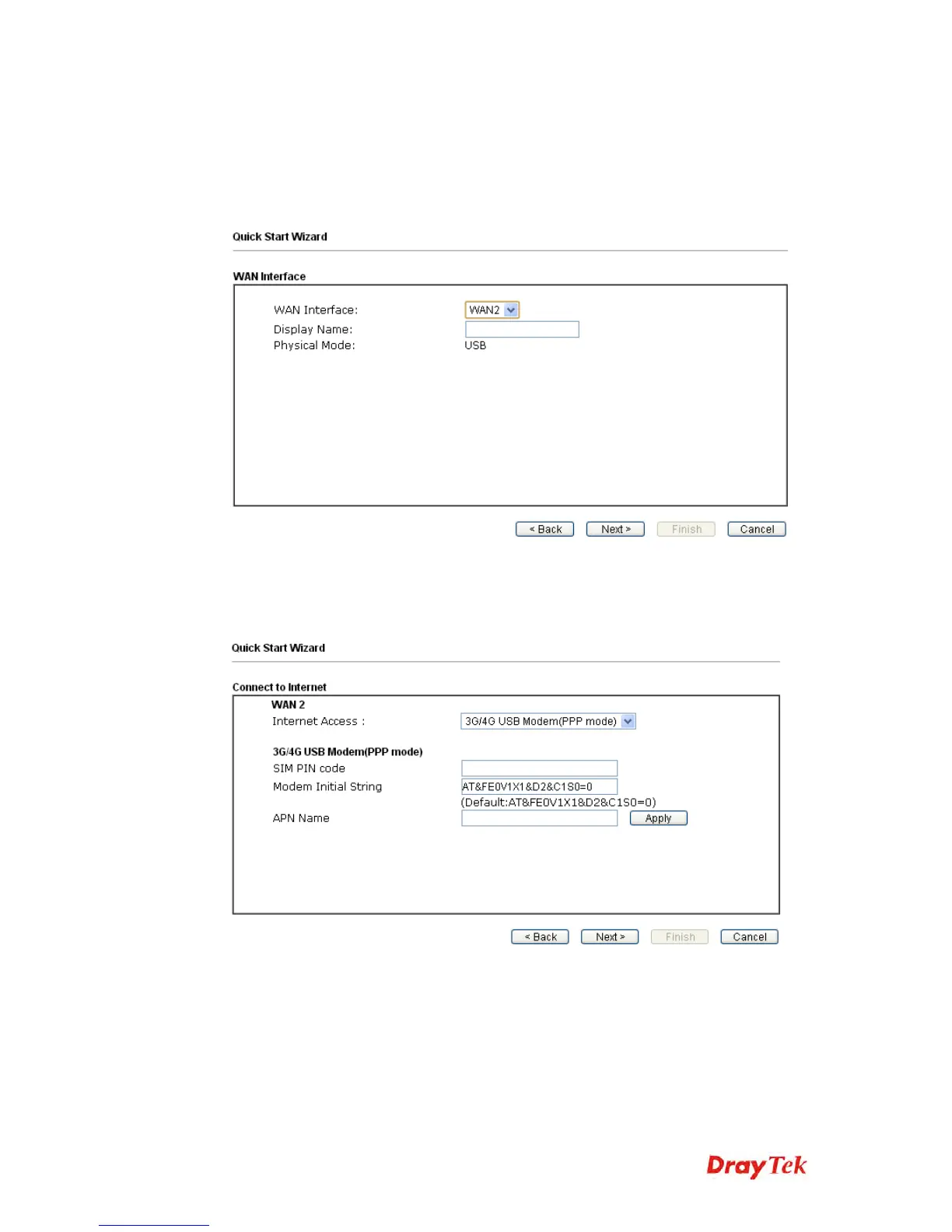
1. Open Wizards>>Quick Start Wizard. Finish the password settings and
click Next.
2. Choose WAN2 as the WAN Interface and click the Next button.
3. In the following page, choose 3G/4G USB Modem(PPP mode) or 4G
USB Modem (DHCP mode) to open the configuration page. Fill in the
required information for 3G/4G USB Modem.















 To Next Page