Vigor2120 Series Quick Start Guide
36
4
4
.
.
4
4
C
C
h
h
e
e
c
c
k
k
i
i
n
n
g
g
I
I
f
f
t
t
h
h
e
e
I
I
S
S
P
P
S
S
e
e
t
t
t
t
i
i
n
n
g
g
s
s
a
a
r
r
e
e
O
O
K
K
o
o
r
r
N
N
o
o
t
t
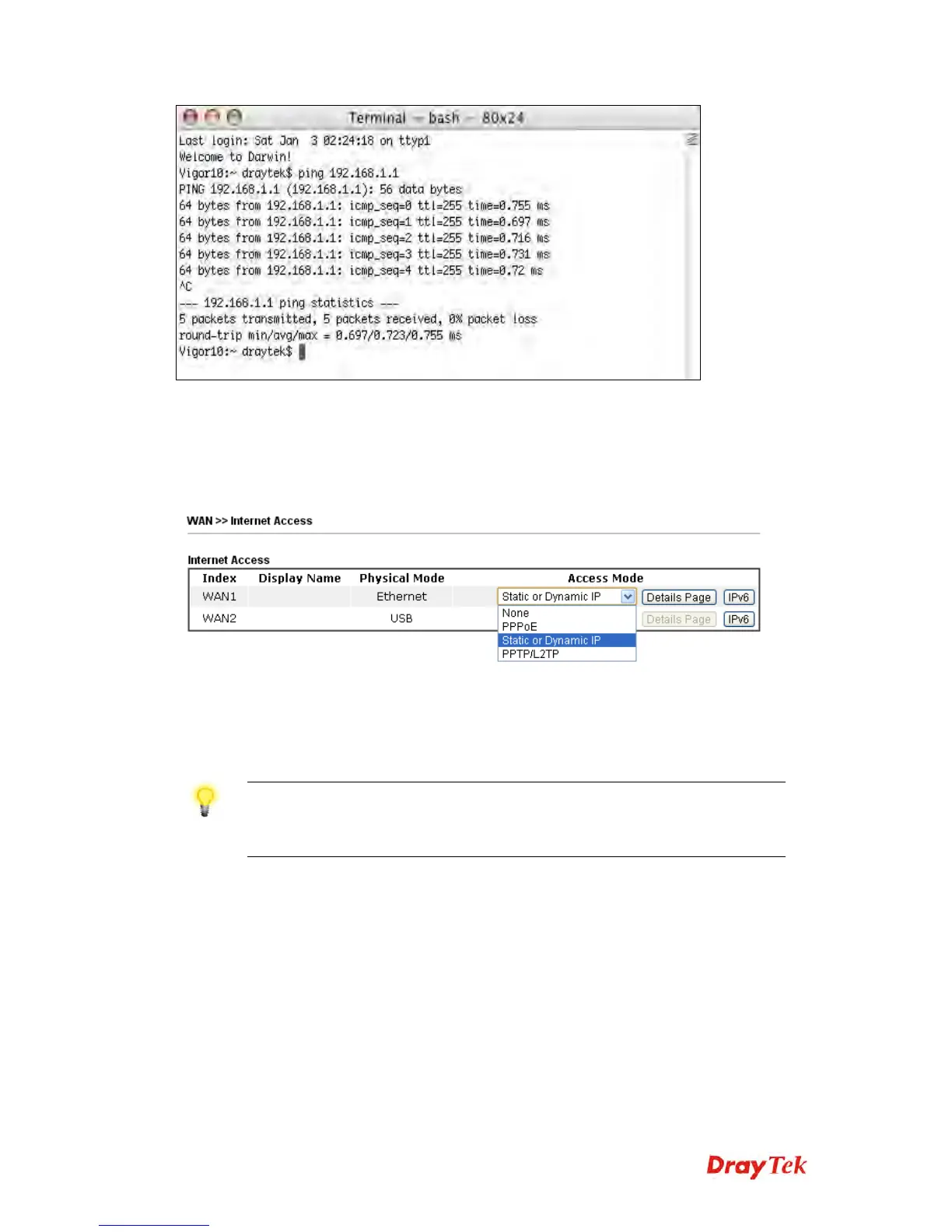
Open WAN >> Internet Access page and then check whether the ISP
settings are set correctly. Click Details Page of WAN1/WAN2 to review the
settings that you configured previously.
4
4
.
.
5
5
B
B
a
a
c
c
k
k
i
i
n
n
g
g
t
t
o
o
F
F
a
a
c
c
t
t
o
o
r
r
y
y
D
D
e
e
f
f
a
a
u
u
l
l
t
t
S
S
e
e
t
t
t
t
i
i
n
n
g
g
I
I
f
f
N
N
e
e
c
c
e
e
s
s
s
s
a
a
r
r
y
y
Sometimes, a wrong connection can be improved by returning to the default
settings. Try to reset the router by software or hardware..
Warning: After pressing factory default setting, you will loose
all settings you did before. Make sure you have recorded all
useful settings before you pressing.














 To Next Page