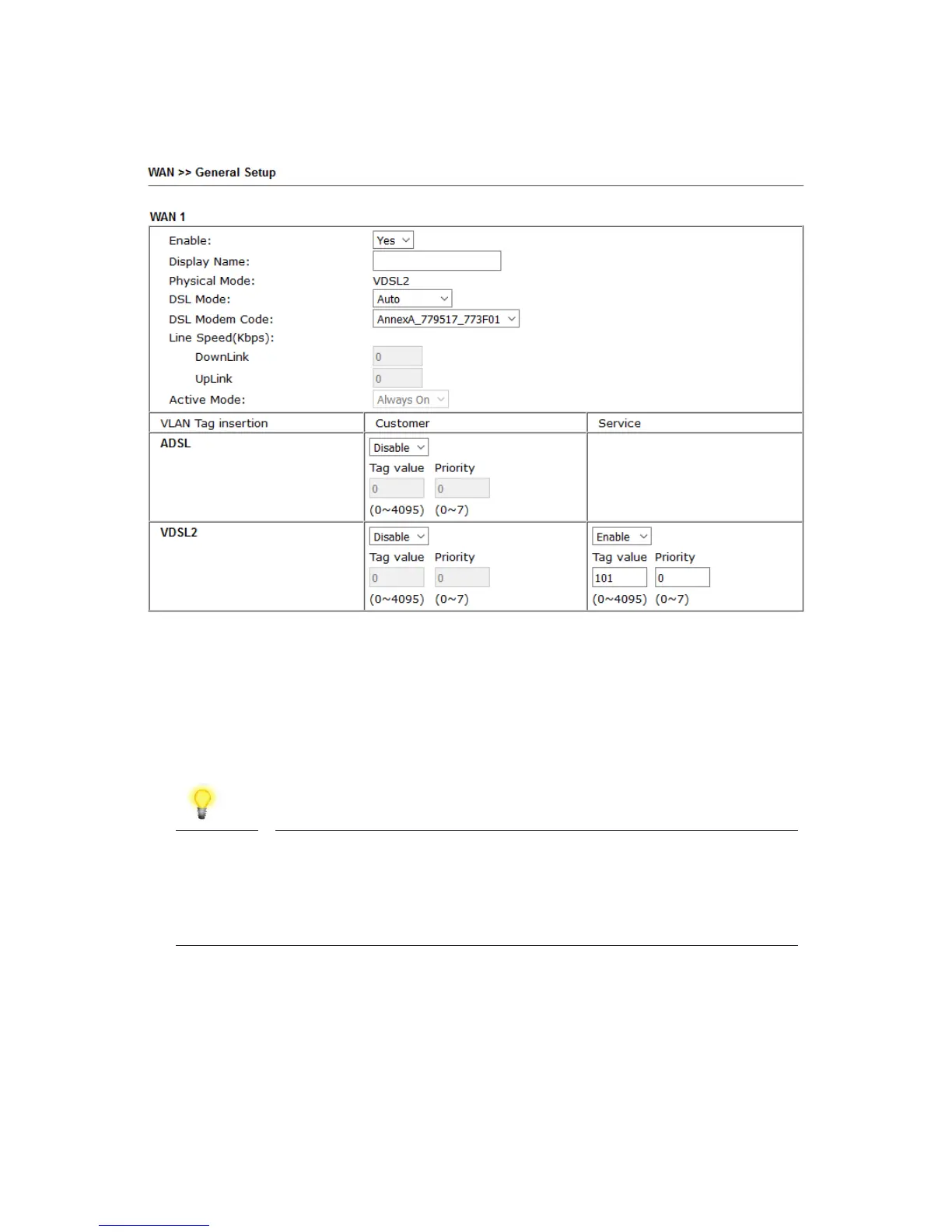
2. On the settings page:
• Set the Enable option to Yes to activate the WAN1 connection
• Set the Active Mode to Always On
• Enable the Service – VLAN Tag insertion
• Set the Tag value setting to 101
• DSL mode can be set to “VDSL2 only” but this is not required
Note
Please note that this value is correct for ISPs that operate over
the Openreach VDSL2 network, if your ISP operates on a
different VDSL2 network, this tag value may differ; please check
with your ISP or the DrayTek UK Knowledgebase for ISP specific
guides.
Click OK on that page to apply the changes.










 To Next Page