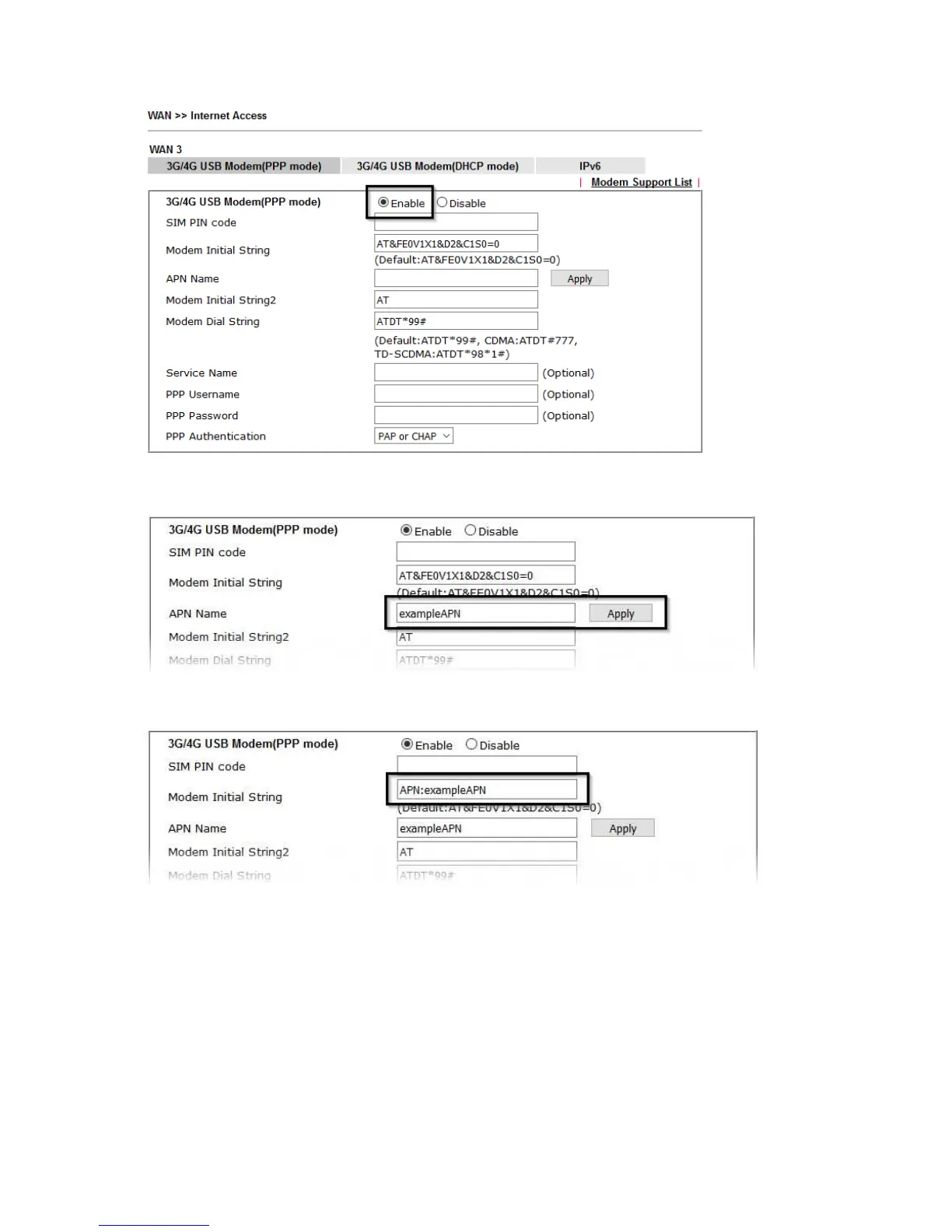
To set the APN Name, enter the APN required by the SIM card / network into the
APN Name field and click the Apply button:
This will move the APN Name into the Modem Initial String to indicate that it has
been saved.
Click OK to save and apply the changes.
If the modem is detected successfully, the WAN interface should be able to connect.
Status information can be viewed on the [Online Status] > [Physical Connection]
section as WAN3. If there is a successful connection, the WAN interface text will
show in green and will show an IP address.










 To Next Page