Vigor2950 Series User’s Guide
101
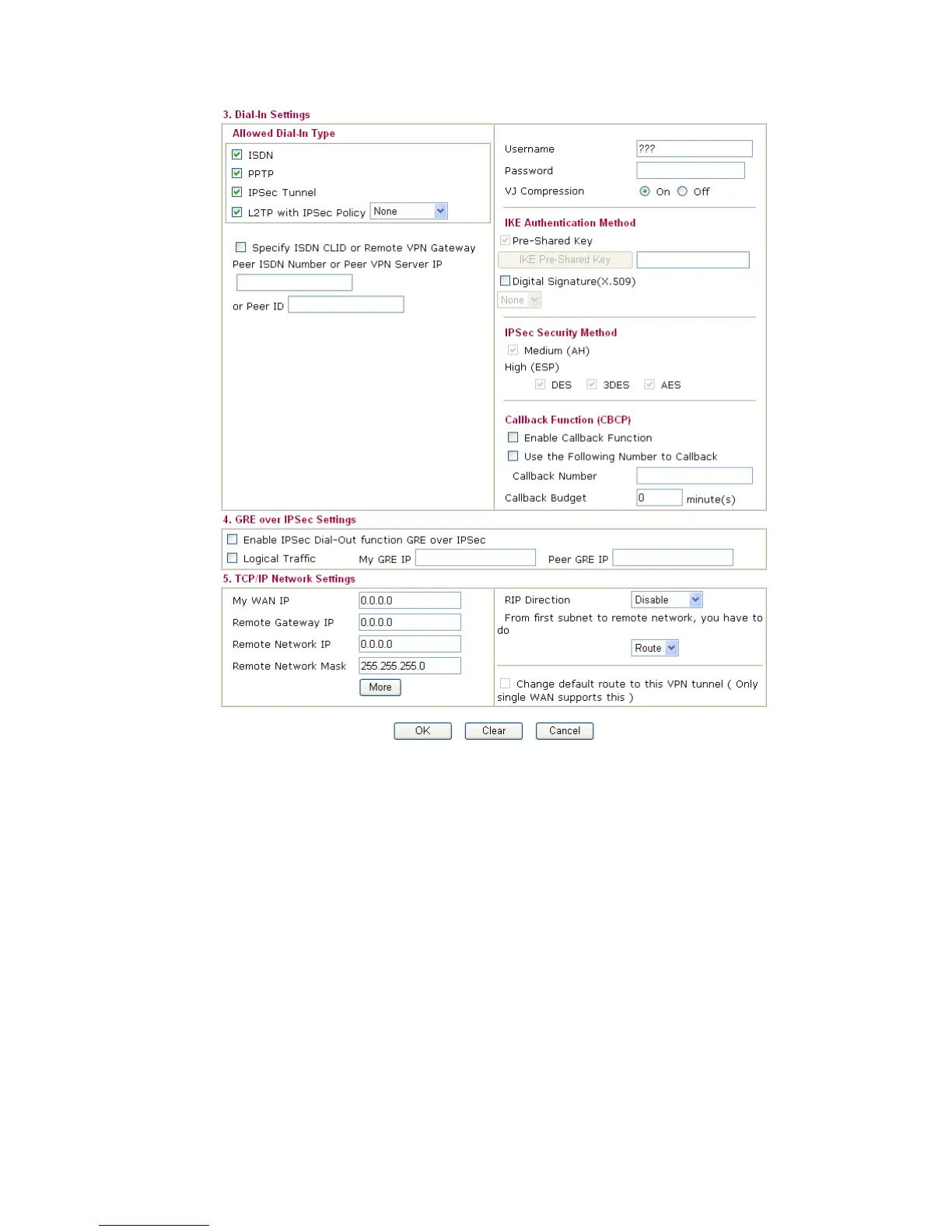
Allowed Dial-In Type Determine the dial-in connection with different types.
ISDN - Allow the remote ISDN LAN-to-LAN connection.
You should set the User Name and Password of remote dial-in
user below. This feature is useful for i model only. In addition,
you can further set up Callback function below.
PPTP - Allow the remote dial-in user to make a PPTP VPN
connection through the Internet. You should set the User
Name and Password of remote dial-in user below.
IPSec Tunnel - Allow the remote dial-in user to trigger an
IPSec VPN connection through Internet.
L2TP - Allow the remote dial-in user to make a L2TP VPN
connection through the Internet. You can select to use L2TP
alone or with IPSec. Select from below:
None - Do not apply the IPSec policy. Accordingly, the VPN
connection employed the L2TP without IPSec policy can be
viewed as one pure L2TP connection.
Nice to Have- Apply the IPSec policy first, if it is applicable
during negotiation. Otherwise, the dial-in VPN connection













 To Next Page