4
4
4
.
.
S
S
o
o
f
f
t
t
w
w
a
a
r
r
e
e
C
C
o
o
n
n
f
f
i
i
g
g
u
u
r
r
a
a
t
t
i
i
o
o
n
n
Before configuring the switch, perform the following steps:
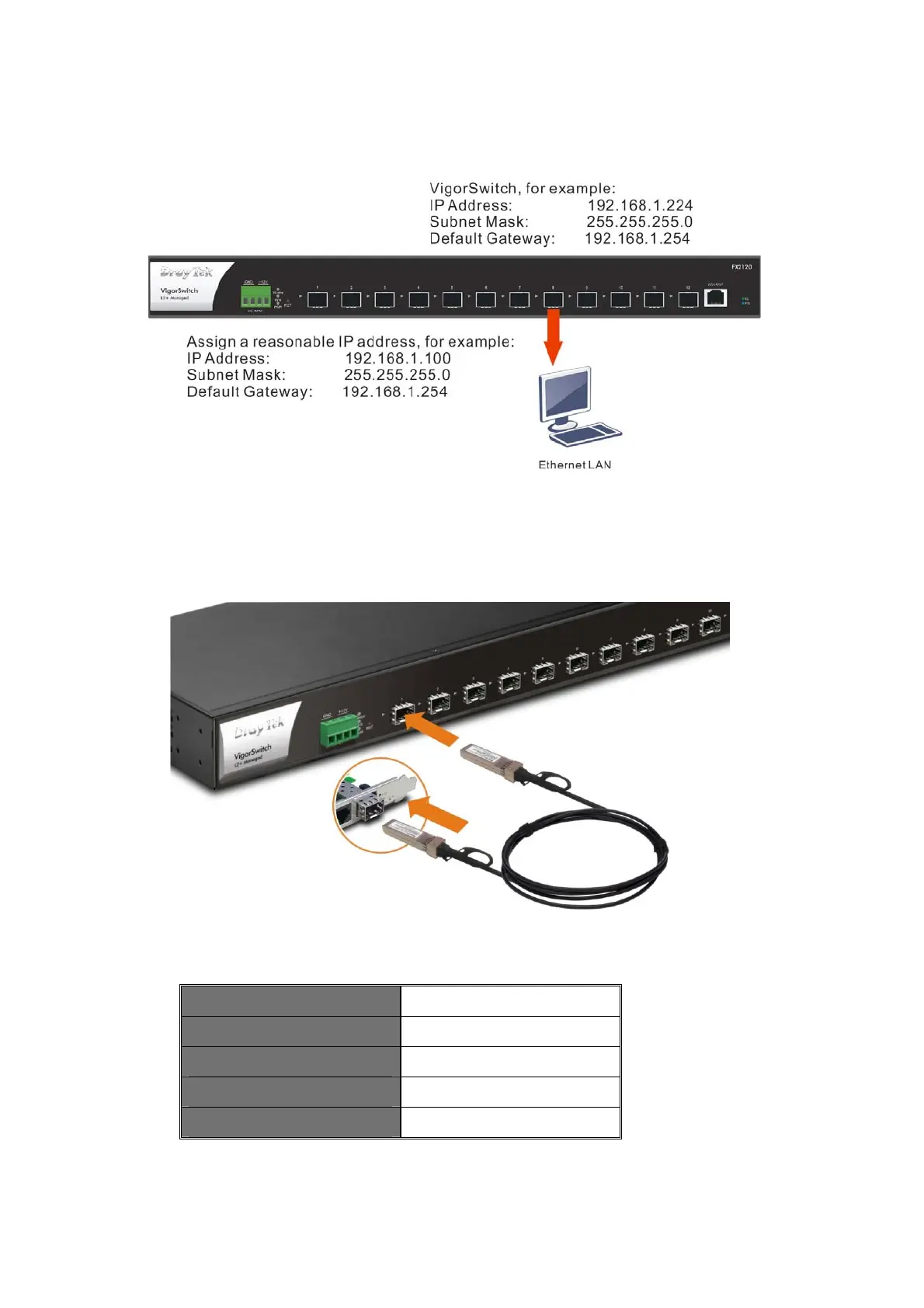
1. Set up a physical path between the switch and a PC. Insert one end of the
DAC cable connector into the slot (port 1~12 of this switch); and insert the
other end of the DAC cable into the slot on the network card on your PC.
If a PC directly connects to the switch, you have to setup the same subnet mask for
PC and the switch.
Default values of the managed switch are listed as follows:
IP Address 192.168.1.224
Subnet Mask
255.255.255.0
DHCP Client Enabled (On)
Username admin
Password admin














 To Next Page