Port State Display current port state on the specified port. The possible
values will be: “Disabled”, “Discarding”, “Learning”, and
“Forwarding”.
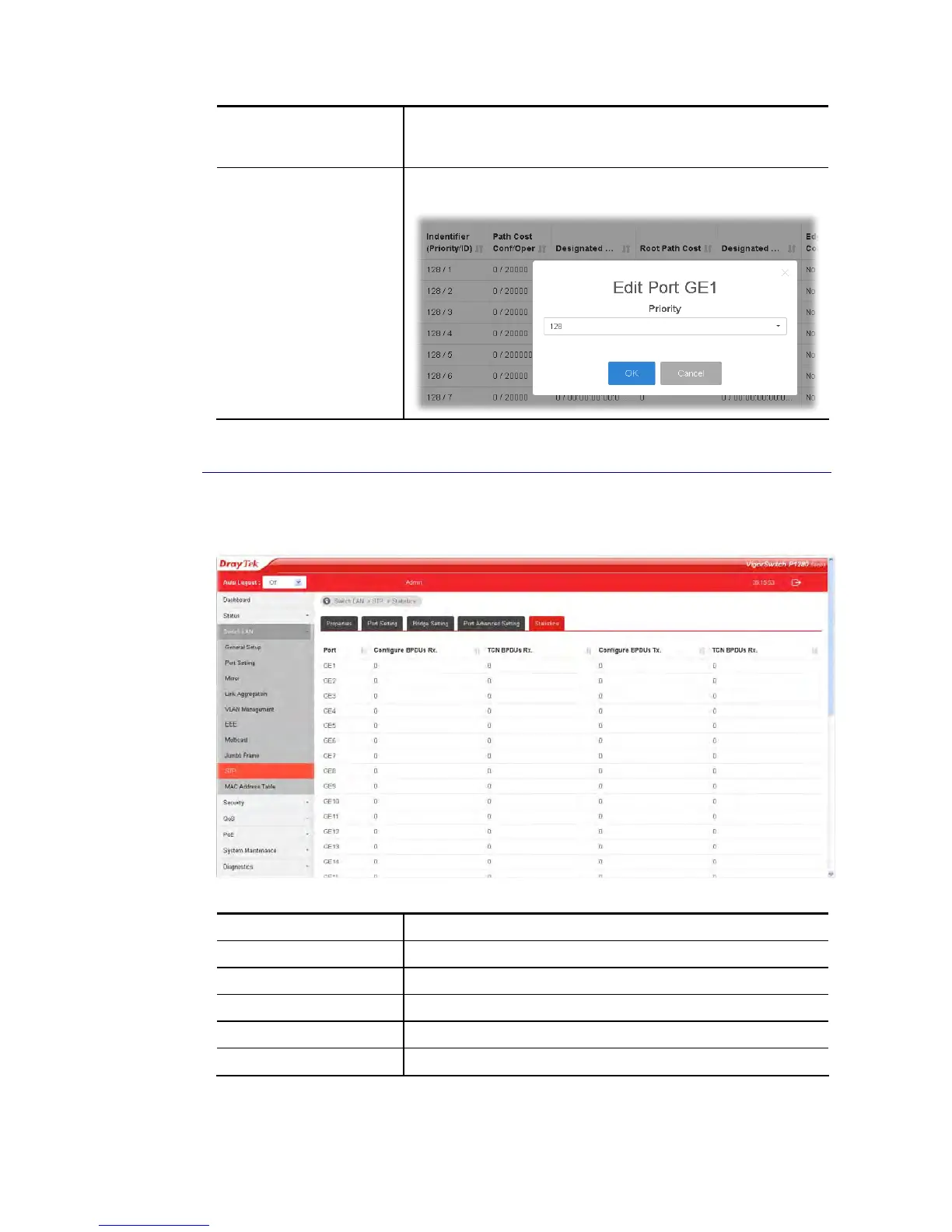
Edit Click it to modify the settings for the selected GE port / LAG
port.
I
I
I
I
-
-
9
9
-
-
5
5
S
S
t
t
a
a
t
t
i
i
s
s
t
t
i
i
c
c
s
s
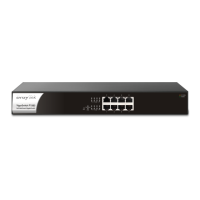
This page displays STP statistics.
Available settings are explained as follows:
Item Description
Port Display the port number (GE / LAG).
Configure BPDUs Rx. Display the counts of the received CONFIG BPDU.
TCN BPDUs Rx. Display the counts of the received TCN BPDU.
Configure BPDUs Tx. Display the counts of the transmitted CONFIG BPDU.
TCN BPDUs Rx Display the counts of the transmitted TCN BPDU.





 To Next Page