19
EN
Battery Pack
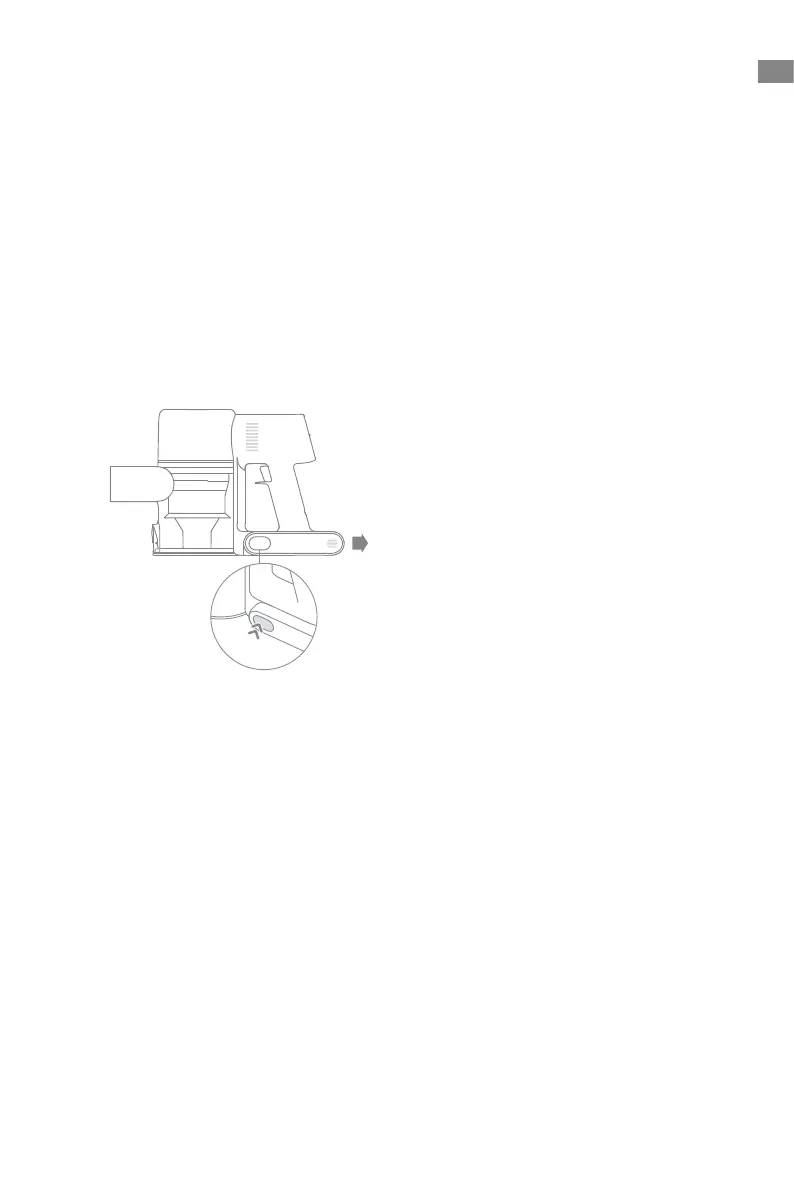
1. Press down the battery pack release button and slide the battery pack to the right, as
illustrated, to remove it.
2. Install the new battery pack.
The vacuum contains a removable rechargeable lithium-ion battery pack which has a
limited number of recharge cycles. After extended use, the battery pack may no longer
hold a charge. If this happens, it means the battery pack has reached the end of its life
cycle and needs to be replaced.
Care & Maintenance


 To Next Page
 Loading...