12
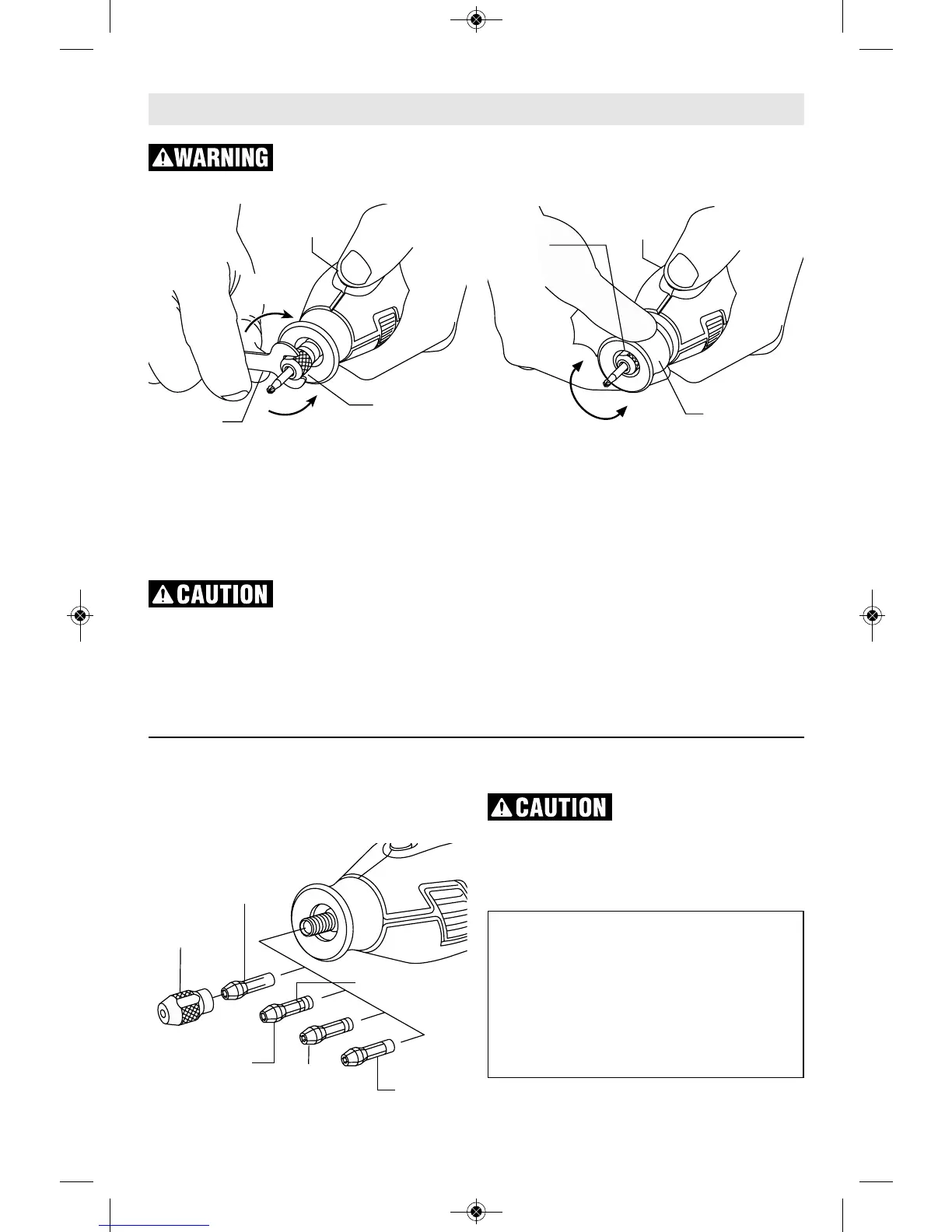
COLLET NUT — To loosen, first press shaft
lock button and rotate the shaft by hand until
the lock engages the shaft preventing further
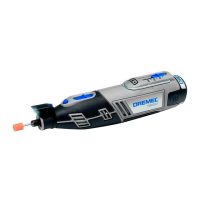
rotation. Your Dremel 8220 is equipped with a
quick collet lock mechanism. This mechanism
engages the output shaft in 8 separate
locations on the shaft for easier operation.
Do not engage lock while
the Rotary Tool is running.
With the shaft lock engaged use the collet
wrench to loosen the collet nut if necessary.
The collet nut must be loosely threaded on
when inserting an accessory. Change
accessories by inserting the new one into the
collet as far as possible to minimize runout and
unbalance. With the shaft lock engaged, finger
tighten the collet nut until the accessory shank
is gripped by the collet. Avoid excessive
tightening of the collet nut when there is no
bit inserted.
EZ TWIST™ INTEGRATED
WRENCH/NOSE CAP
The nose cap of your tool has an integrated
wrench allowing you to loosen and tighten the
collet nut without the use of the standard collet
wrench. Unscrew the nose cap from the tool,
line-up steel insert on inside of cap with collet
nut. With the shaft lock engaged twist nose cap
clockwise to tighten, and counter-clockwise to
loosen.
Assembly
Disconnect battery pack from tool before making any assembly,
adjustments or changing accessories. Such preventive safety measures
reduce the risk of starting the tool accidentally.
COLLET NUT
COLLET
WRENCH
SHAFT LOCK
BUTTON
TO
LOOSEN
TO
TIGHTEN
COLLET
NUT
TO
LOOSEN
TO
TIGHTEN
SHAFT LOCK
BUTTON
EZ TWIST™
INTEGRATED
WRENCH/NOSE CAP
COLLETS — Four different size collets (see
illus tration), to accommodate different shank
sizes, are avail able for your Rotary Tool. To
install a different collet, remove the collet nut
and remove the old collet. Insert the unslotted
end of the collet in the hole in the end of the
tool shaft. Replace collet nut on the shaft.
Always use the collet
which matches the shank
size of the accessory you plan to use. Never
force a larger diameter shank into a collet.
Note: Most rotary tool kits do not include all
four collets sizes.
COLLET
NUT
IDENTIFICATION
RINGS
480
1/8"
COLLET
481
3/32"
COLLET
482
1/16"
COLLET
483
1/32"
COLLET
COLLET IDENTIFICATION CHART
Collet sizes can be identified by the rings
on the back end of collet.
1/32" Collet has one (1) ring.
1/16" Collet has two (2) rings.
3/32" Collet has three (3) rings.
1/8" Collet has no rings. (Included in
most tool kits on the tool)


 To Next Page