46
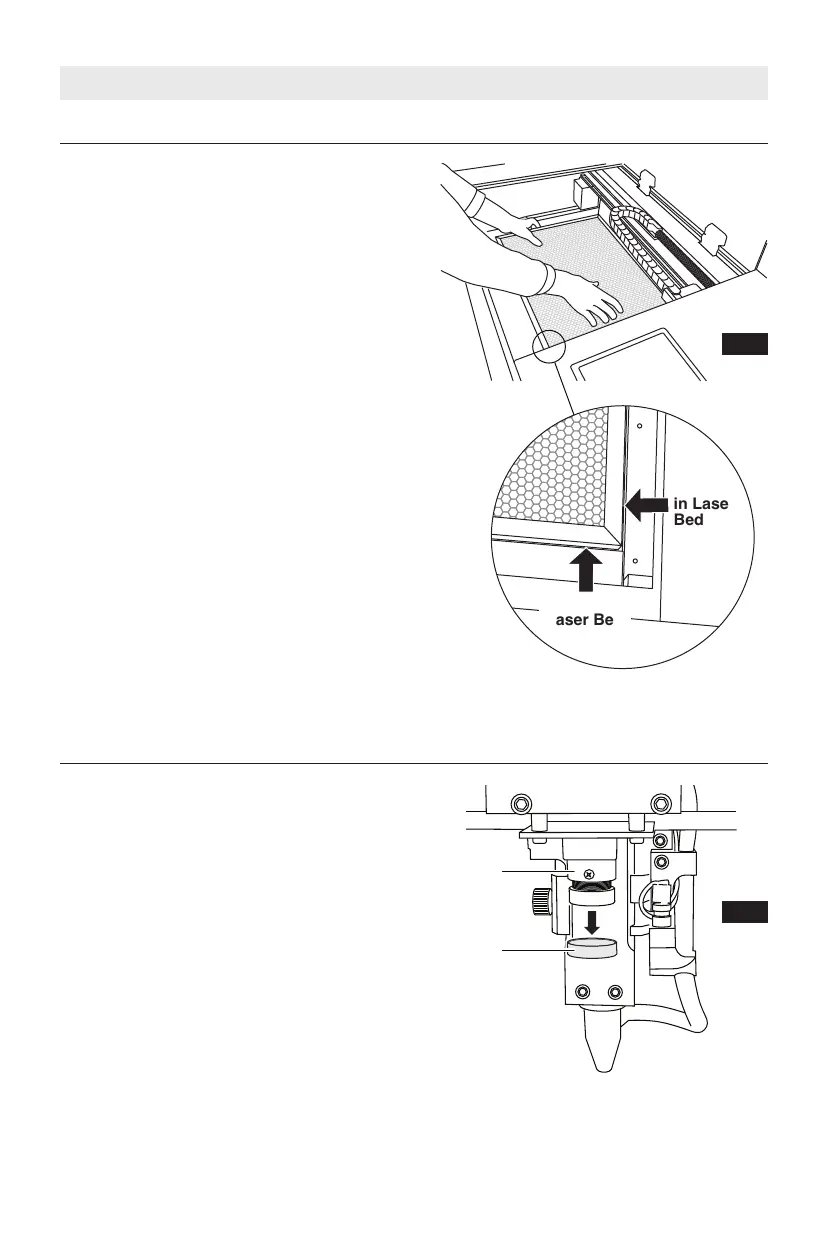
Place the honeycomb plate inside the
laser on the laser bed. Be careful not to
damage any part of the machine during
this process. The head can be moved out
of the way by hand if necessary.
The honeycomb plate sits flat at the
bottom of the laser. There is a slight
recess in the bed to help align the
honeycomb plate (Fig. 7).
Install Honeycomb Plate
Fig. 7
SETUP
Remove the cap from the camera lens on
the laser head.
Remove Camera Lens Cap
Lens
Cap
Fig. 8
Camera
Recess
in Laser
Bed
Recess in
Laser Bed



 To Next Page