10
Battery Replacement
Note:
If the indicator on the remote
control doesn’t turn on any more,
please consider replacing the battery.
1
Press the locking button to pop
out the battery holder.
2
Replace with the same battery
type with the (+) side facing up.
3
Push in the holder until securely
locked into place.
Remote ControlAdditional Features
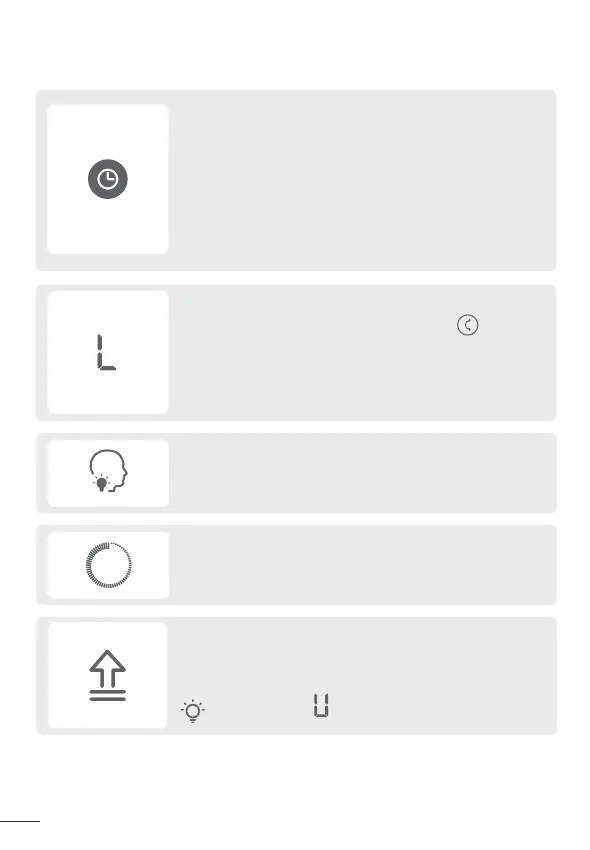
Memory
If the fan is turned OFF or disconnected from power,
it will operate under the previous settings (except the
timer setting) when it is turned ON again.
Countdown Display
When long pressing buttons for Factory Reset, Child
Lock, Mute, and WiFi Connection, a countdown will show
on the display accordingly.
Display will show “ ” during the update process. Do
not operate until the update is completed.
Check the firmware version on the Dreo app and
update regularly for the air circulator to work more
efficiently.
Firmware Update
9
When the fan is ON/OFF, touch the timer button
repeatedly to set a timer from 1 to 8 hours. When
the timer ends, the fan will stop/start running
automatically. To cancel, set the time to 0 hour.
Note: When the auto off timer is enabled, display will return
Display will show 8 if the timer is beyond 8 hours. To set a timer
beyond 8 hours, please go to the Dreo app.
to fan speed after 3 seconds.
Timer
Child Lock
Long press the Vertical Oscillation button for 3
seconds to turn on/off Child Lock.
Note: Child Lock doesn’t apply to the remote control.
You can also turn off Child Lock by re-plugging in or through
the Dreo app.
Power
Power Indicator
Increase
Fan Speed
Decrease
Fan Speed
Vertical
Oscillation
Mode
Timer
Horizontal
Oscillation
CR2025 3V
1
2
3


 To Next Page