LT-2334
19
SERVICING AND COMPONENT REPLACEMENT
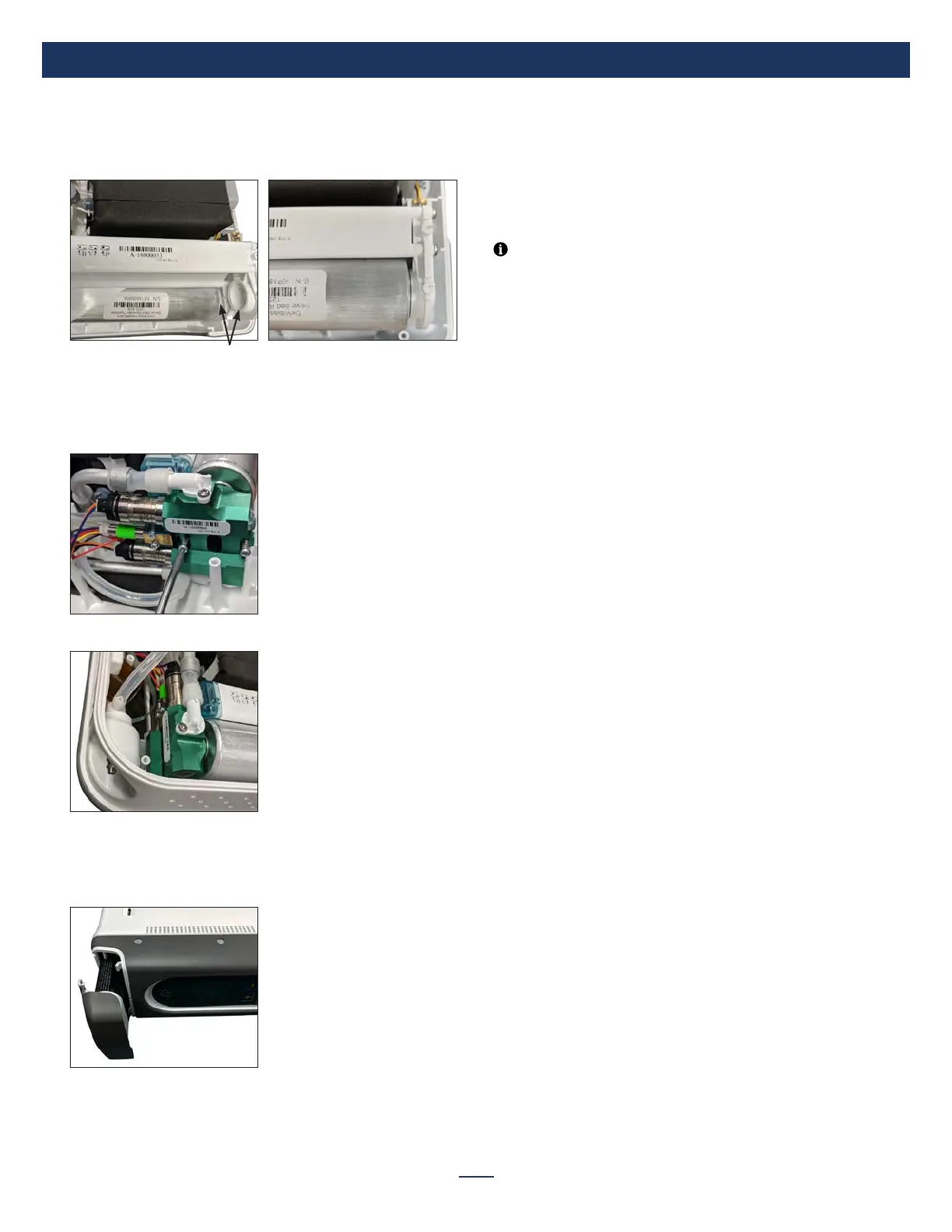
9. Place sieve beds over accumulator tank assembly ports. Then rotate
beds until the bed is fully seated into position and so the serial number
is viewable. Be careful to prevent pinching the O-Rings during
assembly.
Ports
10. Gently lift the sieve beds and accumulator tank upwards to re-insert the
manifold onto the top of the sieve beds. Rotate the sieve beds slightly
while inserting to prevent pinching of the O-Rings.
11. Re-install the 2 manifold screws (torque to 6-8 in-lbs).
12. Lift the front display cover plate back into the slots of the side case.
13. Ensure that no hoses or wiring harnesses are pinched and place the
side cover back onto the unit.
14. Re-install the 6 case screws (torque to 7 in-lbs).
15. Re-install the battery into the unit.
Testing Oxygen Concentration
To test oxygen concentration:
1. Turn on the POC and adjust the oxygen delivery setting to 5.
2. Allow the unit to run approximately 60 seconds until it goes into the
AutoBreath™ mode. This is indicated by a ashing oxygen symbol (low
or normal) on the display every 3 seconds accompanied by an audible
beep every 15 seconds.
NOTE– Pressing the power button will silence the audible alarm.
3. If the oxygen is low the yellow down arrow will ash and if the oxygen is
normal the green check mark will ash. It may take 1 or 2 minutes for
the oxygen concentration to reach specication.
4. When the normal oxygen symbol starts ashing the oxygen level has
reached specication and may be tested.
5. Attach a calibrated oxygen analyzer to the outlet port. Allow the oxygen
concentration to stabilize on the analyzer before taking a nal reading.
Testing Inspiratory Trigger Sensitivity
To test inspiratory trigger sensitivity:
1. Turn on the POC and adjust the oxygen delivery setting to 5.
2. Attach a standard oxygen cannula to the outlet port.
3. Pinch the tubing for 3 -4 seconds then release it and feel if a dose
(oxygen bolus) is delivered at the cannula nasal prongs. The green
normal oxygen symbol will also blink when a dose is delivered.
4. Testing may also be done at other ow settings if desired.
5. If the unit does not deliver a pulse of oxygen when the tubing is pinched
and released or if you suspect an issue with the units’ sensitivity, return
the unit for servicing.


 To Next Page