3
This manual should be used for the initial set up of the system and for reference purposes.
INTENDED USE
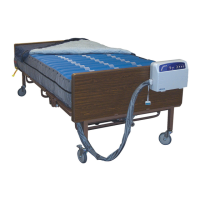
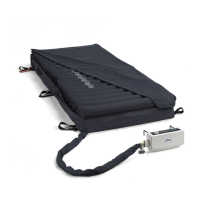
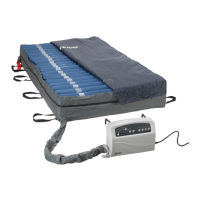
The Med-Aire Essential 14508 control unit and mattress are intended to help reduce the incidence
of pressure ulcers while optimizing patient comfort.
PUMP
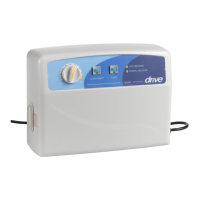
The functions of the Med-Aire Essential 14508 control unit are described below. Please refer to the gures of
the 14508 control unit.
Power Switch (1)
• The switch is at the right side of the control unit.
• Turn ON/OFF the power, the pump will start/stop operation.
Pressure Adjust Knob adjustable by patient’s weight (2)
• Turn the Pressure Adjust Knob to set a comfortable pressure level by using the weight scale as a guide.
Normal Pressure Indicator (3)
• A visible indicator (green) tells the pressure has reached a preset or user-dened level.
Low Pressure Indicator (4)
• A visible indicator (yellow or red) warns the pressure is below a preset or user-dened level.
Alarm Reset (5)
1. The audible/visible alarm turns on when pressure is low.
2. To mute the audible alarm, press the mute button. The visible alarm indicator will continue to ash.
3. The Air pressure issue must be corrected in order for the visible alarm to shut off. Once corrected the
audible/visible alarm function will automatically reset.
Static Control (6)
Press to set the air mattress in static mode.
1. Power Switch
2. Pressure-Adjust Knob
3. Normal Pressure Indicator
4. Low Pressure Indicator
5. Alarm Reset
6. Static Control
PRODUCT FUNCTIONS
2
5 6
4
3
1
Weight of Patient


 To Next Page