13
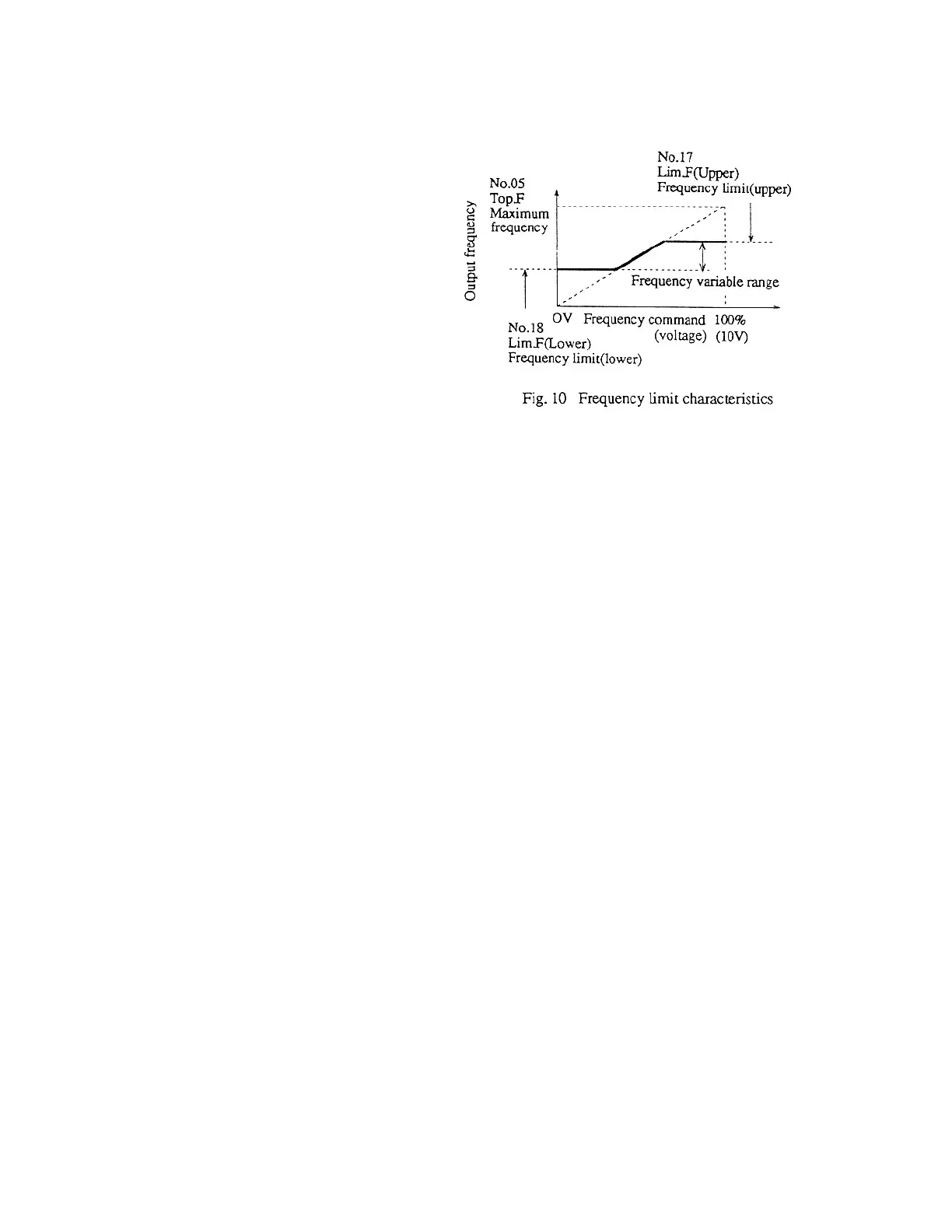
4-2-1 Frequency limit
This can be set to the upper and lower
limits of the output frequency.
1) No. 17 Lim.F (Upper)
(frequency limit (upper))
2) No. 18 Lim.F (Lower)
(frequency limit (lower))
4-2 Special Setting Items 1 (Sp.set-1)
When SP.set-1 is selected at code No. 16 selection of special setting items in the basic setting items, the func-
tions for the following code numbers 17-97 are set. Even when code No. 16 is already set to Sp.set-1, select
Sp.set-1 again to set those code numbers.
Note 1: External values are limited, and so trip due to limit over does not occur.
Note 2: When No. 18 Lim.F(Lower) is set to a value other than 0.0, the minus side setting in the
reference frequency range is ignored and the plus side setting is used. However, reversal by
using For/Rev is possible.
4-2-2 Output frequency characteristics
1) No. 19 Ex-RefF.set (selection of external frequency setting)
[1] When -10 0 10V is selected, the frequency can be set using voltage.
[2] When 4 20mA is selected, the frequency can be set using current.
(When current is selected, however, the frequency for only the forward side starting with 0 Hz can be set.)
2) No. 20 Ex-RefF.Char (characteristics of external frequency setting)
[1] 0Hz TOP.F 0 Hz when 0V is applied. Top.F when 10V is applied.
[2] Lim-L Lim-U Lim.F(L) when 0V is applied. Lim.F(U) when 10V is applied.
3) No. 21 OF.set (excess frequency setting) See 4) of 4-1-1.
When the frequency exceeds the reference value, protection (trip) is performed (It is indicated on LED and the
86A relay is also turned on.)



 To Next Page