Drobo Mini Getting Started Guide 18
Connecting Directly to Your Drobo Mini
You can connect the Drobo Mini directly to your computer using the Thunderbolt port or the
USB 3.0 port. For information on the different connectivity interfaces available and their
requirements, see
Connectivity Interfaces Supported for the Drobo.
If you are using a Thunderbolt port and would like to connect the Drobo Mini in a daisy-chain, see
Connecting Your Drobo Mini in a Daisy-chain.
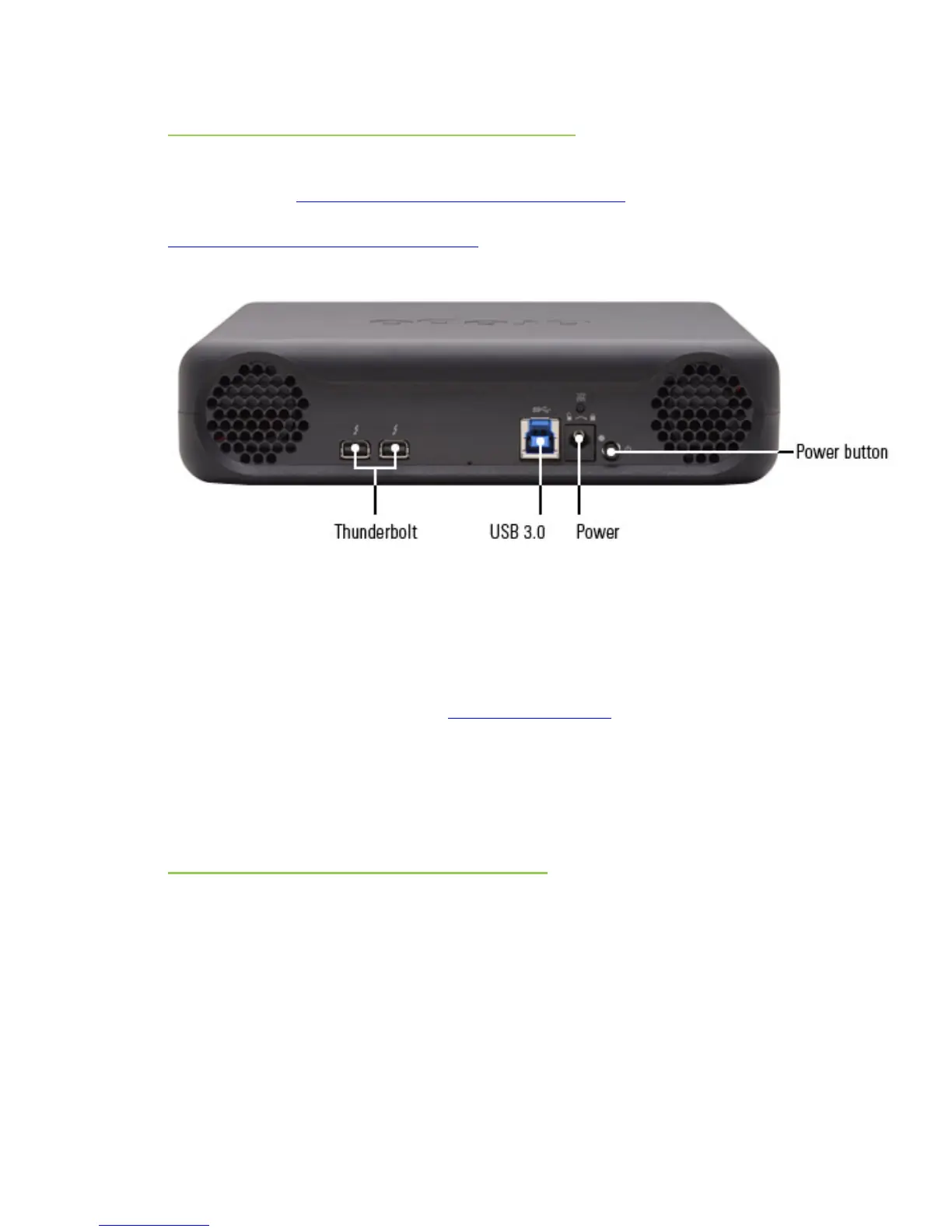
As you follow the steps below, refer to the following image.
1.
Plug one end of the USB or the Thunderbolt cable into the back of your Drobo Mini.
2. Plug the other end of the cable into your host computer.
3.
Connect the plug of the power supply into a power source so that the LED light located on the
other end (the end which plugs into your Drobo Mini) lights green.
Note: We recommend plugging into an uninterruptible power supply (UPS) or surge
protector. For more information, see
Using Power Protection.
4.
Align the green LED light of the power connector with the white dot on the back of the Drobo
Mini, push the connector securely into place, and then rotate it to the right (clockwise) until
the green LED light faces down.
Locking the power cord into place prevents it from slipping out if you move the device. You
are now ready to turn on your Drobo device and format the drives.
Daisy-chaining with Your Drobo Mini
With the Thunderbolt port, you can connect the Drobo Mini directly to your computer or to another
Thunderbolt-enabled device in a daisy-chain manner. The Drobo Mini performs best when it is the
first in the daisy-chain, but it can also be in the middle or at the end.
You can daisy-chain up to six peripheral devices and one display (which can be a DisplayPort
monitor) from a single computer. The non-Thunderbolt display needs to be at the end of the
chain.
Note: As long as they are plugged in, Drobo devices do not need to be powered on for
Thunderbolt interfaces to remain active. This enables other devices in the chain to remain
accessible by the computer.
Here are three options for connecting your Drobo device using its Thunderbolt interface.



 To Next Page