Drobo Mini Getting Started Guide 9
Important Notes:
-
If an incompatible SSD is inserted into the Drobo device, the drive light will blink red,
indicating the need to replace that drive. Please refer to our web page on
compatible drive
options for more information.
-
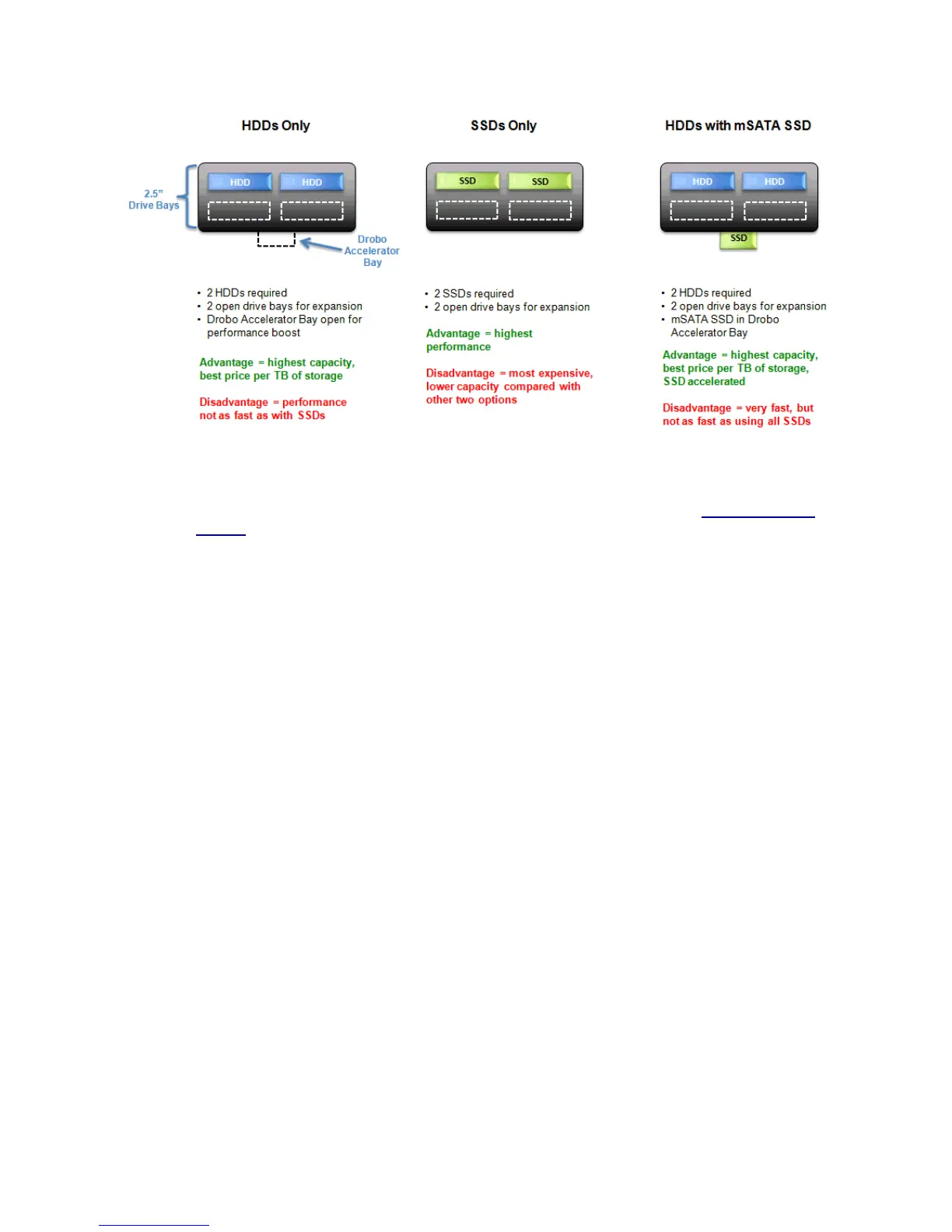
The mSATA SSD card is not part of the disk pack of your Drobo Mini, allowing you to leave it
installed even if you transfer drives from the drive bays to another Drobo device, for example.
- When Data-Aware Tiering is enabled, an icon displays in Drobo Dashboard, the software
companion to your Drobo device.
-
The Drobo Mini is not compatible with IDE(Integrated Drive Electronics), SCSI(Small
Computer System Interface), PATA(Parallel ATA) or SAS(Serial Attached SCSI) drives.
Warning! Any pre-existing data on the drives will be erased when inserted into the Drobo Mini.



 To Next Page