10
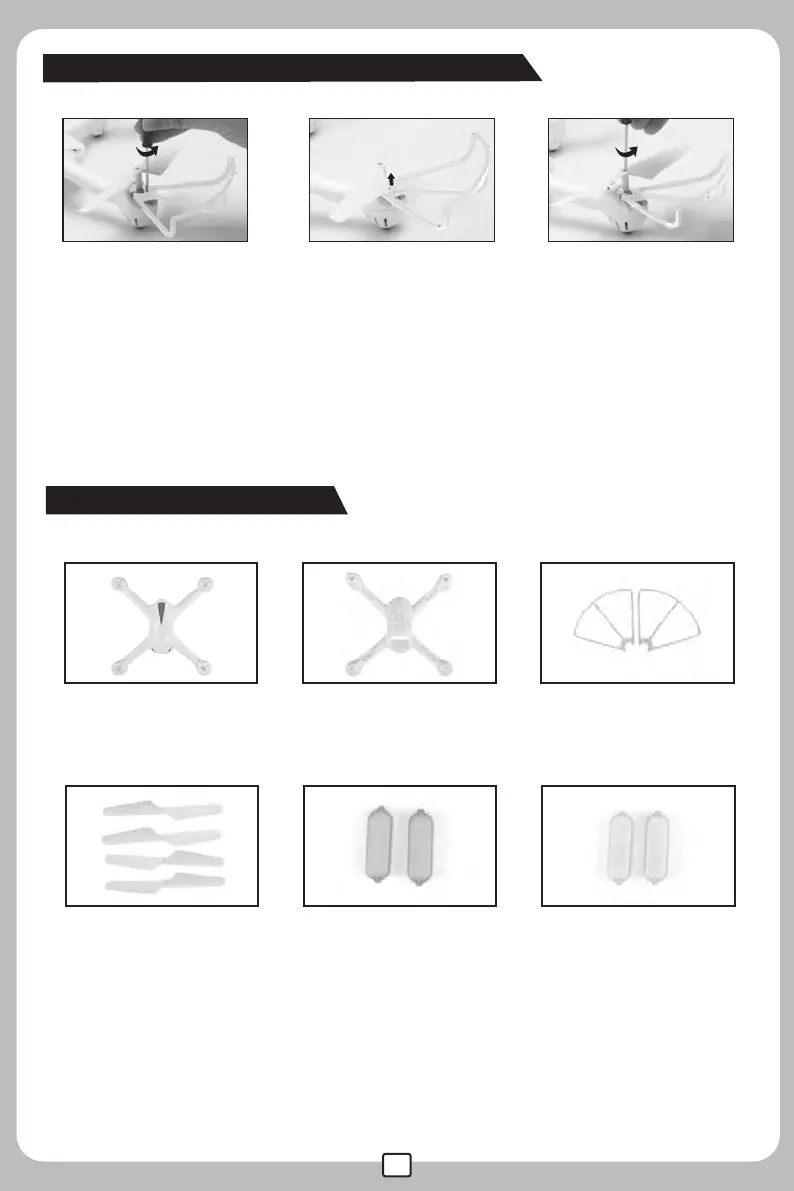
Protection frame and propeller removal
Accessories(Optional)
● Please make sure that the clockwise and the counter clockwise propellers are installed on the correct
motors, because the drone will not fly as per norm if the wrong propellers are installed.
● Be careful when installing the propellers, as they are a little sharp at the edges.
● Please use MJX propellers for this drone.
● Extra propellers can be ordered additionally.
708001 708002 708003
Upper Cover Lower Cover Protecting Guard
708004 708005 708006
Propeller A/B Transparent Plastic
Part (Blue)
Transparent Plastic
Part (Orange)
2.Vertically pull out the
proection guard leg from
the interfaces
3.Release the propellers
by turning the screw
counter clockwise.
1.Take out the srews of the
protection guard by turning
counter clockwise.



 To Next Page