3
10
Power
indicator
The indicator light keeps blinking slowly: the
transmitter is not activated.Please push up the throttle
control stick to the top and then push it down to the
bottom to activate the remote controller.The indicator
light keeps flashing rapidly: the transmitter is sending
out connectional signal to the aircraft.The indicator
light keeps on without blinking: the transmitter is
ready for controlling the flight.
3D roll
Keep pressing the 3D rolling button and push the
forward/backward and the leftward/rightward control stick
to the edges to perform the roll actions accordingly.
11
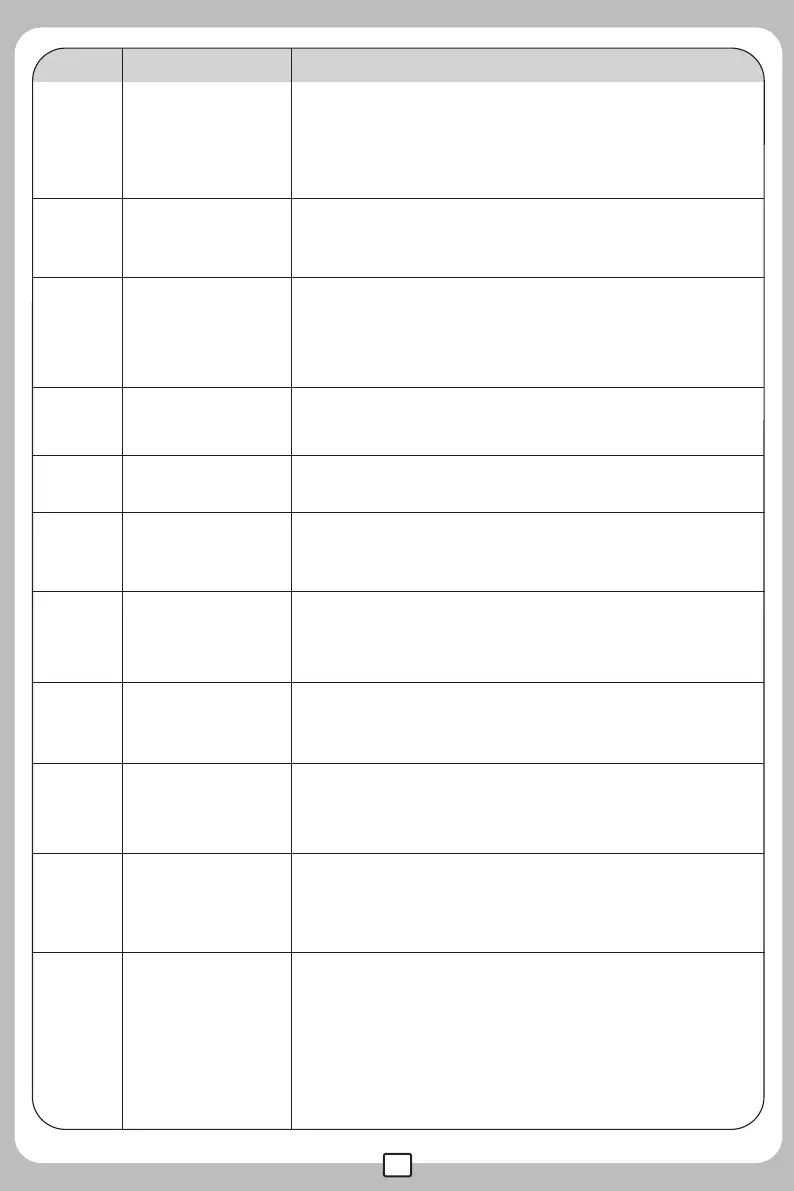
No. Function switch Function description
1
2
3
4
5
6
Trimmer A
Trimmer B
Left stick
This button is null.
Throttle control,turn left/turn right.
Push up the power switch to power on the transmitter;
push down the power switch to turn off the transmitter.
Power switch
Turn left/right trimmer.
There are 2 flight modes for this model: low speed and
high speed.
High/Low speed
switch
Light/headless
mode/one key
return
A single press is light switch; long press for 1.5sec for
headless mode. In headless mode ,a single press
commands the return to home function.
8
9
Trimmer D
Right control
stick
7 Trimmer C
Forward/backward flight trimmer.
Forward/backward/leftward/rightward control stick.
Leftward/rightward flight trimmer.



 To Next Page