Copyright 2019 Baker Hughes, a GE company, LLC (“BHGE”) — All rights reserved.
iv | 137M7122 DPI 705E / DPI 705E IS User Manual–English
External Sensors
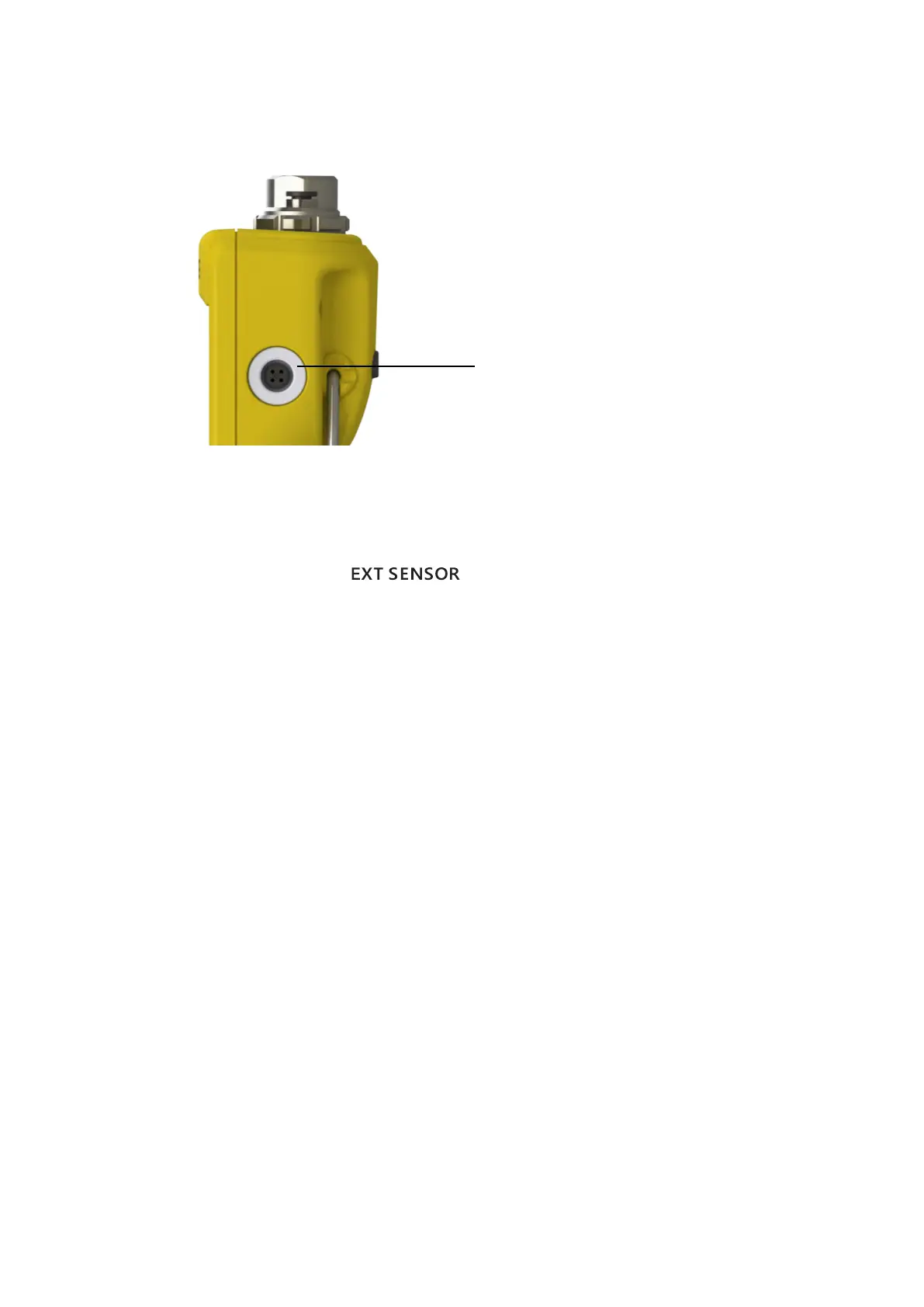
The DPI 705E supports two types of external sensor, both of which connect via a cable into the right-
hand side of the unit.
The sensor must be connected via supplied connection cable (it will not engage correctly if directly
plugged in). The connectors push in (with pip features aligned) then the outer body rotates clockwise
to lock the connector in position. Multiple cables may be used in series (i.e. as extenders). Up to a
maximum of 10 in series if very long cabled connections are needed.
When an external sensor is connected it is automatically detected and has precedence over the
internal sensors. The display shows “ ” (External Sensor) to show that the reading is
from the external sensor. To show a reading from the internal pressure sensor the external sensor
must be unplugged.
The external sensor may be either:
• A pressure sensor PM 700E ranging from 25 mbar to 1,400 bar (0.36 psi to 20,000 psi)
full-scale.
• A temperature sensor adaptor RTD-INTERFACE which supports a 4-wire PT100 probe.
If a PM 700E pressure sensor is plugged in then the pressure Full-scale will be displayed (only at first
plug-in), followed by the calibration due date in days. Normal pressure measurement display will
then start.
If an RTD-INTERFACE temperature sensor is plugged in then temperature/resistance full-scale will
be displayed (only at first plug-in), followed by the calibration due date in days. Normal resistance or
temperature measurement display will then start.
RTD Wiring
The DPI 705E M12 connector is to be connected to an external RTD probe as shown below.
External sensor connector


 To Next Page