About the Remote Modes
If you have multiple DStv Exploras in your home, or even in the same room, you need to set the remotes
(and the DStv Exploras) to different “modes”, so that commands sent from one remote, won’t be picked up
by the other decoder.
This remote has 3 modes and can be set to mode 1, 2 or 3 (the default is mode 1).
Each time you press the DStv button, you will see a green light blink on the remote. The position of the
blink tells you which mode the remote is in.
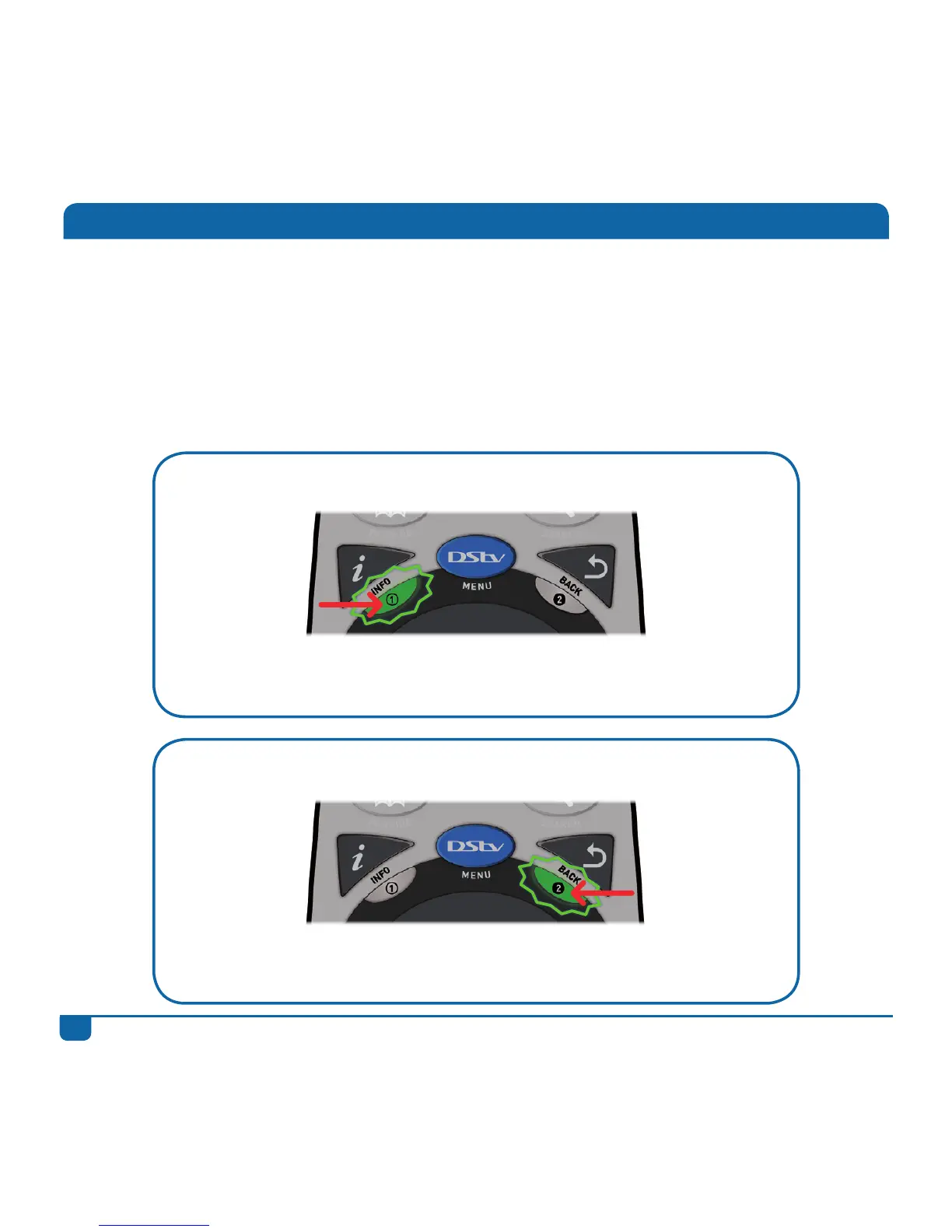
If the green light blinks below i, the remote is in mode 1.
To set the remote to mode 1: press and hold the i button for 3 seconds or
until you see the green light blink on 1 (below the i button).
If the green light blinks below BACK, the remote is in mode 2.
To set the remote to mode 2: press and hold the BACK button for 3 seconds
or until you see the green light blink on 2 (below the BACK button).


 To Next Page