Need help?
Do you have a question about the DStv A6 and is the answer not in the manual?
States compatibility with DStv Explora and support for 3 operational modes.
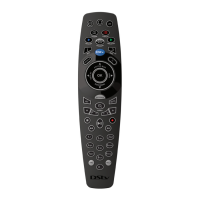
Highlights ergonomic design, raised buttons, varied textures, and visual feedback for ease of use.
Details remote's ability to control other devices and its 12-month warranty period.
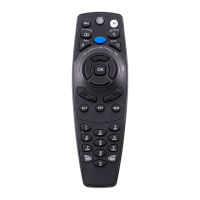
Identifies essential buttons like STANDBY, CATCH UP, TV GUIDE, INFO, MENU, and BACK.
Details buttons for navigation (arrows, OK) and playback control (PLAY/PAUSE, REW, FF).
Covers the number pad (0-9), HELP, MUTE, OPTIONS, and ARC buttons.
Explains access to DStv Catch Up and BoxOffice content via dedicated hotlinks.
Details using hotlinks for accessing recorded programs (Playlist) and TV schedule (TV Guide).
Describes hotlinks for content search and accessing the main DStv Central menu.
Describes the function of STANDBY, CATCH UP, BOXOFFICE, PLAYLIST, TV GUIDE, SEARCH, and INFO buttons.
Explains the usage of DStv, BACK, PROFILE, and TV buttons for system navigation.
Details the STATUS BAR (UP arrow) and BOOKMARK (DOWN arrow) button functions.
Explains REPLAY, GRID, OK, ALT, MUTE, OPTIONS, and P+/P- button functions.
Covers V+/V- for volume, STOP, PLAY/PAUSE, REC, REW, FF, and Number/SMS input.
Describes the ARC button for aspect ratio and the HELP button for support.
Explains the need for different modes for multiple DStv Exploras and how to identify the current mode.
Provides instructions to set the remote to mode 1 using the 'i' button or mode 2 using 'BACK'.
Provides instructions to set the remote to mode 3 using both 'i' and 'BACK' buttons.
Details how to set the DStv Explora to 'listen' for the correct remote mode via Settings.
Explains how to check if the remote's batteries are working by observing the green light.
Guides on identifying a broken remote, needing new batteries, or requiring replacement.
Provides steps to troubleshoot when the remote is not responding, including checking the green light and modes.
Outlines advanced capabilities like sequential power control, controlling other equipment, and macros.
 General
| Brand | DStv |
|---|---|
| Model | A6 |
| Category | Remote Control |
| Language | English |

 To Next Page