HD PVR Viewer’s Guide – UEC Page 41 of 62
T
HE
D
ECODER
M
ENU
–
I
NFORMATION
C
ENTRAL
(#1)
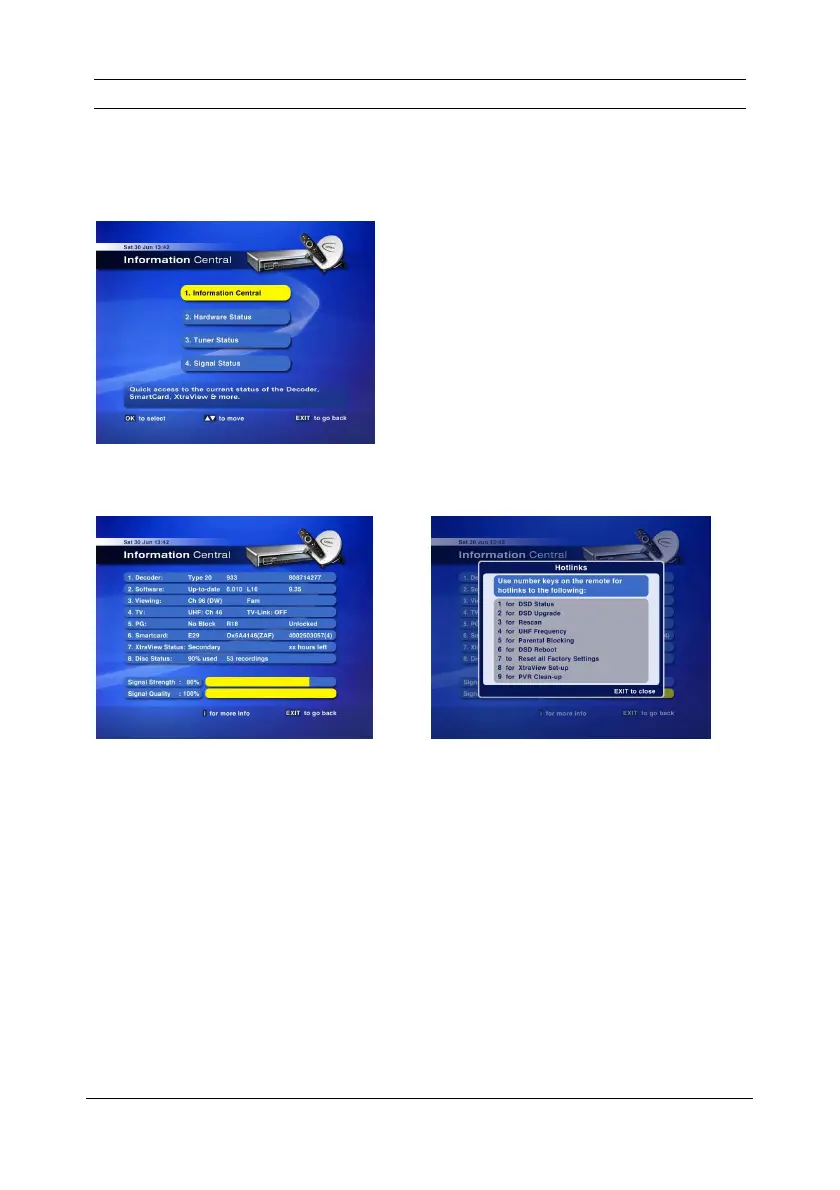
The information screens in the Decoder Menu provide technical information about your HD PVR. This
information will be relevant should you need to contact the MultiChoice Call Centre.
I
NFORMATION
C
ENTRAL
M
ENU
I
NFORMATION
C
ENTRAL
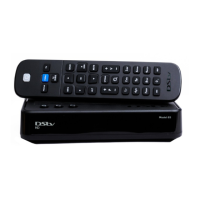
This screen shows high level information.
The number at the end of line 6 is important
when contacting the MultiChoice Call Centre
as this is the smartcard number.
The signal strength and quality are for the
channel currently tuned to.
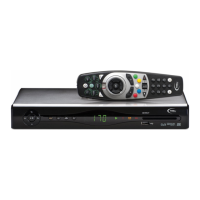
To access Hotlinks, press i on Information Central.
Warning!
If you select option 7 (Reset all Factory Settings), all
Scheduled Recordings and Reminders will be deleted.


 To Next Page