HD PVR Viewer’s Guide – UEC Page 47 of 62
T
HE
D
ECODER
M
ENU
–
P
ERSONALISE
(#3)
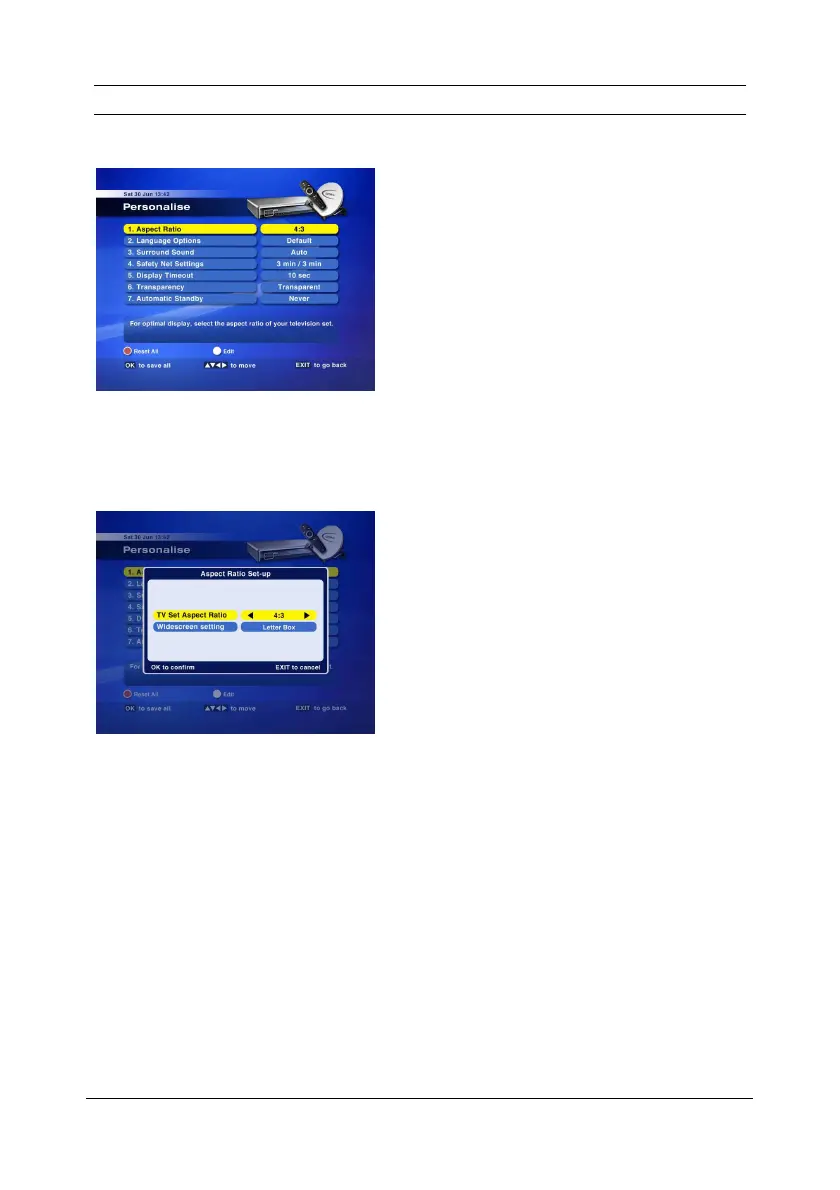
This menu allows you to personalise certain settings on the HD PVR.
The default settings are :
1. Aspect Ratio = 16:9
2. Language Options = English – Family
3. Surround Sound = Manual
4. Safety Net Settings = 3 min / 10 min
5. Display Timeout = 10 seconds
6. Transparency = Transparent
7. Automatic Standby = Never
➊
➊➊
➊
A
SPECT
R
ATIO
o Press WHITE to edit the options
o Press OK to confirm selection


 To Next Page