DataBase
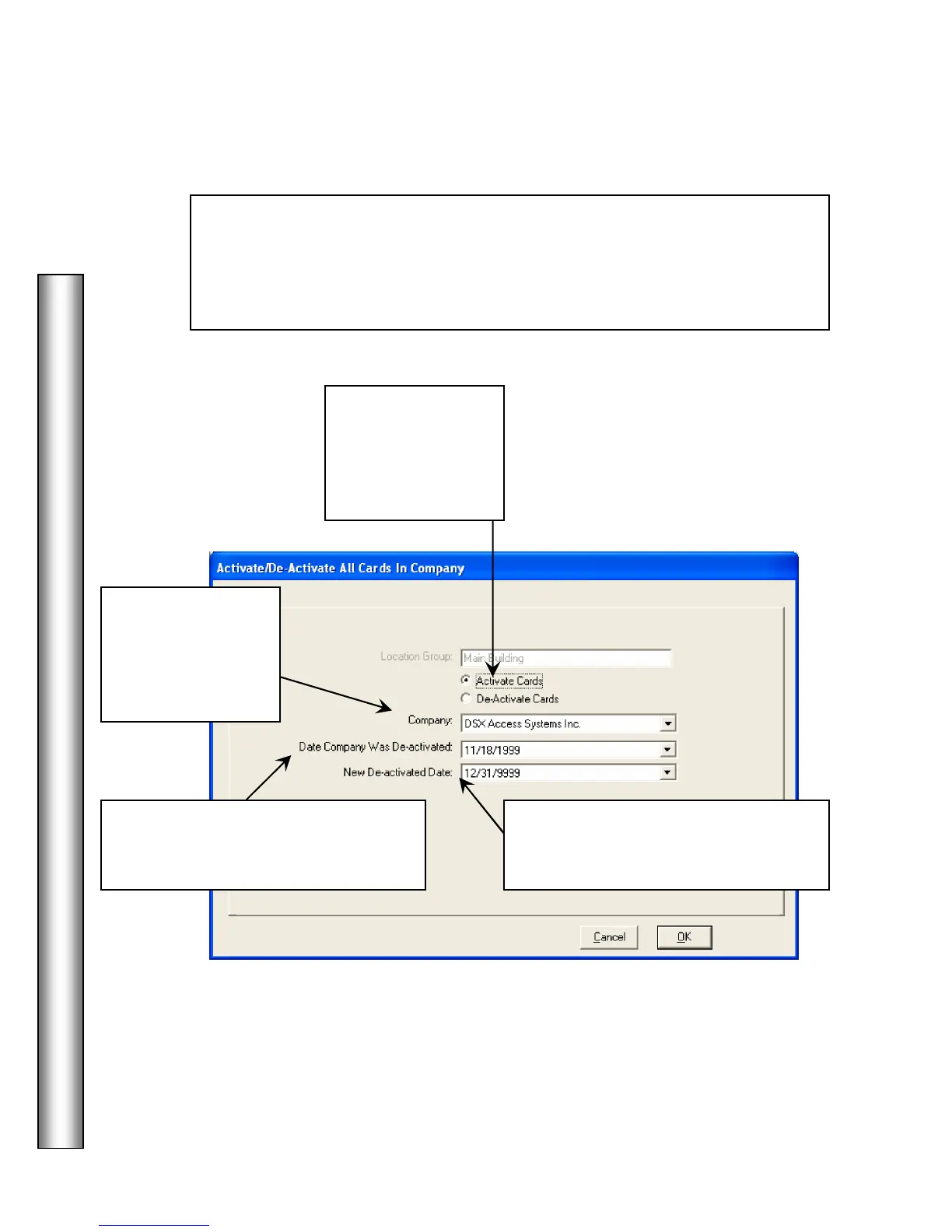
Activate/De-activate Company
Set Card Status For
- Activate Cards that are assigned to the Company
selected. You can further describe the codes you wish to activate by the date in
which they were de-activated. Codes in the same company that have a different
de-activate date would not be re-activated. Codes can also be re-activated
individually under Card Holders/Cards.
2. Use the drop
down selection box
to select the
Company you wish
to turn on and/or off
3. Select the
the Company had
been de-activated on or the current
deactivate date.
4. Set a
for the
Company that terminates the codes in
the future.
1. Select
Cards to enable.
Select De-Activate
Cards to disable



 To Next Page