DataBase
History / Elevator Floor Select
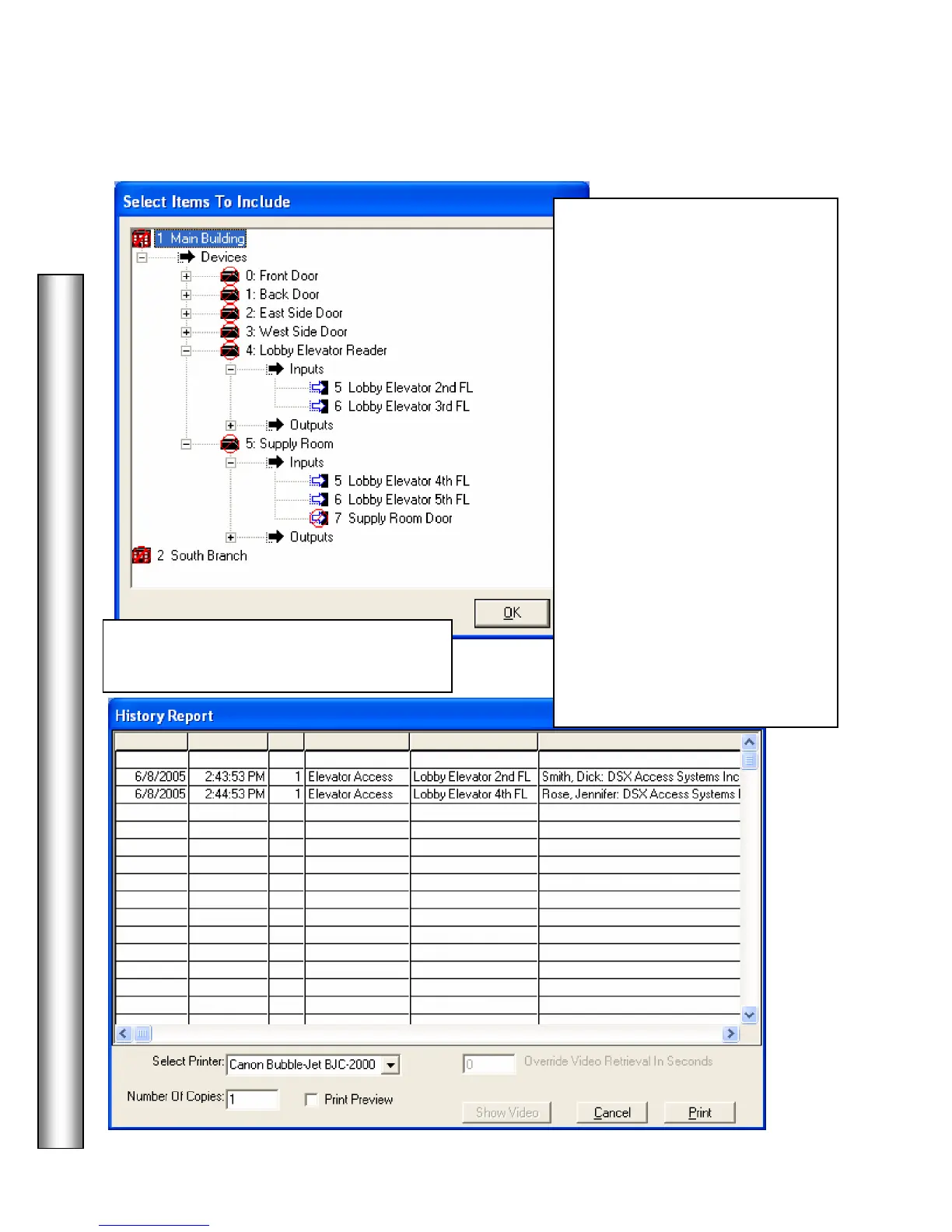
To include inputs in the Elevator
Floor Select Report, either click
on the input and hit the space bar,
or double right click on the input
definition. Either action should
remove the red “Not” symbol
from the item. This must also be
done for the Device and Location
references.
In this example, Elevator Floor
Selection History will be run
against the Main Office Location,
Device number 7, Lobby Elevator,
and Inputs 5 and 6, which
represent the 2
nd
and 3
rd
Floor
Selections. The 4
th
and 5
th
floors
are monitored by inputs on device
number 5.
When selections are completed,
click OK. Then click on Build
Report.
A right double click on the device item
will select/de-select all items below it.



 To Next Page