13
Part 5: Configuring the drum
1. Adjusting pad sounds
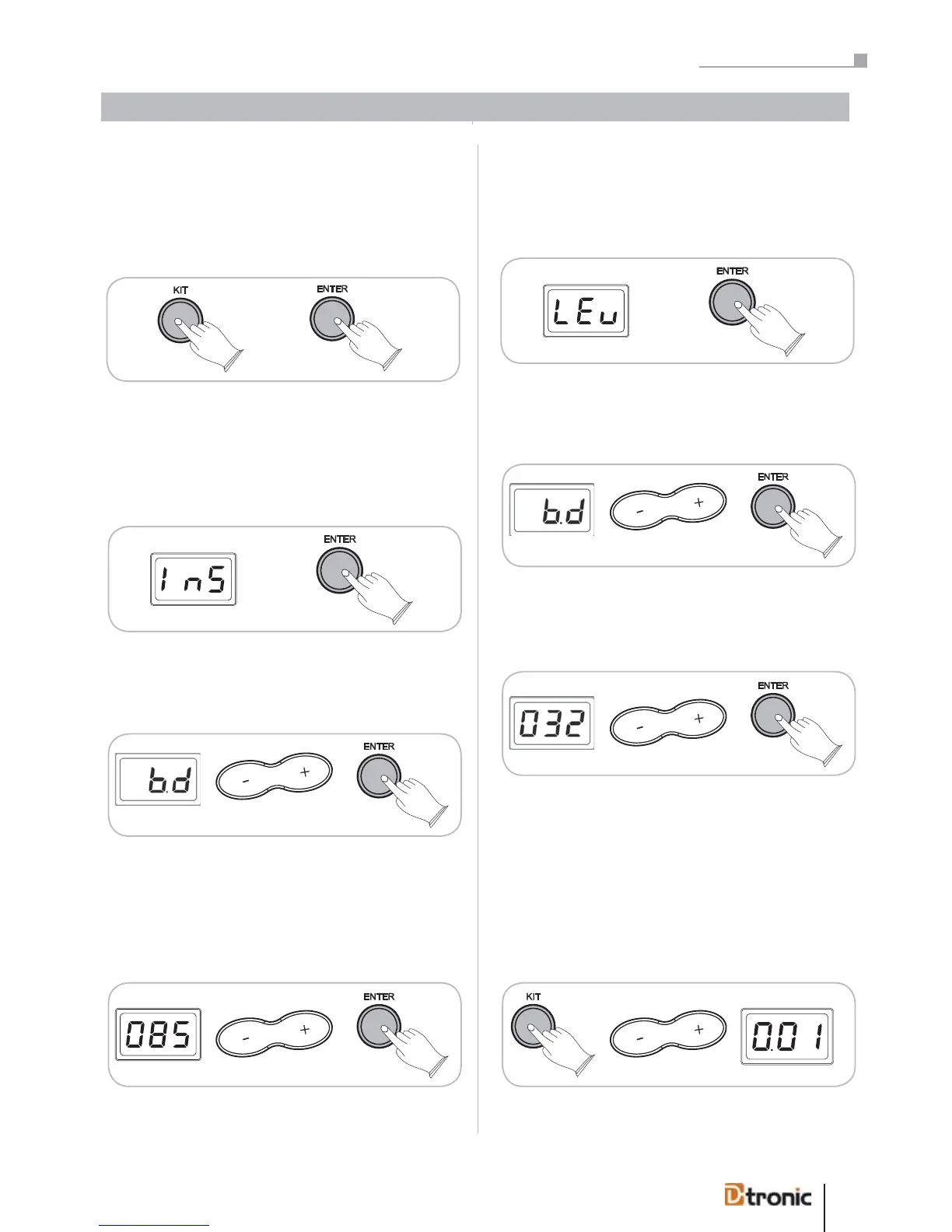
Every pad of the drumkit can be adjusted individually. To be
able to make any adjustments press the KIT button and con-
firm with ENTER.
Instrument (InS)
Under Instrument (InS) you can adjust the sound that should
be produced by each pad. To make any adjustment press
ENTER.
Choose the pad you’d like to adjust (HHC, HH, BD, SN, T1, T2,
T3, Cr, R1) and confirm your choice with ENTER. (You can
also hit the pad with the stick to choose it).
By pressing +/- you can assign a new sound to the current
pad. For an overview please find a voice list on page 54. By
pressing START/STOP button you can also listen to the dis-
played voice.
Press ENTER to confirm (or BACK to cancel).
Volume (LEv)
Under Level (LEv) you can adjust the volume of each pad. To
make any adjustment press ENTER.
Choose the pad you’d like to adjust (HHC, HH, BD, SN, T1, T2,
T3, Cr, R1) and confirm your choice with ENTER. (You can
also hit the pad with the stick to choose it).
*LED abbrev. refer to page 57
By pressing +/- you can assign the volume level in the range
of 001 to 032.
Press ENTER to confirm (or BACK to cancel).
2. Copying and resetting drumkits
The soundmodule makes ist easy to combine your favourite
drumkits or reset them to the factory presets.
Press KIT, use +/- to choose the drumkit you want to copy or
reset.
*LED abbrev. refer to page 57
Every pad of the drum kit can be adjusted individually. To
make any adjustments press the KIT button and confirm
with ENTER
Under Instrument (InS) you can adjust the sound produced
by each pad. To make any adjustment press ENTER.
The sound module makes it easy to combine your favourite
drum kits or reset them to the factory presets.
Press KIT, use +/- to choose the drum kit you want to copy
or reset.
Part 5: Configuring the drumkit .
kit
.
kit


 To Next Page