16
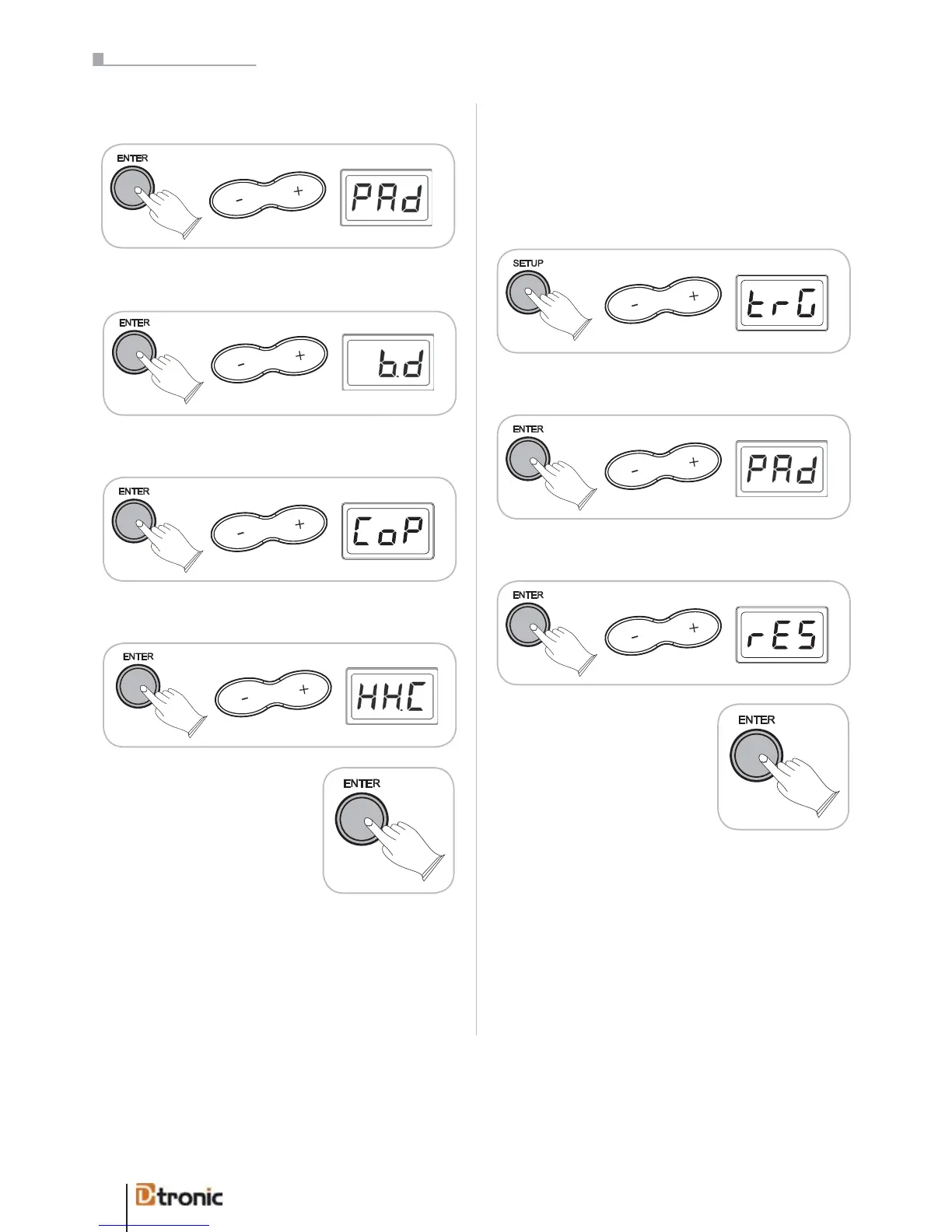
Press ENTER, use +/- to select PAd.
Press ENTER, use +/- to choose the source pad.
Press ENTER, use +/- to choose CoP.
Press ENTER, use +/- to choose the taget pad.
Press ENTER to copy (or BACK
to cancel).
Copying has finished and the
target pad now responds like the
source pad.
You can press BACK at any time to cancel the whole process
and jump back to the last level.
rES - Reset
With a reset you erase all the trigger-settings and set them
back to the factory parameters.
Press SETUP, use +/- to select trG.
Press ENTER, use +/- to select PAD.
Press ENTER, use +/- to choose rES.
Press ENTER to reset directly
(or BACK to cancel).
Now the settings are recovered.
ATTENTION: There will not be a confirmation message; the
drumset will be resetted directly!
4. Effects adjustments
Adding effects to the drumsound can produce a very different
atmosphere. Especially if you are playing with headphones
and you have no real “room sound”, adding a slight reverb
effect can help to make the sound more realistic.
With reset you erase all the trigger-settings and set them
back to the factory parameters.
Press ENTER, use +/- to select PAd.
Press ENTER, use +/- to choose the target pad.
ATTENTION: There will not be a confirmation message; the
drum kit will be reset directly!
Adding effects to the drum sound can produce a very
different atmosphere. Especially if you are playing with
headphones and you have no real “room sound”, adding
a slight reverb effect can help to make the sound more
realistic.
Part 5: Configuring the dru


 To Next Page