23
Enter tempo with pad
You can adjust the click or song tempo by hitting any pad,
without using +/--buttons:
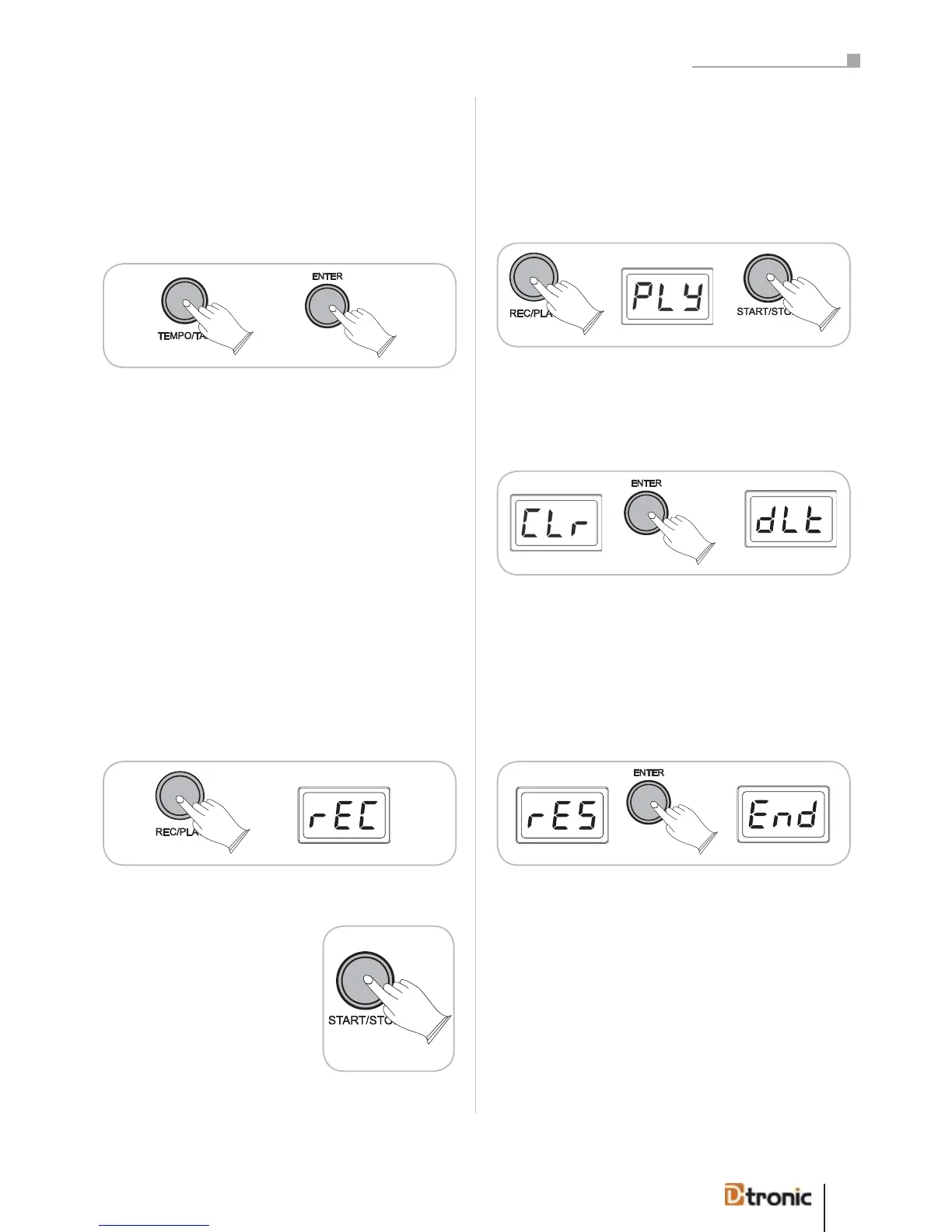
Press TEMPO/TAP, press ENTER.
The LED starts to flash.
Hit any pad four times (or three times in a ¾ beat) to define
the tempo.
The tempo of the click or song is adjusted automatically fol-
lowing your beat.
HINT: The song tempo can’t be adjusted before starting the
song! Stopping the playback will reset the tempo to the ori-
ginal tempo.
9. Record and playback
The soundmodule allows you to record and playback your
own performance. You can choose between the submenus
(with +/--buttons) Record (rEC), Play (PLY), Clear (CLr) and
Reset (rES) by pressing the REC/PLAY button.
rEC - Record
When you have chosen rEC to for
recording mode you can activate
the recording by pressing START/
STOP. You hear 4 clicks before the
recording starts. Press the START/
STOP button again when you have
finished the recording.
PLY - Play
When you have chosen PLY to for playback mode you can
listen to your recording by pressing START/STOP. To stop the
playback press it again.
CLr - Clear
To erase your recorded session, choose CLr and press ENTER.
The display confirms the deletion with dLt.
ATTENTION: There will not be a confirmation message; the
recorded song will be cleared directly!
rES - Reset
To reset the REC/PLAY function, choose rES and press ENTER.
The display confirms the reset with End.
ATTENTION: There will not be a confirmation message; the
REC/PLAY parameters will be resetted directly!
10. Factory Reset
To completely set back the module to the factory’s settings,
please proceed as follows:
Turn off the power of the soundmodule. Hold down buttons
[+] and [-] simultaneously while switching on the module
again. All settings are now replaced by the factory settings.
When you have chosen PLY for playback mode you can
listen to your recording by pressing START/STOP. To stop
the playback press it again.
The sound module allows you to record and playback your
own performance. You can choose between the submenus
(with +/- buttons) Record (rEC), Play (PLY), Clear (CLr)
and Reset (rES) by pressing the REC/PLAY button.
When you have chosen rEC for
recording mode you can activate
the recording by pressing START/
STOP. You hear 4 clicks before the
recording starts. Press the START/
STOP button again when you have
finished the recording.
To completely return the module to the factory settings,
please proceed as follows:
Turn off the power of the sound module. Hold down buttons
[+] and [-] simultaneously while switching on the module
again. All settings are now replaced by the factory settings.
Part 5: Configuring the drum kit
You can adjust the click or song tempo by hitting any pad,
without using +/- buttons:


 To Next Page