21
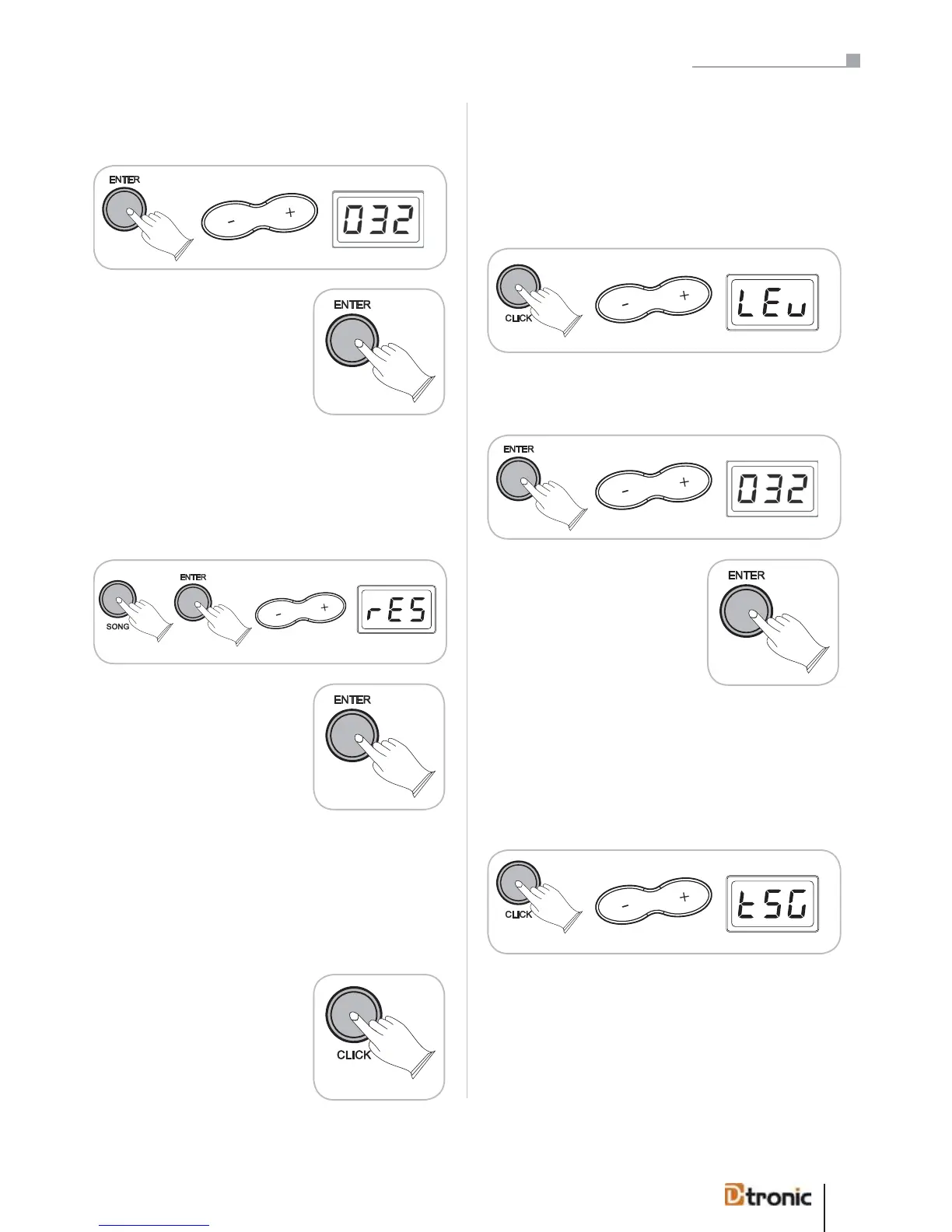
Press ENTER, use +/- to select the level in a range between
000 – 032.
Press ENTER to confirm (or BACK
to cancel).
Song Reset
You can reset all parameters included in the SONG menu back
to the factory’s presets:
Press SONG, press ENTER, use +/- to select rES.
Press ENTER to reset (or BACK
to cancel).
ATTENTION: There will not be a confirmation message; the
song parameters will be resetted directly!
7. Click
The click function (metronome) keeps a rhythm going while
you play.
Press the CLICK-button to turn
the function on and off. Further-
more you can adjust various pa-
rameters in the CLICK mode. To
adjust the tempo please see the
chapter 8. TEMPO/TAP, page 52.
Level
Level adjusts the volume level of the click sound in a range
from 000 – 032.
Press CLICK, use +/- to select LEv.
Press ENTER, use +/- to select the level in a range between
000 – 032.
Press ENTER to confirm (or BACK
to cancel).
Click Type
The click type (time signature) adjusts different measures for
the click sound. The following beats can be chosen: 1/4, 2/4,
3/4, 4/4, 6/4, 3/8, 6/8, 12/8 (default: 4/4).
Press CLICK, use +/- to select tSG.
ATTENTION: There will not be a confirmation message; the
effects will be reset directly!
Press the CLICK-button to turn
the function on and off. Further-
more you can adjust various
parameters in the CLICK mode.
To adjust the tempo please see
the chapter 8. TEMPO/TAP, page
22.
Part 5: Configuring the drum kit


 To Next Page