18
Press ENTER to choose between 8
kinds of chorus types:
Chorus1 (CH1), Chorus2 (CH2),
Chorus3 (CH3), Chorus4 (CH4)
Feedback (Fb), Flanger (FLG),
ShortDly (SdL), FBDelay (FdL)
or turn the effect off (oFF).
Press ENTER to confirm (or BACK
to cancel).
Chorus Level (CHL)
Use +/- to select CHL and press ENTER to adjust the intensity
of the Chorus effect between a range from 000–127.
Press ENTER to confirm (or BACK to
cancel).
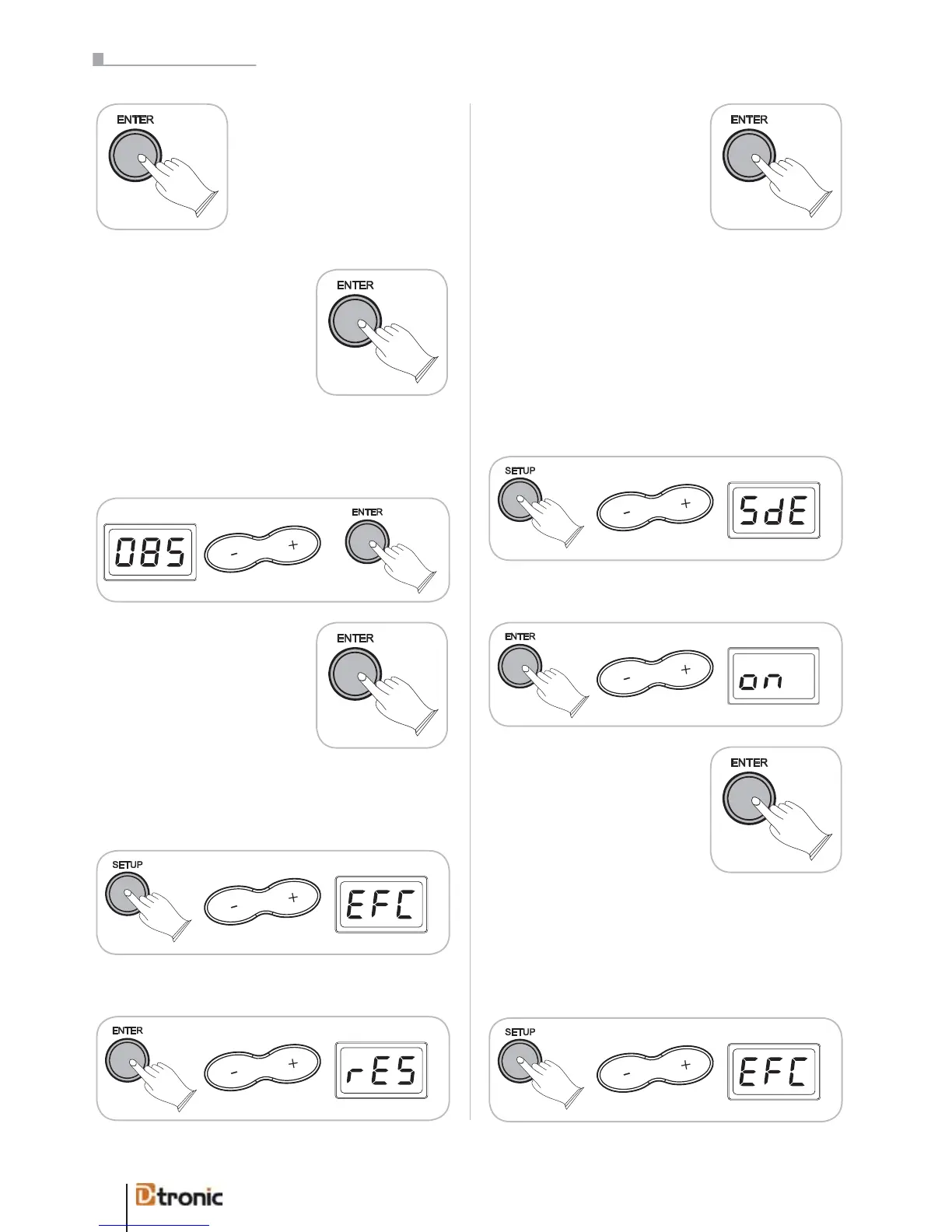
Press ENTER, use +/- to select rES.
Press ENTER to reset the effect
function.
ATTENTION: There will not be a confirmation message; the
effects will be resetted directly!
4.3 Rim shot
This function lets you turn on or off the rim shot sound of the
snare pad.
Press SETUP, use +/- to select SdE.
Press ENTER, use +/- to select on or off.
Press ENTER to confirm (or BACK
to cancel).
4.4 Resetting
You can reset all parameters included in the SETUP menu
back to the factory’s presets:
Press SETUP, use +/- to select EFC.
Effect Resetting (rES)
To reset the effects to the factory settings you can
Press SETUP, use +/- to select EFC.
ATTENTION: There will not be a confirmation message; the
effects will be reset directly!
Part 5: Configuring the dru


 To Next Page