15
Sen - Sensitivity
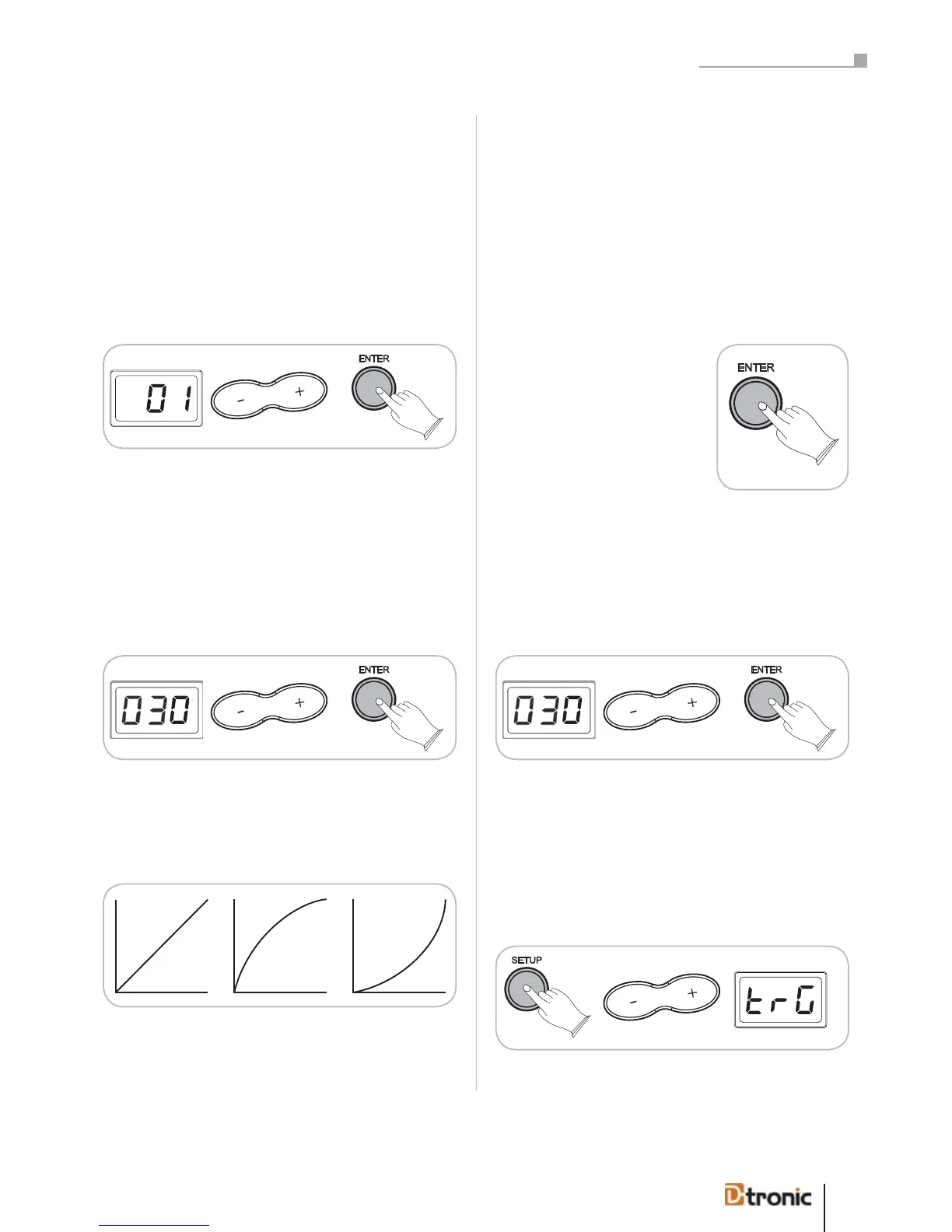
Sensitivity adjusts the touch sensitivity of the pads in a range
between 01 – 08. With this function you can take influence on
the reaction of the pad, when you produce intended or unin-
tended doublebeats (double trigger). The higher the value, the
more precise the pad reacts. If you want to play fast strokes
for example, you should adjust a higher sensitivity value. Edit
the value with +/--buttons. Press ENTER to confirm (or BACK
to cancel).
Thr - Threshold
Threshold allows a trigger signal to be received only when
the force struck on the pad is above a determined force level
(velocity). Therefore the pad doesn‘t produce sound when the
pad is struck lightly and a high value is adjusted. The range is
between 000 – 050 and can be edited by pressing +/-. Press
ENTER to confirm (or BACK to cancel).
Normal Easy Dynamic
CUr - Velocity Curve
The Velocity Curve (CUr) adjusts the dynamic range of the
pads.
nor (normal) – Is defined as a curve in which the level of the
sound develops linear to the force of attack. The harder the
attack, the louder the sound.
ESY (easy) – Is defined as a curve which makes it easier to
play loudly. The curve generates higher velocities for less
force.
dyn (dynamic) – Is defined as a curve which makes it easy
to play quietly. The curve generates lower velocities for hard
force.
fId (fixed) – Means that regardless of how hard you play, the
pad will transmit always the same level of velocity.
Press ENTER to confirm (or BACK
to cancel).
TAL - Crosstalk
When hitting a pad very strong the vibration of the rack or
other influences may cause another pad to sound unwantedly.
This phenomenon can be eliminated by using a higher value
from the range 000 to 050 (choose with +/-).
CoP - Copy
With this function you can copy the settings Sen, THr, Cur,
TAL from the currently chosen pad to another one, in order to
use the same settings here.
Press SETUP, use +/- to select trG.
Sensitivity adjusts the touch sensitivity of the pads in a
range between 01 – 08. With this function you can influ-
ence the reaction of the pad, when you produce intended
or unintended double beats (double trigger). The higher the
value, the more precise the pad reacts. If you want to play
fast strokes for example, you should adjust a higher sensi-
tivity value. Edit the value with +/- buttons. Press ENTER to
confirm (or BACK to cancel).
fId (fixed)– Means that regardless of how hard you play, the
pad will always transmit the same level of velocity.
When hitting a pad very hard the vibration of the rack
or other influences may cause another unwanted pad to
sound. This phenomenon can be eliminated by using a
higher value from the range 000 to 050 (choose with +/-).
Part 5: Configuring the drum kit


 To Next Page