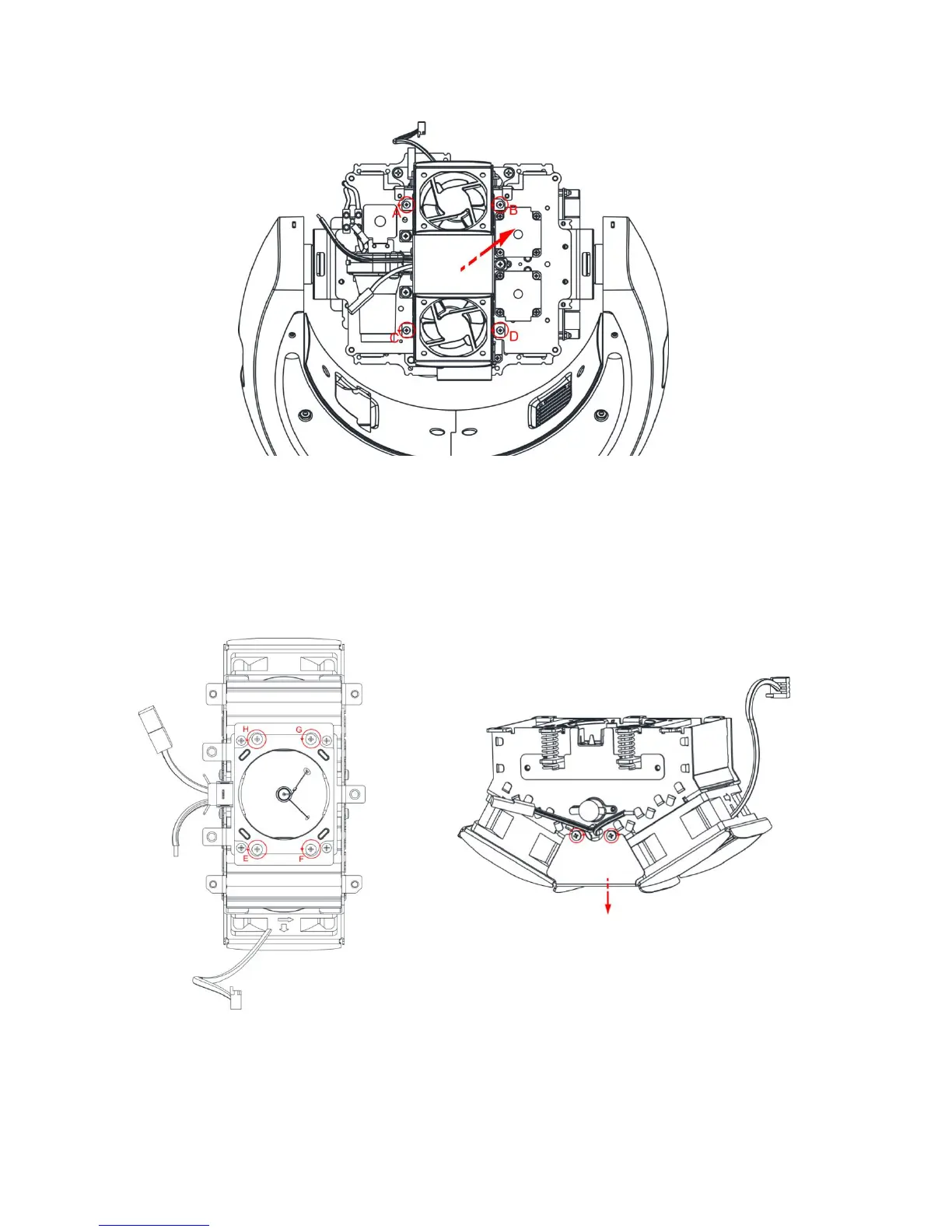
4) Using a phillips screwdriver, loose the 4 screws A, B, C, D and remove the lamp fan
assembly (picture 5).
PICTURE 5
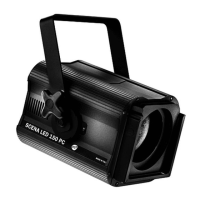
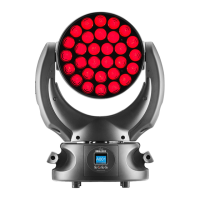
5) Loose the four screws E, F, G, H from the plate which fix the lamp (picture 6), then
loose the two screws on both sides of the lamp rear metal cover (picture 7) and
remove the old lamp.
PICTURE 6 PICTURE 7


 To Next Page