Need help?
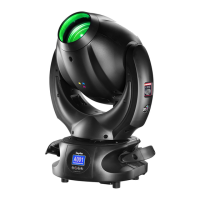
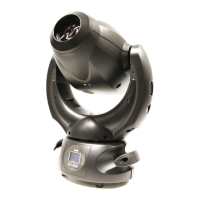
Do you have a question about the DTS XR5 SPOT and is the answer not in the manual?
Guidelines for preventing fire hazards associated with the XR5 Spot fixture.
Precautions to avoid electrical shock when operating or servicing the XR5 Spot.
Covers UV protection, general safety measures, and IP rating details.
Procedure for correctly aligning the lamp for optimal performance and heat dissipation.
Recommendation for using a safety cable to prevent accidental falls of the fixture.
Warning against liquid contact with electronic components to ensure proper function.
Covers movement warnings, fire risk, ventilation, and ambient temperature limits.
Recommendations for circuit breakers and earth connections for safe mains power connection.
Configuration of DMX start addresses for 15 or 21 channel modes.
Step-by-step procedure for setting the DMX address on the projector's display.
Options to reverse Pan/Tilt movement and display orientation, plus display standby settings.
Selecting between 21-channel (default) and 15-channel DMX modes.
Includes test modes, resets, default settings, software version, fan, and speed controls.
Configuration for gobo rotation and beam opening angles.
Control lamp states, adjust parameters, lock movements, and monitor timers.
Calibrating the unit's motors for accurate movement.
Resetting the EEPROM to restore factory settings, requiring recalibration.
Detailed alignment steps for Pan, Tilt, Shutter, Iris, Gobos, Focus, Color, and Prism.
Cleaning procedures for lenses and reflectors to maintain light output.
Recommended cleaning schedule and methods for fans and air passages.
Detailed DMX channel assignments and parameter control for 15-channel mode.
Detailed DMX channel assignments and parameter control for 21-channel mode.
 General
| Brand | DTS |
|---|---|
| Model | XR5 SPOT |
| Category | Lighting Equipment |
| Language | English |

 To Next Page