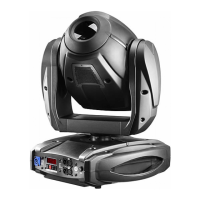
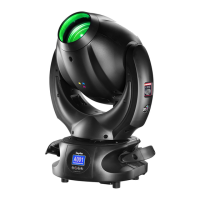
Need help?
Do you have a question about the DTS Scena LED 150 and is the answer not in the manual?
Graphic symbols indicating hot surface, electric shock, general risk, and flammable surfaces.
Important safety information for installation, use, and maintenance.
Details the warranty period and coverage for manufacturing defects.
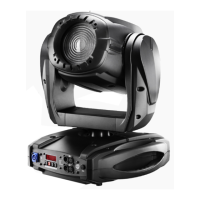
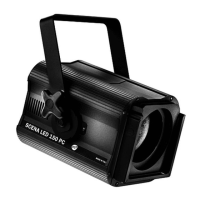
General description of the SCENA LED 150, its features, and benefits.
List of available product codes for different configurations of the SCENA LED 150.
Details about LED type, color temp, CRI, lumens, and optical zoom.
Specifies DMX channels, display, wireless, connectors, and power supply.
Input voltage, frequency, power consumption, factor, and efficiency.
Details on DMX signal, dimming system, and address range.
Lists included and optional accessories available for purchase.
Unit and packing dimensions, and weight specifications.
Guidelines to prevent fire hazards, including distances from materials.
Precautions to avoid electric shock, grounding, and supply requirements.
General safety rules for handling, installation, and operating temperature.
Identifies display, fuse, mains AC input/output, and DMX connectors.
Instructions for connecting the controller and units via DMX 512.
Explanation and diagram for using a DMX terminator for long cable runs.
How to set DMX addresses for controlling multiple units.
Step-by-step guide to selecting and confirming the DMX address.
Procedure for updating the unit's firmware using the RED BOX interface.
Overview of the digital function panel controls and symbols.
Options for display reading reversal and stand-by settings.
How to select between default 4-channel DMX mode and Manual mode.
Allows selection of minimum and maximum levels for white output.
Adjusts dimmer delay, current output type, and PWM frequency.
Boosts LED current and notes on the unimplemented infrared mode.
How to enable or disable Wireless DMX control for the unit.
Procedures for logging units onto and off the wireless system.
Explanation of status LEDs on the transmitter and the unit display.
Emergency operating mode for dimmer intensity when DMX is unavailable.
Procedure to restore default settings and view internal temperature.
Displays the unit's life time and current software version.
Instructions for accessing the service menu for technical personnel.
Allows adjustment of lens type, current, and zero offset.
Controls operational range, movement speed, and acceleration.
Settings for transmission ratio, restoring defaults, and exiting the menu.
Explains the functions controlled by each of the 4 DMX channels.
Details DMX values for shutter, strobe, black-out, and pulse effects.
Details DMX values for proportional dimmer control.
Details DMX values for controlling the linear zoom feature.
Details DMX values for reset functions like zoom motor reset.
 General
| Power Consumption | 180W |
|---|---|
| Housing Material | Aluminum |
| IP Rating | IP20 |
| Light Source | LED |
| Dimming | 0-100% |
| Control | DMX512 |
| DMX Channels | 6 |
| Power Supply | 100-240V AC, 50/60Hz |
| Beam Angle | 15° |

 To Next Page