EasyManua.ls Logo

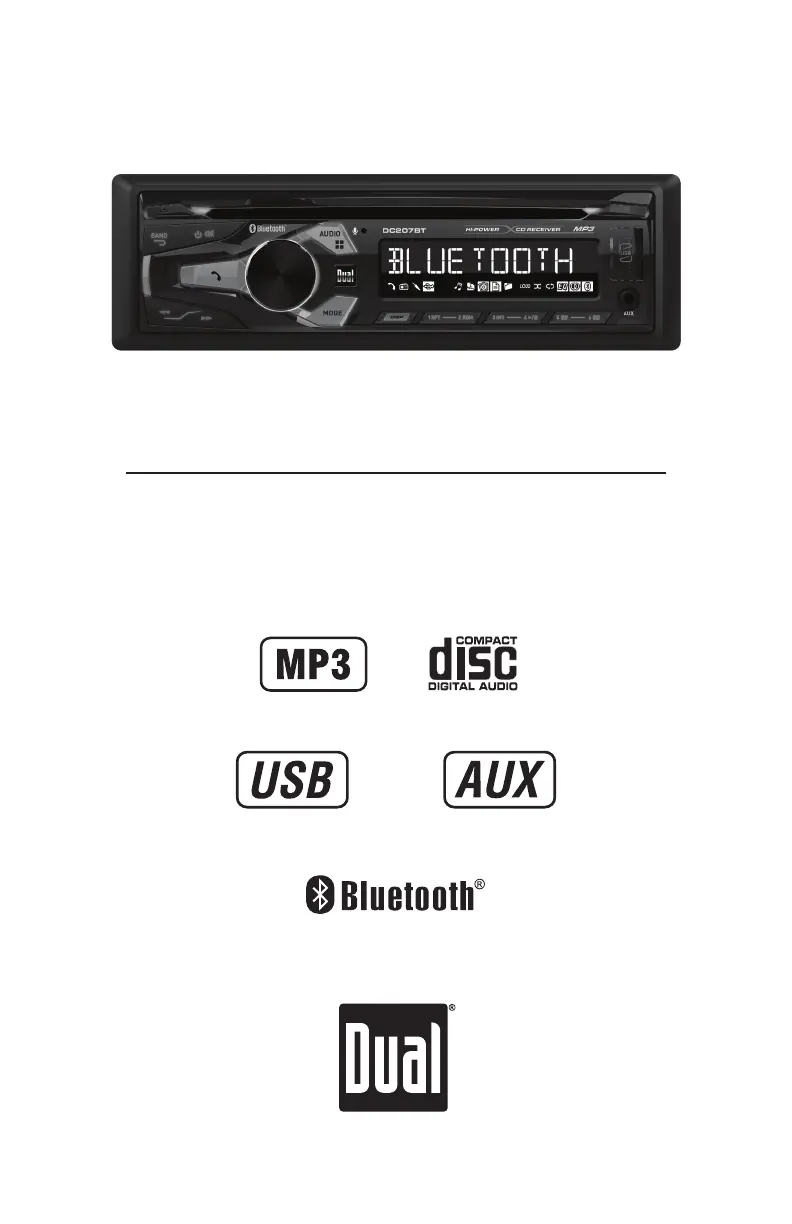
Dual DC207BT - User Manual

Dual DC207BT
26 pages
Print Icon
To Next Page IconTo Next Page
Loading...
INSTALLATION/OWNER'S MANUAL
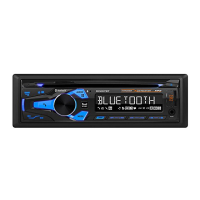
AM/FM/CD Receiver
DC207BT

Questions and Answers

Summary

Preparation

Preparation Safety Precautions

Safety checks and precautions before beginning unit installation.

Unit Installation Steps

Step-by-step guide for installing the head unit into the vehicle.

DC207 BT Wiring Diagram

Control Locations

Front Panel Control Overview

Identification and explanation of all buttons and ports on the unit's front panel.

Remote Control

Remote Control Button Functions

Detailed explanation of each button's function on the provided remote control.

General Operation

Basic Operation: Power and Mode

Instructions for turning the unit on/off and switching between operating modes.

Audio Input and Volume Adjustment

Connecting auxiliary devices and adjusting the master volume level.

Display, Reset, and Clock Configuration

Managing the display, unit reset, and setting the current time.

Accessing the Setup Menu

Procedure for entering and navigating the unit's main setup menu.

General Operation - Setup Menu

Setup Menu: Tuner & Aux Settings

Configuring tuner spacing, tuning modes, and auxiliary input.

Setup Menu: Display & Bluetooth

Adjusting display options and managing Bluetooth functionality.

Setup Menu: Auto Answer & Demo

Configuring automatic call answering and demonstration mode.

Audio Adjustments

Adjusting Bass and Treble

Controlling the low-frequency (bass) and high-frequency (treble) sound.

Adjusting Balance and Fader

Distributing sound between left/right and front/rear speakers.

AM;FM Tuner Operation

Tuner: Seek & Manual Tuning

Methods for automatically seeking and manually tuning radio stations.

Tuner: Band Select & Presets

Switching between FM/AM bands and storing/recalling favorite stations.

Tuner: Auto Station Storage

Automatically finding and saving the strongest radio stations.

CD Player Operation

CD Player: Insert & Eject Disc

Instructions for inserting and removing CDs from the player slot.

CD Player: Playback Controls

Using buttons to skip tracks, fast forward, reverse, and pause playback.

CD Player: Special Modes

Activating Intro, Repeat, and Random playback features for CDs.

CD Player: Media Compatibility

Information on compatible and incompatible CD media types for playback.

CD Player MP3 File Handling

MP3 CDs: Playback & Display

How MP3 files are played and information shown on the unit's display.

MP3 CDs: Information Icons

Understanding icons indicating song title, artist, folder, and file.

MP3 CDs: Character Limits

Maximum characters for MP3 file and folder names.

CD Player MP3 Media Compatibility

MP3 CDs: File Type Support

Lists compatible and incompatible disc/file types for MP3 playback.

MP3 CDs: Playback Order

How MP3 files are sequenced and supported recording formats.

MP3 CDs: ISO9660 Standards

Technical standards and limitations for MP3 file naming and structure.

CD Player MP3 File Enhancements

MP3 CDs: ESP & File Info

Details on Electronic Skip Protection and general file playback rules.

MP3 CDs: Sampling & Bit Rates

Technical specifications for MP3 file sampling frequency and bit rates.

MP3 CDs: Tag Display & Settings

How MP3 tags are displayed and recommended burning settings.

USB Operation

USB Operation: Connect & Play

Connecting USB devices and initiating MP3 file playback.

USB Operation: Playback Controls

Using buttons for track skip, fast forward/reverse, and pause.

USB Operation: File Search

Navigating and selecting specific files or folders on a USB device.

USB File Display and Navigation

USB: File Info Display

Understanding displayed information for USB files like title, artist, time.

USB: Folder Navigation

Methods for moving between folders on the connected USB device.

USB: Playback Modes

Using Repeat, Random, and Intro modes for USB music playback.

USB File System and Capacity

USB: Character Support

Maximum characters for file names and general device compatibility.

USB: Playback Order & Capacity

How files are sequenced and limits on files/folders.

USB: Device Formatting

Requirements for USB device formatting (FAT/FAT32) for proper function.

USB MP3 File Specifications

USB MP3: File Requirements

Specifies required MP3 file extensions and playback limitations.

USB MP3: Sampling & Bit Rates

Technical details on sampling frequency and bit rates for USB MP3 files.

USB MP3: Tag Display

How MP3 tags are displayed and compatibility with tag versions.

Bluetooth Operation

Bluetooth: Pairing New Devices

Step-by-step guide for pairing a new Bluetooth device with the unit.

Bluetooth: Connect;Disconnect

Managing connections with previously paired Bluetooth devices.

Bluetooth Call and Audio Control

Bluetooth: Call History

Accessing recent calls and redialing the last number via Bluetooth.

Bluetooth: Phone Call Handling

Managing incoming and outgoing phone calls through Bluetooth.

Bluetooth: Stream Audio Control

Controlling music playback from a paired Bluetooth device.

Bluetooth Streaming Audio Details

Bluetooth Audio: Device Req.

Necessary mobile device profiles (A2DP, AVRCP) for audio streaming.

Bluetooth Audio: Music Controls

Using unit controls to play, pause, and skip tracks during streaming.

Troubleshooting Guide

Troubleshooting: Power & Sound

Resolving issues related to unit power and audio output.

Troubleshooting: Fuses & Skipping

Addressing blown fuses and audio playback skipping problems.

Troubleshooting: Display & Disc

Solutions for display errors and problems with CD disc loading.

Limited One Year Warranty

Warranty: Coverage & Exclusions

Details the warranty coverage, limitations, and excluded conditions.

Warranty: Service & Contact

Procedures for obtaining warranty service and contact information.

FCC Compliance Information

FCC Compliance Statement

Statement regarding compliance with FCC rules and conditions for operation.

FCC: Interference Measures

Advice on avoiding and correcting radio or TV interference.

Technical Specifications

Specifications: CD & Tuner

Technical data for CD playback and FM/AM tuning functions.

Specifications: General

USB charge, speaker impedance, dimensions, and line output voltage.

Specifications: Amplifier

Power output and signal-to-noise ratio per CEA-2006 standards.

Dual DC207BT Specifications

General IconGeneral
Bluetooth Version4.2
FM TunerYes
AM TunerNo
Speaker Impedance4-8 Ohms
Channels2
Preamp OutputsNo
Frequency Response20Hz-20kHz
Bluetooth ProfilesA2DP, AVRCP
Bluetooth RangeUp to 10 meters
Power Output50W x 2
RMS Power Output2 x 25W
Input OptionsBluetooth, RCA
USB InputYes
Power SupplyAC 230V, 50Hz

Related product manuals