EasyManua.ls Logo

Dual MGR11BT - User Manual

Dual MGR11BT
20 pages
Print Icon
To Next Page IconTo Next Page
Loading...
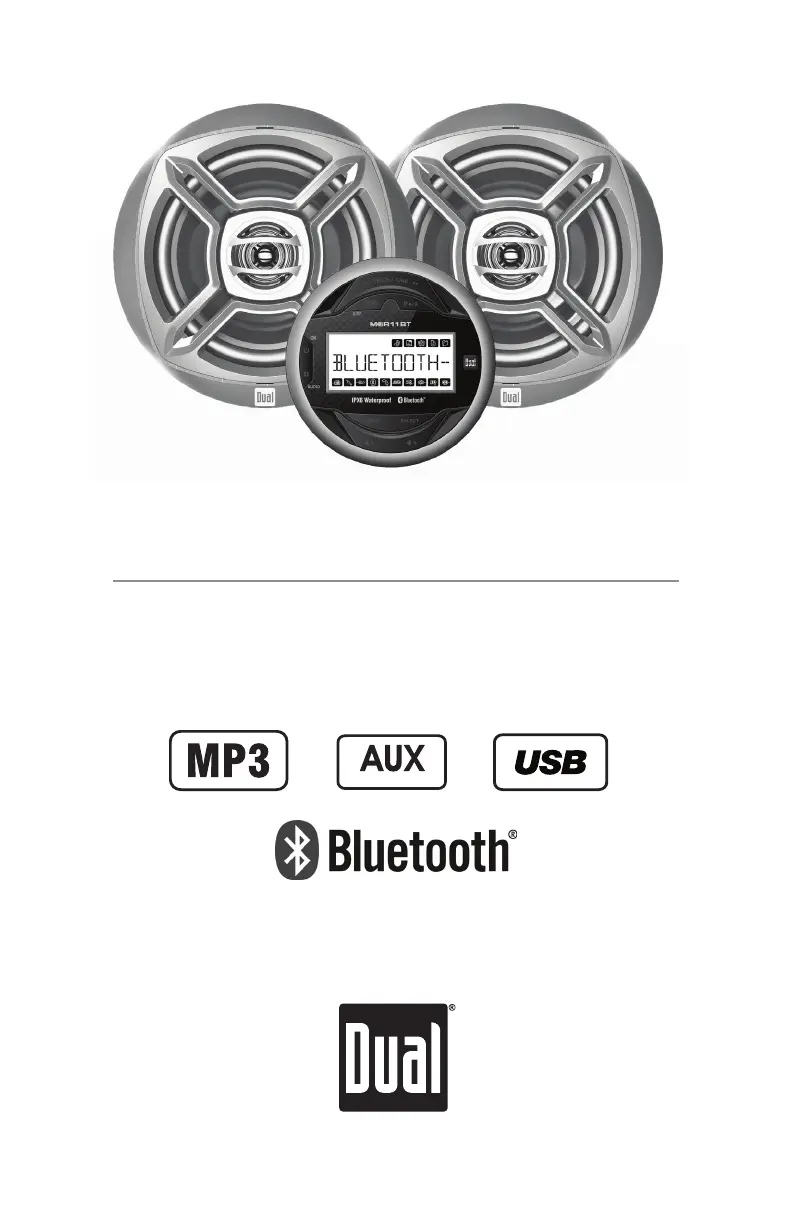
WCP165GH
MGR11BT AM/FM Gauge Hole Receiver
and WSM651 6.5" Car Audio Speakers
INSTALLATION/OWNER'S MANUAL
Rear Inputs

Questions and Answers

  • D
    David AllenAug 9, 2025
    Why Dual Stereo Receiver not turning on?
    • D
      derekphillipsAug 9, 2025
      If your Dual Stereo Receiver isn't turning on, it could be due to several reasons: * The yellow or red wire might not be connected properly or have incorrect voltage. Ensure the connections are correct and the voltage is within the range of 11~16VDC. * The black wire might not be properly connected to ground. Check this connection. * The fuse might be blown. If so, replace it with a new one.
  • A
    Andrea RodriguezAug 15, 2025
    How to troubleshoot Dual Stereo Receiver with power but no sound?
    • R
      Rodney ColonAug 15, 2025
      If your Dual Stereo Receiver has power but no sound is coming out, consider the following: * The speaker wires might not be properly connected. Check the connections at the speakers. * One or more speaker wires may be touching each other or the chassis ground. Insulate all bare speaker wires from each other and from the chassis ground.
  • J
    jshortAug 21, 2025
    What to do if Dual Stereo Receiver keeps blowing fuses?
    • A
      Amy CopelandAug 21, 2025
      If your Dual Stereo Receiver keeps blowing fuses, here are a few potential causes: * A yellow or red wire might be touching the chassis ground. Check for any pinched wires. * Speaker wires may be touching the chassis ground. Inspect for pinched wires. * The fuse being used might have an incorrect rating. Make sure to use a fuse with the correct rating.
  • C
    cameron81Aug 27, 2025
    What does 'NO SUPPORT' mean on Dual Stereo Receiver display?
    • L
      Lisa VelazquezAug 27, 2025
      If 'NO SUPPORT' appears on the display of your Dual Stereo Receiver, it could be due to: * An invalid ID3 tag version. Ensure that you are using Version 1.0 to 2.4 ID3 tags, as these are the supported versions. * An unsupported character in the ID3 tag. Only ASCII characters are supported.
  • V
    Virginia MarksSep 1, 2025
    What does 'NO FILE' mean on Dual Stereo Receiver?
    • C
      Charles GonzalezSep 2, 2025
      If 'NO FILE' appears on the display of your Dual Stereo Receiver, it indicates that the selected file is not available in direct or alphanumeric search modes. Try repeating the search using valid parameters.

Summary

Mounting Instructions

Pre-Installation Checks

Ensure safe installation by disconnecting power and avoiding extreme conditions.

Mounting Preparation

Drill mounting hole and secure stereo using bracket, shortening if necessary.

Radio Installation Process

Radio Mounting Steps

Select location, cut hole, attach mounting hardware, and secure the radio unit.

Wiring Diagram and Connections

General Operation Overview

AM;FM and Weather Band Tuning

USB Media Playback

Connecting and Playing USB Devices

How to connect USB storage and start MP3 playback.

USB Playback Features

USB Compatibility and Limits

MP3 File Specifications

Bluetooth Connectivity and Streaming

Device Pairing Process

Steps to pair a Bluetooth device with the MGR11BT receiver.

Troubleshooting Common Issues

Power and Sound Problems

Solutions for units not turning on or having no sound.

Error Messages and Fuse Issues

Resolving issues like "NO FILE", "NO SUPPORT", and blown fuses.

Speaker Installation Guide

Speaker Mounting Preparation

Safety precautions and tools needed for speaker installation.

Speaker Mounting Procedure

Steps for cutting holes, mounting speakers, and attaching grilles.

Limited One Year Warranty

FCC Compliance Information

Dual MGR11BT Specifications

General IconGeneral
BrandDual
ModelMGR11BT
CategoryStereo Receiver
LanguageEnglish

Related product manuals