EasyManua.ls Logo

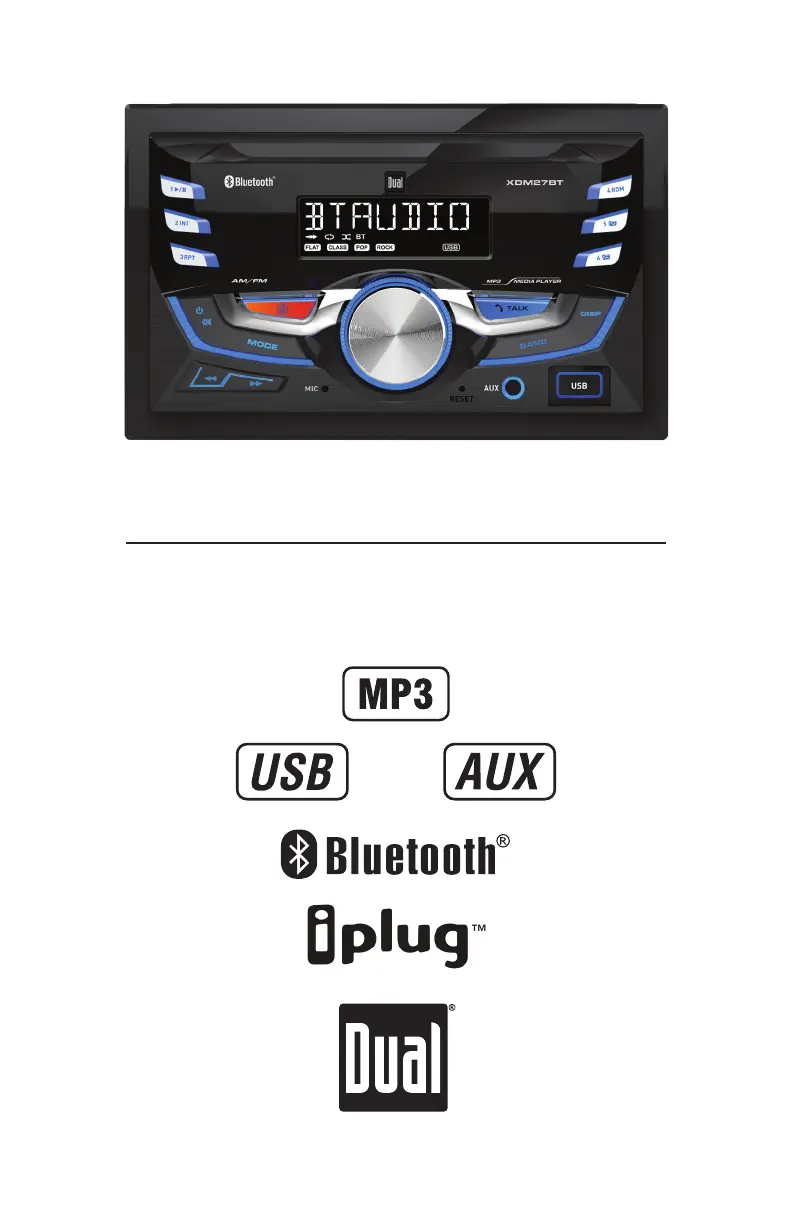
Dual XDM27BT - User Manual

Dual XDM27BT
14 pages
Print Icon
To Next Page IconTo Next Page
Loading...
INSTALLATION/OWNER'S MANUAL
AM/FM Receiver with Bluetooth
XDM27BT

Questions and Answers

Summary

Preparation

Before You Start

Pre-installation safety checks and environmental considerations.

Getting Started

Steps for physically installing the head unit into the vehicle.

Wiring Diagram

Control Locations

General Operation

Power On;Off

Instructions for turning the unit on and off.

Changing Modes

How to switch between Radio, USB, Aux, and Bluetooth modes.

Volume and Mute Control

Adjusting audio volume and silencing the sound.

Auxiliary Inputs

Connecting external audio sources via the AUX port.

Reset Function

Procedure to reset the unit to factory settings.

Setting the Clock

How to set the current time on the unit's display.

Display Information

Toggling information displayed on the unit screen.

Audio;Menu Navigation

Navigating audio settings and main menu functions.

AM;FM Tuner Operation

Seek and Manual Tuning

Methods for finding radio stations using tuning buttons.

Band Selection

Switching between FM1, FM2, FM3, AM1, and AM2 bands.

Storing and Recalling Presets

Saving and accessing favorite radio stations.

Automatic Preset Store

Automatically saving all available stations to presets.

Preset Scan Stations

Cycling through all stored preset stations.

USB Operation

Playing MP3 Files

Instructions for playing music from a USB device.

USB Track Navigation

Skipping tracks, fast forwarding, rewinding, and pausing playback.

Folder Access

Navigating through music files organized in folders.

USB Playback Modes

Using Repeat and Random playback functions for USB tracks.

Intro Playback

Playing the first 10 seconds of each track from USB.

Bluetooth Operation

Bluetooth Pairing Process

Steps to connect a Bluetooth device to the head unit.

Streaming Audio Troubleshooting

Tips for resolving issues with Bluetooth audio streaming.

Smart App and Voice Features

Dual iPlug P2 Smart App Control

Using the smartphone app to control receiver functions via Bluetooth.

Voice Activation

Activating Siri or Google Assistant via the receiver's button.

Front 3.5 mm Aux Input

Connecting an external audio source to the front AUX port.

Limited One Year Warranty

Warranty Coverage

Details on what is and is not covered by the product warranty.

Warranty Service Procedure

Steps to follow for obtaining warranty service and repairs.

Troubleshooting

Specifications

FM Tuner Specifications

Technical details for the FM radio tuner.

AM Tuner Specifications

Technical details for the AM radio tuner.

General Specifications

Overall technical specifications like impedance, output voltage, dimensions.

FCC Compliance

Dual XDM27BT Specifications

General IconGeneral
BluetoothYes
DisplayLCD
InputsUSB, AUX
Playback FormatsMP3, WMA
Detachable FaceYes
Power Output50 Watts x 4 Channels
Display TypeLCD
Peak Power Output200 Watts
Dimensions7" x 2" x 6"

Related product manuals