8
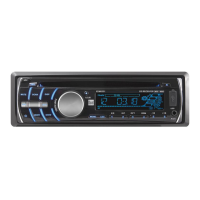
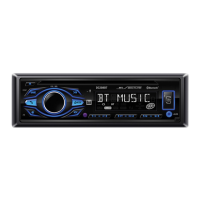
DC208BT OPERATION
Press SELECT momentarily to select between Bass, Treble,
Balance, Fader, EQ, Loudness and Dimmer.
Press SELECT until BASS appears, then rotate volume knob
left/right to adjust ( -7 minimum / +7 maximum).
Press SELECT until TRE appears, then rotate volume knob
left/right to adjust ( -7 minimum / +7 maximum).
Press SELECT until BAL appears, then rotate volume knob
left/right to adjust
(BAL 10L - BAL 10R). L=R represents
equal balance.
Press SELECT until FAD appears, then rotate volume knob
left/right to adjust (FAD 10R - FAD 10F). F=R represents
equal fader.
Press SELECT until EQ appears, then rotate volume knob
left/right to select one of the following Equalization Curves:
Off, Rock, Pop, Class and Flat.
Press SELECT until LOUD appears, then rotate volume knob
left/right to turn the Loudness feature on or off.
Press SELECT until DIM appears, then rotate volume knob
left/right to select one of the following Dimmer options:
Low, Hi or Adjustable.
Audio
Bass
Treble
Balance
Fader
EQ
Loudness
Dimmer
General Operation


 To Next Page