ELECTRIC START(OPTIONAL)
15.
Check oil levels (see
Initial Oil Fill on page 11)
16.
Make sure nothing is plugged into any of the
outlets.
17.
Make sure battery is connected (see
Hooking Up
the Battery on page 6).
18.
Make sure the circuit breakers are properly set
.
19.
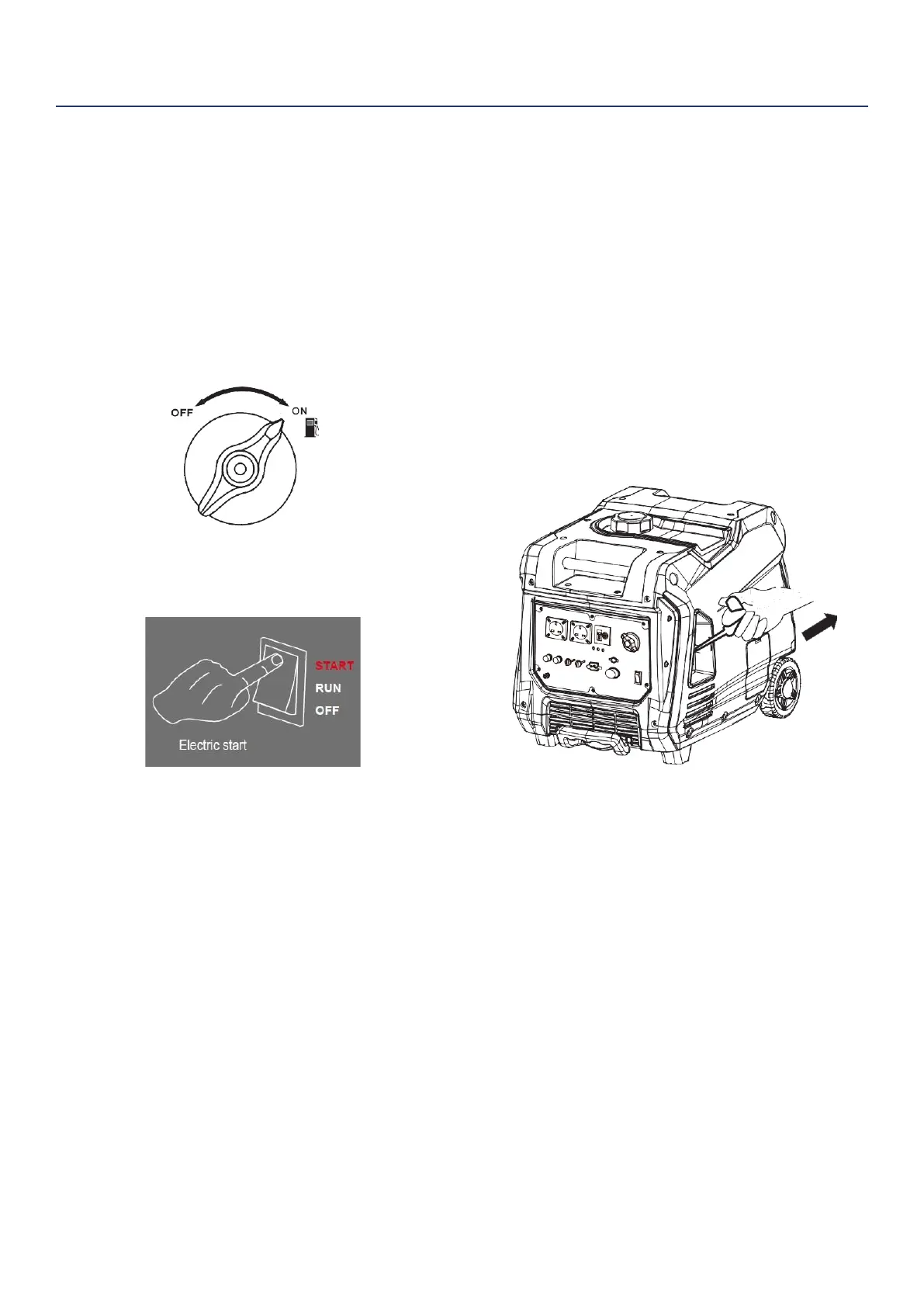
Turn the Fuel Control Switch to the
ON(RUN)
position
(see Figure 7).
Figure 7: Turn Fuel Switch to ON Position
20.
Push engine switch to the "START".
Figure 8: Electric Start
21.
Plug in electronic devices.
MANUAL START
15.
Check oil levels (see
Initial Oil Fill on page 11)
16.
Make sure nothing is plugged into any of the
outlets.
17.
Make sure battery is connected (see
Hooking Up
the Battery on page 6).
18.
Make sure the circuit breakers are properly set
(see Figure 6).
19.
Turn the Fuel Control Switch to the
ON(RUN)
position
(see Figure 7).
20.
Firmly grasp and pull the recoil handle slowly until
you feel increased resistance. At this point, apply
a rapid pull while pulling out from the inverter (see
Figure 9).
Figure 9: Pull the Recoil Handle out from Inverter
21.
Plug in electronic devices.


 To Next Page