6
WE
SET
TEMP
PROG/ESC
MODE/OK
19,0C
ENTER THE PROGRAMMING
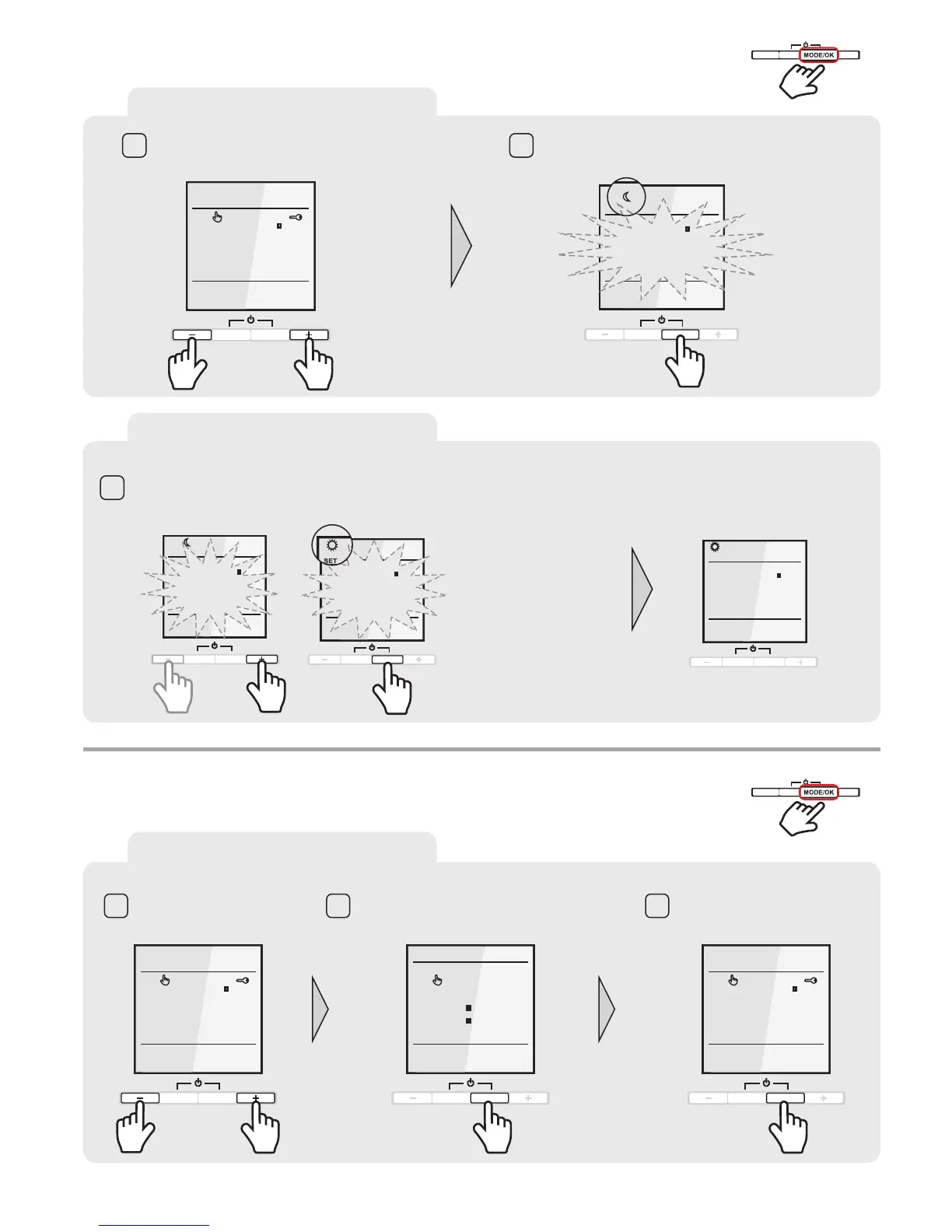
Unlock the thermostat Press and hold the MODE/OK button for 8 seconds.
The symbol for the „ECONOMY MODUS“ apears and the
temperature starts with blinking.
TEMP
WE
19,0C
PROG/ESC
MODE/OK
1 2
TEMPERATURE SETTINGS
During the „ECONOMY MODUS“ the temperature will be reduced to your desired minimum temperature. Set the desired
„ECONOMY MODUS TEMPERATURE“ with the “+” or “–” button. MODE/OK. Now the „COMFORT
MODUS TEMPERATURE“ could be adjusted on the same way. Confirm the selection with MODE/OK. Setup is completed and
the Display shows the actual temperature.
Confirm the selection with
SET
TEMP
MO
PROG/ESC
MODE/OK
TEMP
TEMP
SET
SET
MO
MO
PROG/ESC
MODE/OK
20,0C
22,0C
25,0C
3
PROG/ESC
MODE/OK
TEMPERATURE RANGE PROGRAMMING
8 sec.
PROG/ESC
MODE/OK
+
-
2 sec.
PROG/ESC
MODE/OK
+
-
SCREENSAVER
SELECT SCREENSAVER
Unlock the
thermostat
TEMP
WE
19,0C
TEMP
WE
19,0C
TEMP
WE
7 40
PROG/ESC
MODE/OK
PROG/ESC PROG/ESC
MODE/OK MODE/OK
1 2 3
The default screensaver is “Floor temperature”.
Press and hold MODE/OK key for 2 seconds.
The screensaver will change to “Current time”
If you p
key for 2 seconds again, the
screensaver will change back to
“Floor temperature”
ress and hold MODE/OK



 To Next Page