Need help?
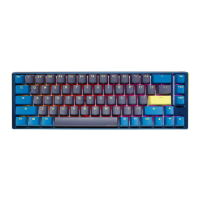
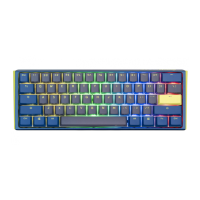
Do you have a question about the Ducky One 2 Mini DKON1861ST and is the answer not in the manual?
Key specifications and features of the Ducky One 2 Mini keyboard.
Illustrates the standard key layout of the Ducky One 2 Mini keyboard.
Diagram showing the function layer key assignments for the Ducky One 2 Mini.
Diagram illustrating the Fn + Alt layer key configurations on the Ducky One 2 Mini.
Details on various RGB modes and how to adjust speed and color settings.
Guide to customizing RGB zones CM1 and CM2, including color and breathing modes.
Step-by-step guide for recording custom RGB zone lighting effects.
Details on the Ducky Gamble mode with block flashing and speed adjustments.
Instructions for playing the Ducky Minesweeper game on the keyboard.
List of key combinations for multimedia controls like volume and playback.
How to set the keyboard's debounce time for mechanical switches.
Instructions for using the keyboard in power bank demo mode for lighting display.
How to activate the shop window demo mode for showcasing lighting effects.
Procedure to restore the keyboard to its original factory settings.
How to enable or disable the Windows key function to prevent accidental presses.
Configuration of Fn key position using DIP1 and DIP2 switches.
Setting Caps Lock behavior using the DIP3 switch.
Configuring N-Key Rollover and 6-Key Rollover using the DIP4 switch.
Choosing a profile to store macro settings before recording.
Shortcut keys for starting, stopping, and managing macro recording.
Identifies keyboard layers that can be configured for macros.
Lists keys that cannot be used for macro assignments.
Assigning macro commands to multimedia functions using key combinations.
Assigning macro commands to specific keyboard button functions.
Mapping common Windows shortcuts to macros for quick access.
Practical examples demonstrating how to set up custom macros.

 To Next Page
 General