Need help?
Do you have a question about the Ducky one III SF and is the answer not in the manual?
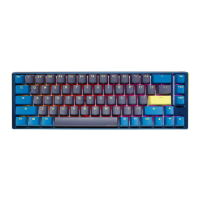
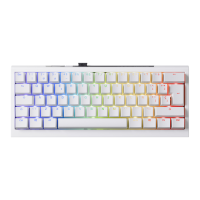
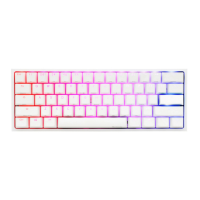
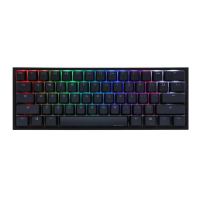
Details on keyboard structure, lighting, keycap material, printing, origin, size, and weight.
Highlights include hot-swappable switches, RGB modes, Type-C interface, and macro support.
Diagram illustrating the standard key layout of the keyboard.
Diagram showing the key layout when the Fn key is activated.
Diagram illustrating the key layout when Fn and Alt keys are activated.
Lists all available RGB lighting modes from Wave to Backlit OFF.
Details on adjusting speed, brightness (RGB), and color palettes.
Customizing zone and color for CM1, including breathe mode and turning off.
Customizing zone and color for CM2, including breathe mode and turning off.
Steps to record custom zone backlighting effects for CM1 and CM2.
Key combinations to control mouse cursor movement and scroll wheel.
Options to set debounce time (5ms, 10ms, 15ms, 25ms) for key presses.
How to enable/disable the showcase display mode for lighting effects.
Notes on keyboard usability during display mode and how to exit.
Key combinations for resetting the keyboard to factory defaults based on layout.
How to enable or disable the Windows key functionality using a key combination.
Identifies keys that can be used for key swapping operations.
Detailed steps and key combinations for performing key swaps and Caps Lock function changes.
Configuration options for DIP switches 1-4, affecting F row toggle, rollover, and Vender ID.
How to select a profile (1-6) before starting macro recording.
Key combination to enter macro recording mode and indicator lights.
Procedure for pressing a key to record and inputting desired key functions or macros.
Hotkeys for starting and finishing macro recording (Fn + Alt + Tab).
Hotkeys for profile status indication and deleting current profile values.
Identifies which keyboard layers (Standard, Fn, Fn+Alt) can be configured for macros.
Lists keys that cannot be used for macro configuration (Fn, Caps Lock).
Mapping of keys to multimedia functions using Fn + Windows Key + specified key.
Key combinations to prompt profile values, switch profiles, and control RGB lighting modes.
Key combinations for adjusting RGB colors, clearing values, and accessing the color palette.
Common Windows shortcuts for copy, cut, paste, undo, and redo operations.
Shortcuts for managing desktop, windows, search, and system functions.
Example of remapping the 'Z' key to output 'Q'.
Example of setting the 'Z' key to display the desktop.
Example of assigning Fn + Ctrl + M to mute volume.
Example of assigning Fn + Ctrl + Q to output 'Reactive mode'.
Instructions on how to remove keycaps using a keycap puller.
Guide on using a switch puller to remove and install switches correctly.
Precautions for inserting and removing switches to avoid damage.
Conditions that will void the keyboard's warranty, such as liquid damage or modifications.
 General
| Type | Mechanical |
|---|---|
| Form Factor | Compact |
| Switch Type | Cherry MX |
| Keycap Material | PBT |
| Printing Technology | Double-shot |
| Backlighting | RGB |
| Connectivity | Wired |
| USB Type-C | Yes |
| Hot-swappable | Yes |
| Polling Rate | 1000 Hz |
| Actuation Point | 2mm |
| Total Travel | 4mm |
| N-key Rollover | Yes |
| Anti-ghosting | Yes |
| Actuation Force | 45g |


 To Next Page