Need help?
Do you have a question about the Ducky One 3 SF and is the answer not in the manual?
Details product specifications including type, LED, keycap material, printing method, origin, size, and weight.
Highlights primary features like hot-swappable switches, RGB lighting, Type-C interface, and macro support.
Illustrates the standard keyboard layout, using the US layout as an example.
Displays the keyboard layout when the Fn key is pressed.
Shows the keyboard layout when Fn and Alt keys are pressed together.
Lists and describes the eleven available RGB lighting modes.
Instructions for adjusting RGB lighting speed and individual color brightness.
Details on setting up custom lighting zones CM1 and CM2 with breathing effects.
Step-by-step guide to recording custom color patterns for specific keyboard zones.
Provides detailed steps for recording custom RGB color patterns for keyboard zones.
Key combinations for controlling media playback, volume, and mouse functions.
Procedure to adjust the key input delay for optimal responsiveness.
How to enable demo mode to showcase various LED lighting effects.
Instructions to restore the keyboard to its original factory default settings.
Enabling or disabling the Windows key to prevent accidental presses.
Overview of remapping keys and their functions using specific key combinations.
Explanation of the functionality of the four DIP switches for hardware configuration.
Guide to selecting profiles and initiating the macro recording process.
Details on using hotkeys for starting, finishing, and managing macro recording.
Identifies keyboard layers and keys that can be configured for macros.
Specifies key combinations for assigning media functions to macros.
Details key combinations for assigning general keyboard functions to macros.
Lists common Windows keyboard shortcuts for productivity, usable with macros.
Illustrates how to configure specific keys for custom macro outputs.
Step-by-step guide and visual examples for safely removing and installing keyboard switches.
Notes on proper hot-swap usage and potential warranty voiding conditions.
 General
| Windows keys | Yes |
|---|---|
| Keyboard layout | QWERTY |
| Pointing device | No |
| Device interface | USB |
| Keyboard language | Nordic |
| Recommended usage | Gaming |
| Keyboard key switch | Mechanical |
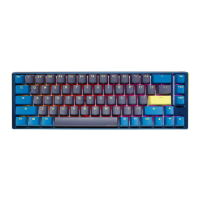
| Keyboard form factor | 65% |
| Keyboard key switch technology | Cherry MX Silent Red |
| Product color | Blue, Grey |
| Backlight type | RGB LED |
| Keyboard style | Straight |
| Backlight color | Various |
| Surface coloration | Monochromatic |
| USB connector type | USB Type-C |
| Number of products included | 1 pc(s) |
 Weight and Dimensions
| Keyboard weight | 627 g |
|---|---|
| Keyboard dimensions (WxDxH) | 335 x 110 x 40 mm |

 To Next Page