Need help?
Do you have a question about the Ducky Mecha Mini and is the answer not in the manual?
Detailed procedure for recording custom RGB lighting zones.
How to select and manage macro profiles.
Step-by-step guide to recording macros.
 General
| Rollover | N-key rollover |
|---|---|
| Polling rate | 1000 Hz |
| Keyboard layout | - |
| Pointing device | No |
| Device interface | USB |
| Recommended usage | Universal |
| Keyboard key switch | Mechanical |
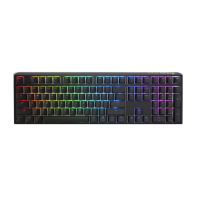
| Keyboard form factor | Full-size (100%) |
| Keyboard key switch technology | Cherry MX Brown |
| Material | Aluminum |
| Backlight | Yes |
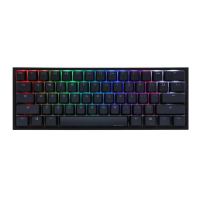
| Product color | Black |
| Backlight type | RGB LED |
| Keyboard style | Straight |
| Surface coloration | Monochromatic |
| Number of products included | 1 pc(s) |
 Weight and Dimensions
| Keyboard weight | 827 g |
|---|---|
| Keyboard dimensions (WxDxH) | 295 x 108 x 40 mm |

 To Next Page