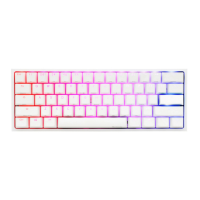
Ducky Gaming Interaction Mode
Ducky Gamble mode
Fn + Alt + N
Fn + Alt + M
2 blocks flashing
4 blocks flashing
Operation method:
Hold the combine keys for 3 seconds to perform
multi-block flashing. Press the spacebar and it will
randomly stay on one block. Press the spacebar again
to start the next round.
Note:
● Ducky Gamble mode can be adjusted using the following:
◆ Fn + Alt + J:Decrease speed.
◆ Fn + Alt + L:Increase speed.
● If you start any light mode on Fn + Alt layer,
the Gamble mode will be closed.
● If there is no activity in 10 minutes,
the gaming interaction mode will terminate.
29
Ducky Minesweeper mode
Fn + Alt + ,
Minesweeper game
RGB LED Operation method:
Press for 3 seconds to start the minesweeper game. The
keyboard will randomly select 1 or several buttons as mines.
When the user turns the button in turn, the color will be
displayed. The green color will continue to play the game
safely. The red button is used as the mine, the game will end.
At the end of the game, it will stay in the original display
light color; press the blank button to enter the next round.


 To Next Page