EasyManua.ls Logo

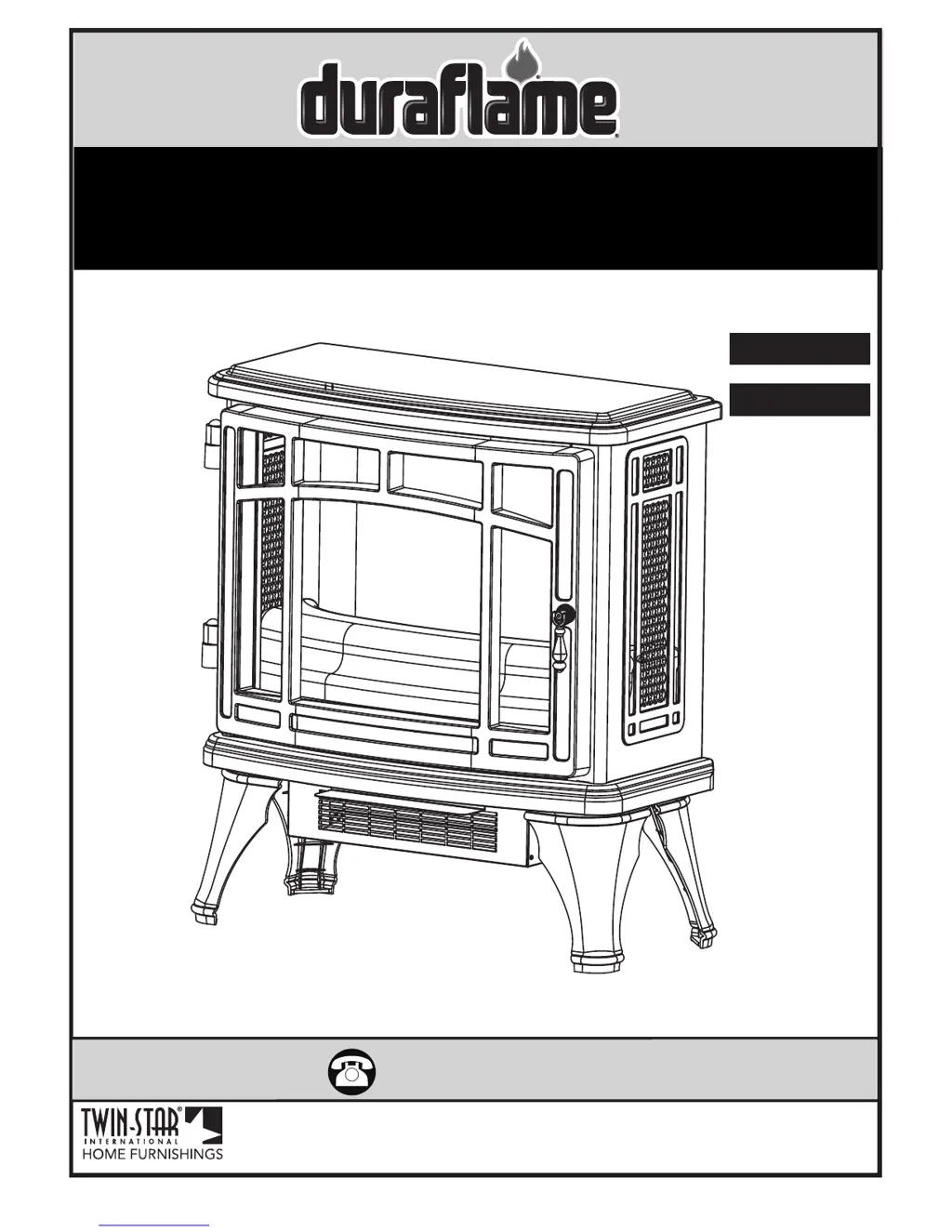
Duraflame DFI-8511-01 - User Manual

Duraflame DFI-8511-01
10 pages
Print Icon
To Next Page IconTo Next Page
Loading...
www.tsicustomerservice.comA485
1
www.tsicustomerservice.com
Twin-Star International, Inc; Delray Beach, FL 33445
Made in China • Printed in China • Fabricado en China • Impreso en China • Fabriqué en China • Imprimé en Chine
1-800-318-9373
MODEL/ MODELE/ MODELO:
DFI-8511-01, DFI-8511-02, DFI-8511-03, DFI-8511-04,
DFI-8511-08, DFI-8511-09, DFI-8511-10
Español P.11
Français P.20

Other manuals for Duraflame DFI-8511-01

Questions and Answers

  • S
    Steven ReedSep 23, 2025
    Is it safe to place Duraflame Stove on carpet?
    • L
      Lisa RobertsSep 23, 2025
      It is safe to place your Duraflame Stove on carpet if you operate it with the legs installed and keep flammable items at least 3 feet (0.9 M) away from the front and sides of the unit.
  • S
    Sonya SchwartzAug 25, 2025
    How to fix a Duraflame Stove with no power?
    • E
      Elizabeth SalasAug 25, 2025
      If your Duraflame Stove has no power, first check that the power cord is securely plugged into a standard 120-volt outlet. If the issue persists, it may indicate a circuit board failure, in which case you should contact Customer Service for a replacement main PCBA.
  • G
    Gail WagnerAug 25, 2025
    What to do if Duraflame Stove does not turn on manually?
    • A
      Ann SchwartzAug 26, 2025
      If your Duraflame Stove does not turn on manually, check the circuit breakers and try a different outlet to ensure there is incoming power from the electrical wall socket. Also, make sure to manually press the main power button on the front of the unit. If it still fails to turn on, the control panel circuit board may have failed, and you should contact customer service to replace the control panel PCBA.
  • J
    Jonathan GriffinAug 27, 2025
    Why is the remote control not working on my Duraflame Stove?
    • J
      Jimmy KingAug 27, 2025
      If your Duraflame Stove remote control isn't working, try these steps: 1. Change the remote batteries. 2. Operate the remote at a slow, measured pace, pressing the buttons with an even motion and gentle pressure. 3. Ensure you are within 20 feet of the unit and pointing the remote at the control panel.
  • K
    Kenneth ElliottAug 27, 2025
    What to do if Duraflame Stove heater is not turning on and beeps?
    • D
      David JensenAug 27, 2025
      If your Duraflame Stove heater is not turning on and beeps many times when pressing the heater button, the HEATER function might be locked. To unlock it, hold the POWER button on the control panel for about 10 seconds to activate the heater function.
  • C
    Christine ContrerasSep 13, 2025
    Why is my Duraflame Stove making excessive noise with the heater on?
    • C
      craig95Sep 14, 2025
      If your Duraflame Stove is making excessive noise when the heater is on, gently vacuum the heater blower vents to remove any dust or debris. If the noise continues, the heater blower motor may be defective and require replacement.
  • W
    wilsonangelicaSep 12, 2025
    Is it safe to put Duraflame DFI-8511-01 on carpet?
    • A
      Amber TurnerSep 12, 2025
      It is safe to place your Duraflame Indoor Fireplace on carpet if you operate it with the legs installed. Make sure to keep flammable items at least 3 feet (0.9 M) away from the front and sides of the unit.
  • C
    Courtney LopezSep 12, 2025
    Why is my Duraflame DFI-8511-01 making noise with flames on?
    • S
      Shawn RowlandSep 12, 2025
      If your Duraflame Indoor Fireplace is making noise with the flames on but the heater off, contact customer service to replace the flame generator drive motor, as it may be defective. Also, contact customer service if the back panel is dented or if the Flame Generator/Spinner shaft is warped.
  • S
    scottchavezSep 4, 2025
    Why won't my Duraflame DFI-8511-01 turn on manually?
    • W
      webblaurenSep 4, 2025
      If your Duraflame Indoor Fireplace stove doesn't turn on manually, check the circuit breakers and try moving the unit to another outlet to ensure incoming power from the electrical wall socket. Also, make sure you are manually pressing the main power button on the front of the unit. If these steps do not solve the issue, contact customer service to replace the control panel PCBA, as there may be a control panel circuit board failure.
  • L
    lisawilliamsSep 2, 2025
    How to troubleshoot Duraflame DFI-8511-01 Indoor Fireplace with no power?
    • S
      Sarah CalhounSep 2, 2025
      If your Duraflame Indoor Fireplace is not turning on, first, check that the unit is plugged directly into a standard 120-volt outlet. If that doesn't work, contact Customer Service for a replacement main PCBA due to potential circuit board failure.

Summary

IMPORTANT INSTRUCTIONS

GETTING STARTED

PRODUCT SPECIFICATIONS

Details on the electrical and operational specifications of the appliance.

INSTALLATION INSTRUCTIONS

TOOLS REQUIRED FOR ASSEMBLY

Lists the necessary tools for assembling the appliance components.

LEG ASSEMBLY PROCEDURE

Step-by-step guide for attaching the legs to the appliance base.

CARE AND MAINTENANCE

OPERATION INSTRUCTIONS

REMOTE CONTROL OPERATION

Instructions on how to operate the appliance using the remote control.

CONTROL PANEL OPERATION

Details on using the appliance's built-in control panel buttons.

BULB REPLACEMENT

TOOLS FOR BULB REPLACEMENT

Identifies the tools needed for replacing the appliance's light bulb.

TROUBLESHOOTING GUIDE

REPLACEMENT PARTS

BATTERY REPLACEMENT

CUSTOMER SERVICE

Duraflame DFI-8511-01 Specifications

General IconGeneral
TypeElectric Fireplace
Safety FeaturesOverheat protection
Remote ControlYes
Voltage120 V
Adjustable ThermostatYes
ColorBlack
Heating Capacity400 sq. ft.
Power1500 W
Flame EffectRealistic flame effect with adjustable brightness
MaterialMetal

Related product manuals