GraphicProducts.com | 800-788-5572
Getting to Know Your Toro Max | 5
GETTING TO KNOW YOUR TORO MAX
Toro Max is a thermal transfer printer, meaning that it uses heat to transfer a solid resin,
or “ink”, from a printing ribbon onto a label stock. Toro Max uses a ribbon cartridge
system to make loading supplies fast and easy, and the system will recognize which
supplies are loaded to simplify your printing tasks.
Toro Max is also a complete, standalone printing system, with its own built-in
software and controls. Additional software cannot be installed on your Toro Max; only
manufacturer-supplied updates can be installed. If you would like to use other software
for label design, you can use Toro Max as a desktop label printer by connecting it to your
computer directly with a USB cable, or by connecting it to your local network.
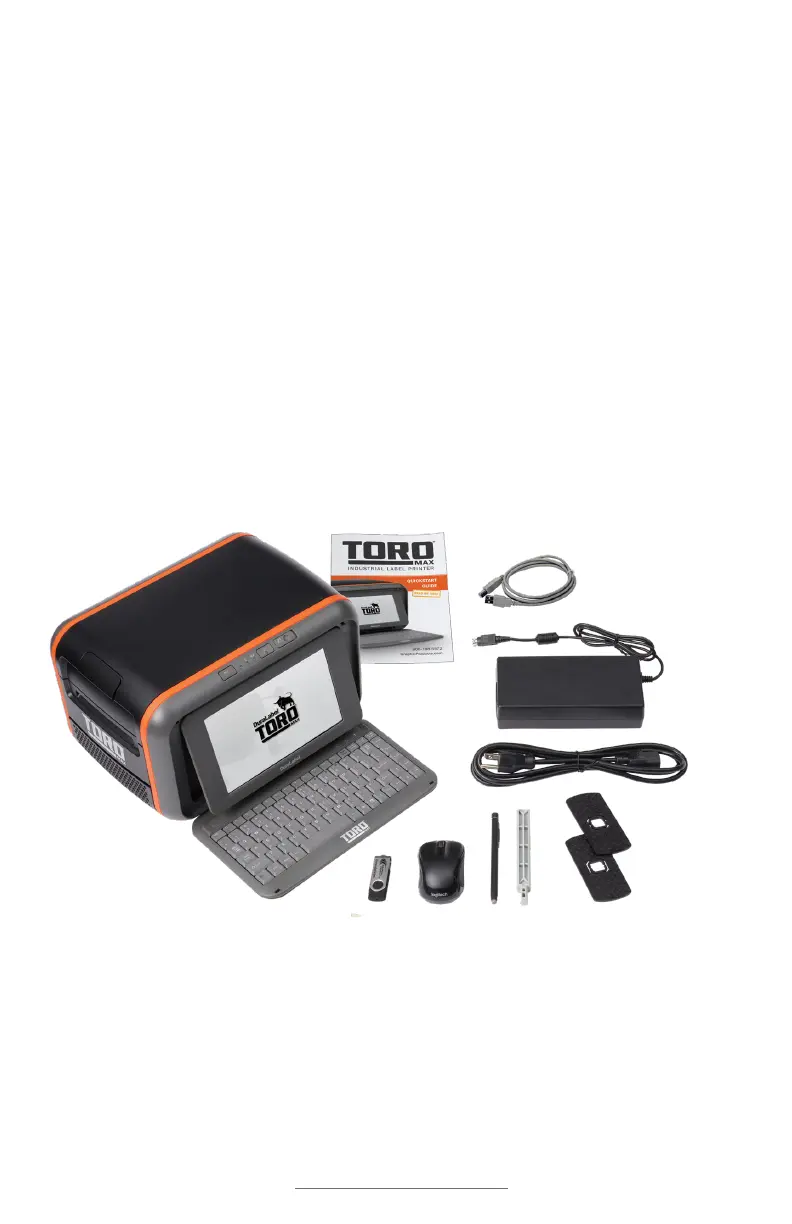
In the Box
In Toro Max’s box, you will find the following materials:
3
6. USB Flash Drive with PC Software
7. Wireless Optical Mouse
8. Stylus
9. Toro Max Quick Start Guide
10. Toro Max User Guide (this document)
1
2
3 46 7 8
9
5
1. Toro Max Printer
2. Power Cord and AC Adapter (“brick”)
3. Notched Supply Spindle
4. Fixing Tabs
5. USB Cable



 To Next Page