56
Activating / deactivating the power-saving mode
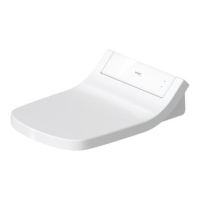
> Press the "POWER" button <
6
> briefly (less than 2 seconds) on the seat unit.
You will hear a confirmation tone.
SensoWash
®
Starck C enters the power-saving mode.
The indicator lamp is green.
> Press the "POWER" button <
6
> briefly (less than 2 seconds) again on the seat
unit.
You will hear a confirmation tone.
SensoWash
®
Starck C returns to the normal mode.
The indicator lamp is red.
The seat heating function is not active during the power-saving mode.
Activating / deactivating the standby mode
> Press the "POWER" button <
6
> on the seat unit for a longer period (more than
3 seconds).
You will hear a confirmation tone.
SensoWash
®
Starck C enters the standby mode.
> Press the "POWER" button <
6
> on the seat unit once again for a longer period
(more than 3 seconds).
You will hear a confirmation tone.
SensoWash
®
Starck C returns to the normal mode.
The indicator lamp is red.
The spray wand moves out briefly and then back again.
None of the SensoWash
®
Starck C functions are active in the standby mode.


 To Next Page
 Loading...