26
EN
If the remote control is not available or the batteries are empty,
then basic functions can also be switched on or off from the side
control buttons.
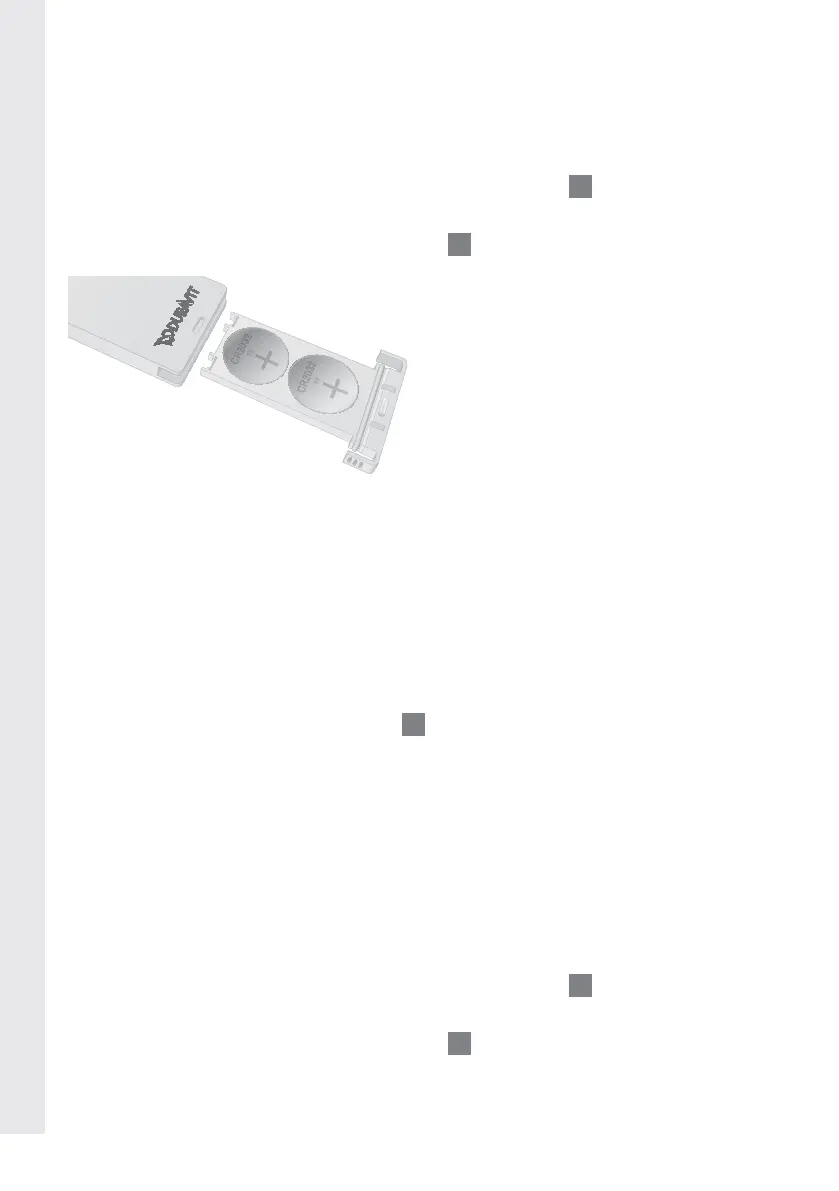
> Press the lock of the “Battery Compartment”
8
to open it.
> Insert two lithium batteries (CR2032) with + facing upwards.
> Close the “Battery Compartment”
8
.
. Status LEDs
Red illuminated: SensoWash
®
is in the „Standby mode“, all func-
tions cannot be used.
Green illumina-
ted:
SensoWash
®
is in the „On mode“, all functions
can be used.
Green flashing: SensoWash
®
is in the „Initialization“ process,
only „Power“
A
on the seat unit can work.
Red flashing: Malfunction. Disconnect main power supply
and proceed with chapter 9.
5. Initial operation
Remote control
> Press the lock of the “Battery Compartment”
8
to open it.
> Remove the foil safety tag in the battery compartment.
> Close the “Battery Compartment”
8
.





 To Next Page