EasyManua.ls Logo

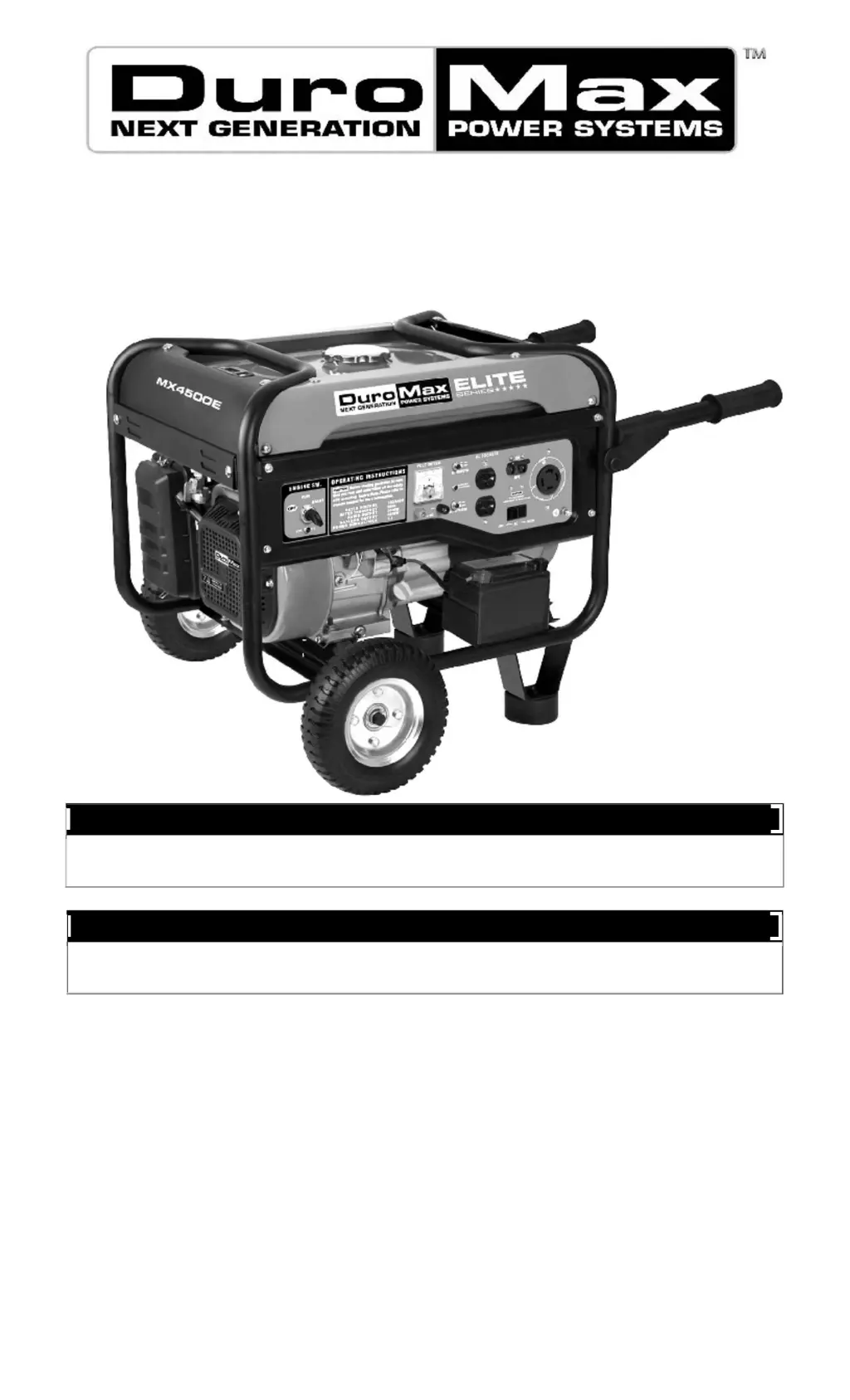
DUROMAX MX4500 - User Manual

DUROMAX MX4500
37 pages
Print Icon
To Next Page IconTo Next Page
Loading...
Max Tool Customer Service
customer_service@maxtool.com
or call 1-800-629-3325 (option 3) Monday -Thursday 6am to 7pm, Friday - Saturday 6am to 3pm. PST
Product Support (Product: information, application, service info & warranty questions)
support@maxtool.com
or call 1-800-629-3325 (option 3) Monday -Thursday 6am to 7pm, Friday - Saturday 6am to 3pm. PST
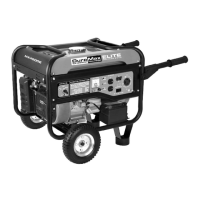
Gasoline Powered Generator
Owner
s Manual
MX4500
MX4500E

Questions and Answers

  • R
    Richard UnderwoodAug 6, 2025
    Why won't my DUROMAX Portable Generator start?
    • E
      Edward EstradaAug 6, 2025
      If your DUROMAX Portable Generator's engine won't start, several factors could be at play. First, ensure the engine switch is in the “ON” position and the fuel valve is set to “OPEN”. Check if the choke is closed. Make sure the generator has enough gas and that the gas isn't old or contaminated. Inspect the spark plug for dirt or damage, cleaning or replacing it as needed. Also, ensure the generator is on a level surface to prevent the low oil shutdown from activating, and verify the oil level, adding or replacing oil if necessary.
  • P
    Peter TannerAug 14, 2025
    What to do if DUROMAX Portable Generator runs but does not support all electrical devices connected?
    • K
      Kevin WilliamsAug 14, 2025
      If your DUROMAX Portable Generator runs but can't handle all connected devices, it might be overloaded. Try reducing the number of electrical loads. A short circuit in one of the connected devices could also be the problem, so try disconnecting any faulty or short-circuited electrical loads. Also, check if the air cleaner is dirty and clean or replace it if needed.
  • M
    Michael StantonAug 26, 2025
    How to fix DUROMAX Portable Generator when engine runs but there is no electrical output?
    • B
      Brett JohnsonAug 26, 2025
      If the engine of your DUROMAX Portable Generator runs but there's no electrical output, begin by checking the circuit breaker and ensure it's in the “ON” position. If you're using an extension cord, try a different one to rule out bad connecting wires or cables. Also, the electrical device connected to the generator might be faulty, so try connecting a different device to test.

Summary

FEATURES

GENERAL SAFETY PROCEDURES

Carbon Monoxide Hazard

Generator produces poisonous carbon monoxide gas. Use outdoors only.

Flammable Fuel Vapor Safety

Gasoline and fumes are highly flammable. Avoid open flames, smoking, and refueling hot engines.

Electrical and Heat Safety

Electrical Shock Precautions

Generator produces powerful voltage. Always ground the generator before use.

High Temperature Hazards

Exhaust and engine parts can reach high temperatures. Allow generator to cool before touching.

Generator Operational Safety

Misuse can damage the generator. Operate only on dry, level surfaces.

PACKAGE CONTENTS

GENERATOR COMPONENTS

PREPARING THE GENERATOR FOR USE

Step 1- Add oil

Add the proper amount of engine oil before operating the generator for the first time.

Step 2- Add Gasoline

Add fresh, unleaded gasoline with an octane rating of 87 or higher to the fuel tank.

Step 3- Ground the Generator

Failure to properly ground the generator can result in electrocution. Use a grounding wire.

Subsequent Use of the Generator

Step 1- Check the oil

Check the oil level of the engine before each use to ensure sufficient amount.

Step 2 - Check the Gas Level

Check that there is sufficient gasoline in the gas tank before starting.

Step 3- Ground the Generator

Ground the generator by tightening the grounding nut against a grounding wire.

STARTING THE GENERATOR

USING THE GENERATOR

AC Usage

Connect electrical devices running on AC current according to their wattage requirements.

VOLTAGE SELECTOR SWITCH (MX4500;MX4500 E)

Switch Operation

Explains how to use the voltage selector switch for 120V ONLY or 120/240V operation.

SOME NOTES ABOUT POWER CORDS

DC Usage

Battery Charging

The DC receptacle is for recharging 12 Volt automotive-type batteries only. Never jumpstart a car.

STOPPING THE GENERATOR

MAINTENANCE;CARE

Recommended Maintenance Schedule

Provides a schedule for checking and performing maintenance tasks on the generator.

Cleaning the Generator

Instructions on how to clean the exterior of the generator using specific methods.

Checking the Oil

Check the oil level of the generator before each use to ensure sufficient amount.

Changing;Adding Oil

Procedure for adding oil to the crankcase when the oil level is low.

Draining Oil

Procedure to drain oil from the crankcase if contaminated with water or dirt.

Air Cleaner Maintenance

Instructions for cleaning the air cleaner elements to maintain proper airflow.

Fuel Filter Cup Cleaning

Procedure to clean the fuel filter cup that traps dirt and water from the fuel.

Spark Plug Maintenance

Instructions for inspecting, cleaning, and gapping the spark plug for proper operation.

Emptying the Gas Tank

STORAGE;TRANSPORT PROCEDURES

GENERATOR SPECIFICATIONS

TROUBLESHOOTING

GENERATOR ASSEMBLY AND MOUNTING

CHANGE THE CARBON-BRUSH

CHANGE THE AVR

WIRING DIAGRAM (MX4500)

WIRING DIAGRAM (MX4500 E)

EXPLODED VIEW AND PARTS LIST

DUROMAX MX4500 Specifications

General IconGeneral
BrandDUROMAX
ModelMX4500
CategoryPortable Generator
LanguageEnglish

Related product manuals